LRC Version 12.0.1
OS Windows 10 Pro, version 21H2
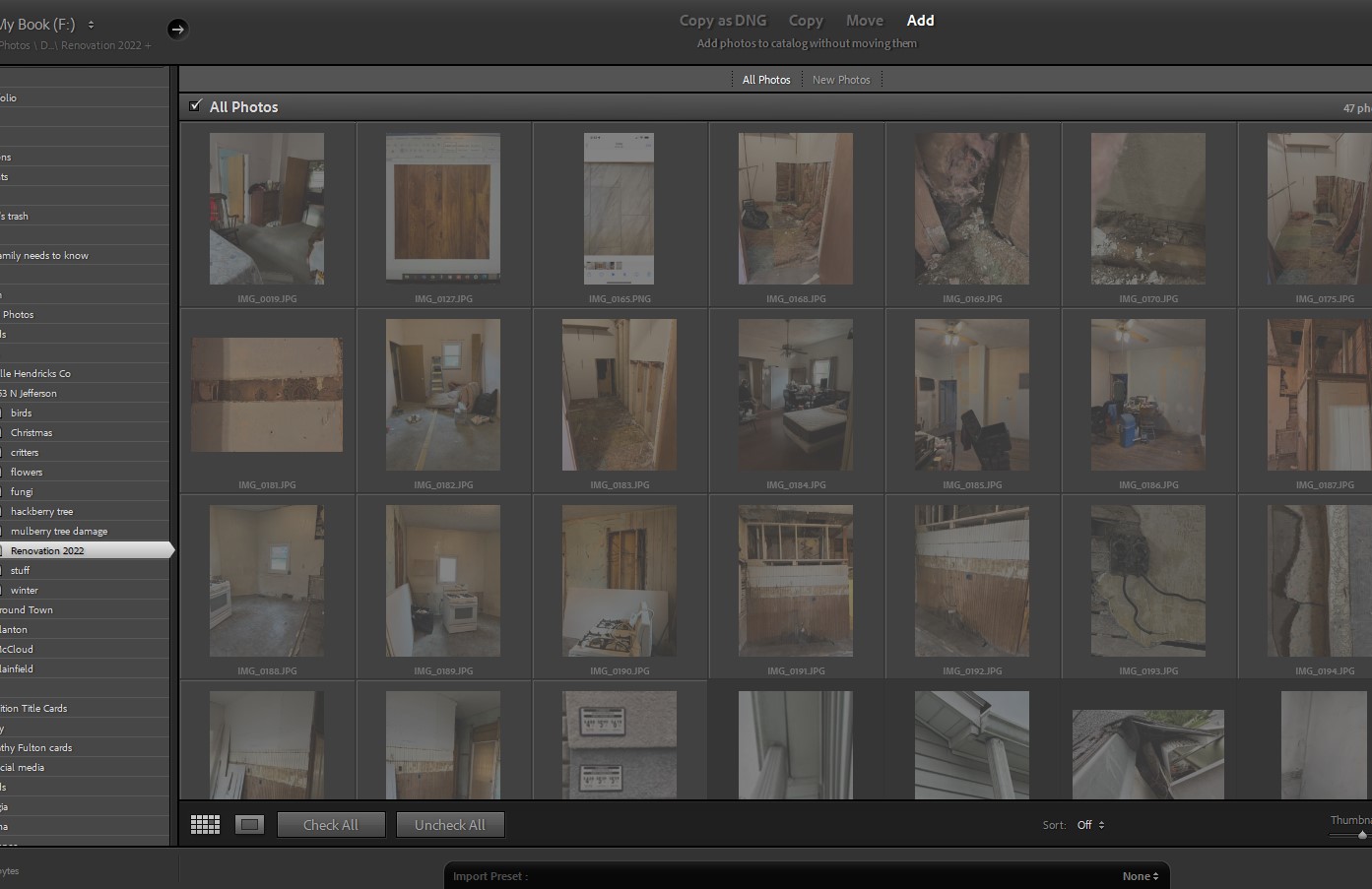
I am using LR Classic and trying to import images into a folder. I completed the process as I have numerous times. I can see the images in the actual folder. When I start to import, I see them in the window, but they are grayed out as if already imported. I installed the newest LR update and tried the import again with the same result. In the Import, even though the images are grayed out, I selected all then tried both Add and Copy; the Import button is grayed out. Another oddity is that in LR, that folder shows a grayed out "arrow" as if there were a sub-folder, but there isn't. Screenshots attached for reference.
Any help will be appreciated. I'm stumped.
Cindy






 AdChoices