A Raw file has no inherent pixels-per-inch resolution, except what it may be assigned in use.
Importing any file to LrC leaves the software free to send copies of the photo out for different purposes, each with varying attributes. None of these usages altering the originally imported file in any way.
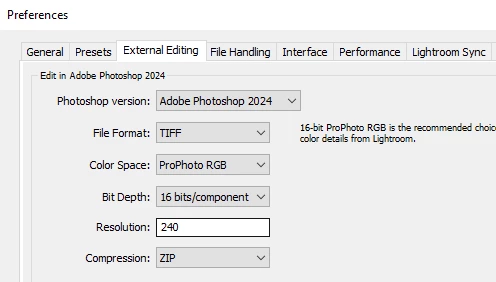
Lightroom Classic is by default assigning 240ppi when it sends a copy to Photoshop for external editing. That setting can be changed as you wish - but doing so does not make the resulting picture inside PS, any more or less detailed in itself. For external editing purposes, all the picture information will always be sent.
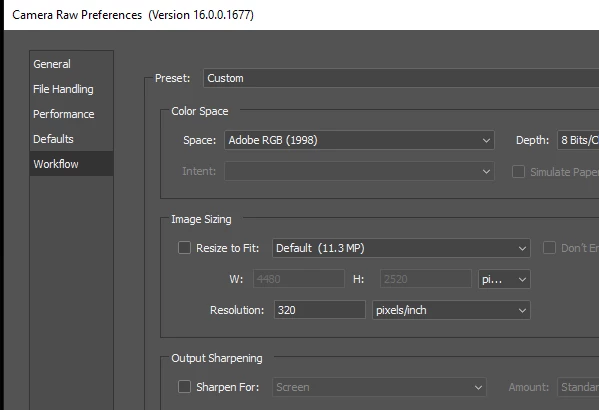
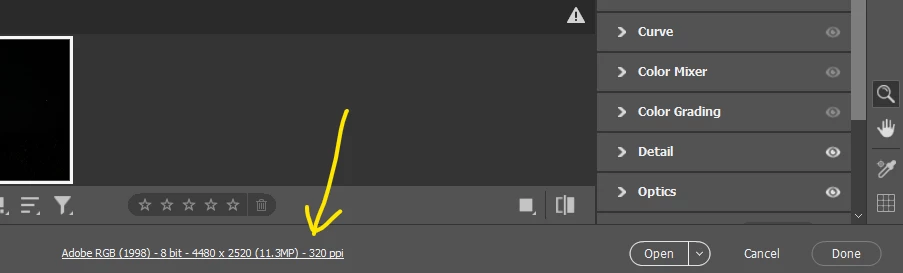
When Photoshop is being used to open a Raw file directly, without LrC having any involvement, then Adobe Camera Raw's own default settings come into play (and, can be changed by you, from inside PS, as the screenshot below). Also (just for a given ACR session I think, not sure) settings can be overridden by clicking at the bottom of the ACR window.
To reiterate: regardless of the ppi number; and how that's set, the same number of pixels will always represent the identical picture as it's seen at 100% zoom.
Analogy for that: $100 dollars cash might exist (e.g.) in the form of 5 x $20 bills or in the form of 2 x $50 bills, equivalently. The first bundle does contain more bills, but these are correspondingly smaller value ones. The second bundle consists of bigger value bills, but there are correspondingly fewer of those. Same same!
Number of Inches / centimeters as a way of thinking about digital images, is like concentrating on how many banknotes there are in a bundle of cash. Only by knowing the denomination of these banknotes as well as their number, and mutiplying it out, can you know their total value. So it's more direct and universal to just talk about this sum of cash as total dollars in the first place (= the pixel dimensions of an image).



 AdChoices