Exit
  • Global community
    • Language:
      • Deutsch
      • English
      • Español
      • Français
      • Português
  • 日本語コミュニティ
  • 한국 커뮤니티
0

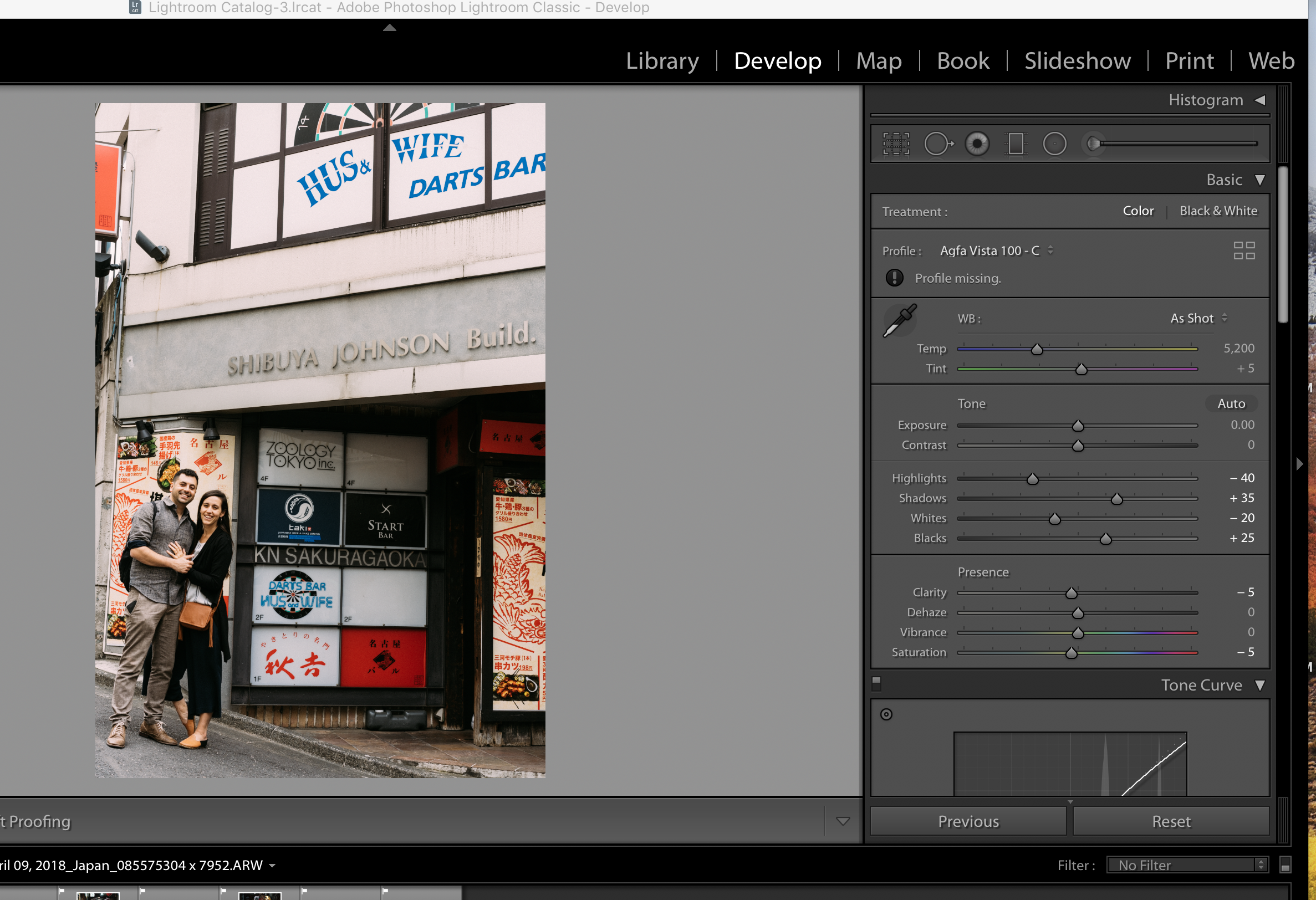
Why do I get 'Profile Missing' in Dev module after applying Adobe preset?

Community Beginner ,
Apr 17, 2018 Apr 17, 2018

Screen Shot 2018-04-17 at 6.20.23 PM.png See Profiile missing under Agfa Vista 100

774
Translate
Report
Community guidelines
Be kind and respectful, give credit to the original source of content, and search for duplicates before posting. Learn more
community guidelines
Community Expert ,
Apr 17, 2018 Apr 17, 2018

Check in the profile browser whether that particular 'Agfa Vista 100' camera profile is available. If it's not available, but your preset applies it anyway, then 'missing profile' is the logical result.

-- Johan W. Elzenga
Translate
Report
Community guidelines
Be kind and respectful, give credit to the original source of content, and search for duplicates before posting. Learn more
community guidelines
Community Beginner ,
Apr 18, 2018 Apr 18, 2018

How do I get the presets that I see under the Preset menu on the left hand panel to appear in the right hand profile browser? Why would LR list Presets that are unavailable to me? These seem to have been applied to the images I selected in Develop module, and appear to be able to export, despite the Profile issuing error message. What is happening to the image when I click on the Preset on the left and it seems to be applied?

Translate
Report
Community guidelines
Be kind and respectful, give credit to the original source of content, and search for duplicates before posting. Learn more
community guidelines
Community Expert ,
Apr 18, 2018 Apr 18, 2018

Swiss2014  wrote

How do I get the presets that I see under the Preset menu on the left hand panel to appear in the right hand profile browser? Why would LR list Presets that are unavailable to me? These seem to have been applied to the images I selected in Develop module, and appear to be able to export, despite the Profile issuing error message. What is happening to the image when I click on the Preset on the left and it seems to be applied?

You can't move your presets to the profile browser. Presets are not the same a profiles, but they can apply a profile if you check that option in the 'save new preset' dialog.

-- Johan W. Elzenga
Translate
Report
Community guidelines
Be kind and respectful, give credit to the original source of content, and search for duplicates before posting. Learn more
community guidelines
Community Beginner ,
Apr 19, 2018 Apr 19, 2018

Working in Lightroom Classic CC (updated,)  So now I am seeing the relationship from left hand side to right hand side - it seems like you must select  a Preset drop-down to ‘add to favorites’ then select once it has appeared in the Profiles group. When I do double-click on a left hand Preset and add to favorites, it appears to change all of the Profiles on the right hand Profile side. I am trying to understand this relationship. Know of any links for a tutorial explanation of this relationship between presets and profiles in Classic CC?

- -

Michelle Edmunds

<http://instagram.com/michelee1>

[Removed personal contact info - Mod.]

Translate
Report
Community guidelines
Be kind and respectful, give credit to the original source of content, and search for duplicates before posting. Learn more
community guidelines
Community Expert ,
Apr 19, 2018 Apr 19, 2018

There is no relationship other than that your presets (on the left side) apparently also change the profile (on the right side). But that is a choice you selected when the preset was created.

-- Johan W. Elzenga
Translate
Report
Community guidelines
Be kind and respectful, give credit to the original source of content, and search for duplicates before posting. Learn more
community guidelines
Community Beginner ,
Apr 19, 2018 Apr 19, 2018

I guess that’s the curious thing - I didn’t create these presets. They appeared after recent LR Classic CC update. They look like a bundle like you would purchase from VSCO. But I didn’t purchase.

- -

Michelle Edmunds

[Removed personal contact info - Mod.]

Translate
Report
Community guidelines
Be kind and respectful, give credit to the original source of content, and search for duplicates before posting. Learn more
community guidelines
Community Expert ,
Apr 19, 2018 Apr 19, 2018
LATEST

Well, of course that applies to presets created by Adobe as well. If they selected a specific profile and included that in the preset, then that is what that preset will do: select that profile.

-- Johan W. Elzenga
Translate
Report
Community guidelines
Be kind and respectful, give credit to the original source of content, and search for duplicates before posting. Learn more
community guidelines