


- Home
- Mixamo
- Discussions
- UNABLE TO MAP YOUR EXISTING SKELETON ON A MIXAMO R...
- UNABLE TO MAP YOUR EXISTING SKELETON ON A MIXAMO R...
UNABLE TO MAP YOUR EXISTING SKELETON ON A MIXAMO RIG !!!

Copy link to clipboard
Copied
Hello there,
I have a 3D Character, I want to rig it in mixamo so I can use the mixamo animation library.
The Auto rig has some mistakes so I want to improve some weight painting and bone placement in Blender.
After these I'd like to reimport it to mixamo the cleanly rigged character so the animations will match better.
I am using the Mixamo Add-on to create a control rig and zero out the rig.
I have been following this tutorial Mixamo & Blender #2 - Advanced Workflows (textured models etc.) (youtube.com) and I have seen other resources where they easily re import a mixamo rig.
My steps :
- Upload the character and placed markers
- Choose an animation
- donwload FBX with skin
- Zero out Rig and Create a control rig
- Export with these settings (please see image) as suggested in the tutorial
- reimporting into mixamo
- I get the error message
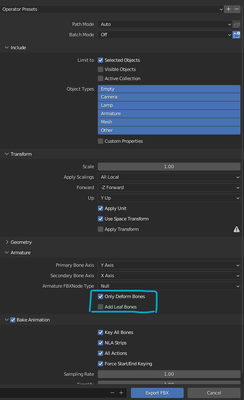
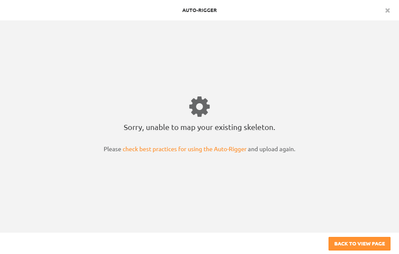
I want to understand why this is not working before to waste time on weight painting.
Do you have any possible solution or work around?
I need just to fix the crouch and shoulder but is becoming very hard to figure it out.
I have even tried to just reimport the model without any modification or without control rig but is still giving me the error(!?)
Thank you very much


 1
Reply
1
1
Reply
1


Copy link to clipboard
Copied
the error means the model you are uploading does not have a bone rig that can be matched to one of the stadard Mixamo rigs
as to why depends on details you didn't provide but i would guess its in the convert to Fbx stage because you didn't say 'standard Fbx'... with out the model to actually test thats just a guess on my part

Get ready! An upgraded Adobe Community experience is coming in January.
Learn more
 AdChoices