


- Home
- Photoshop Elements
- Discussions
- Re: HOW to create Multiple windows?
- Re: HOW to create Multiple windows?
HOW to create Multiple windows?

Copy link to clipboard
Copied
I can check float windows, and I understand Tile...but I just updated from PSE6 (yeah, I know...) and I miss the way you could have two windows open with two images and each had its own set of tools. That is, it was like having two complete windows open at the same time- with each image having its layers visible. All I can do is click from one image to the other to make either active but the tools and layers visible are ONLY for the currently active window.
What if I want to compare layers?
I really miss PSE6, and I'm doing everything I can not to go back:)


 11
Replies
11
11
Replies
11




Copy link to clipboard
Copied
Which operating system did you have pse 6 installed on?
Copy link to clipboard
Copied
MAC. (I use Sierra and will upgrade soon to high Sierra.)
Copy link to clipboard
Copied
How did you do that in photoshop elements 6?
Copy link to clipboard
Copied
AHA! I can understand your confusion b/c that's NOT what happens. SORRY!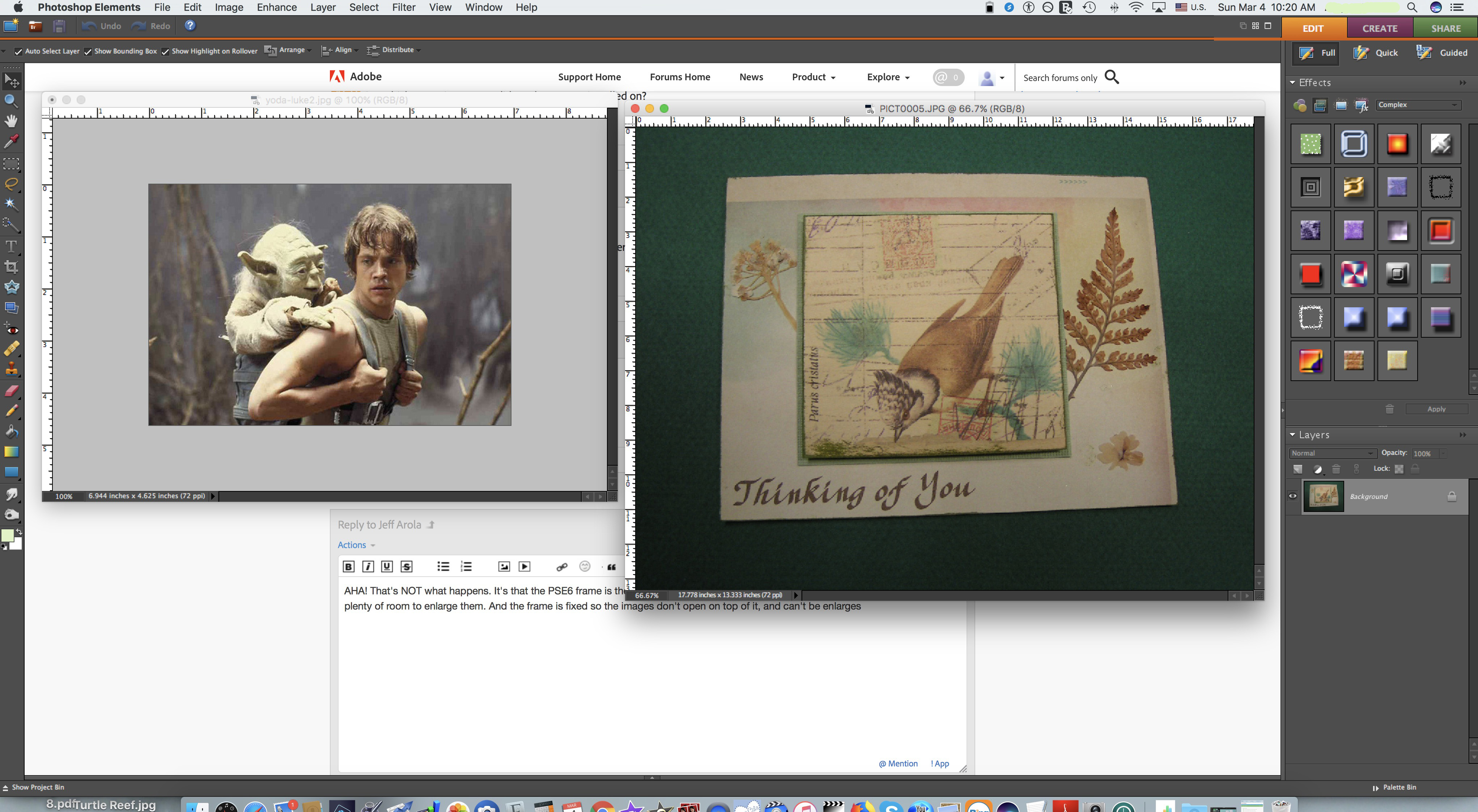
It's that the PSE6 frame is the size of my desktop and is fixed in place, and the different images both open inside with plenty of room to enlarge them. And since the frame is fixed the images can't open on top of it, so the tools and menus, are always visible.
Currently, the frame is often behind the images so the tools are hidden and I have to move the frame and the other photos each time the photos are enlarged.
Copy link to clipboard
Copied
The difference is in pse 11 and newer one can't turn off the application frame.
(sorta like Fill Workspace Background in pse 6)
In pse 11 and newer Floating Document Windows are always on top of the tools panel, layers panel, etc.
in photoshop versions like cs6 or cc, when one turns off the application frame, the floating document windows go behind the panels, but with the application frame on, the floating document windows are on top of the panels like in photoshop elements 11 and later.
photoshop cs6 application frame off, floating document windows go under panels
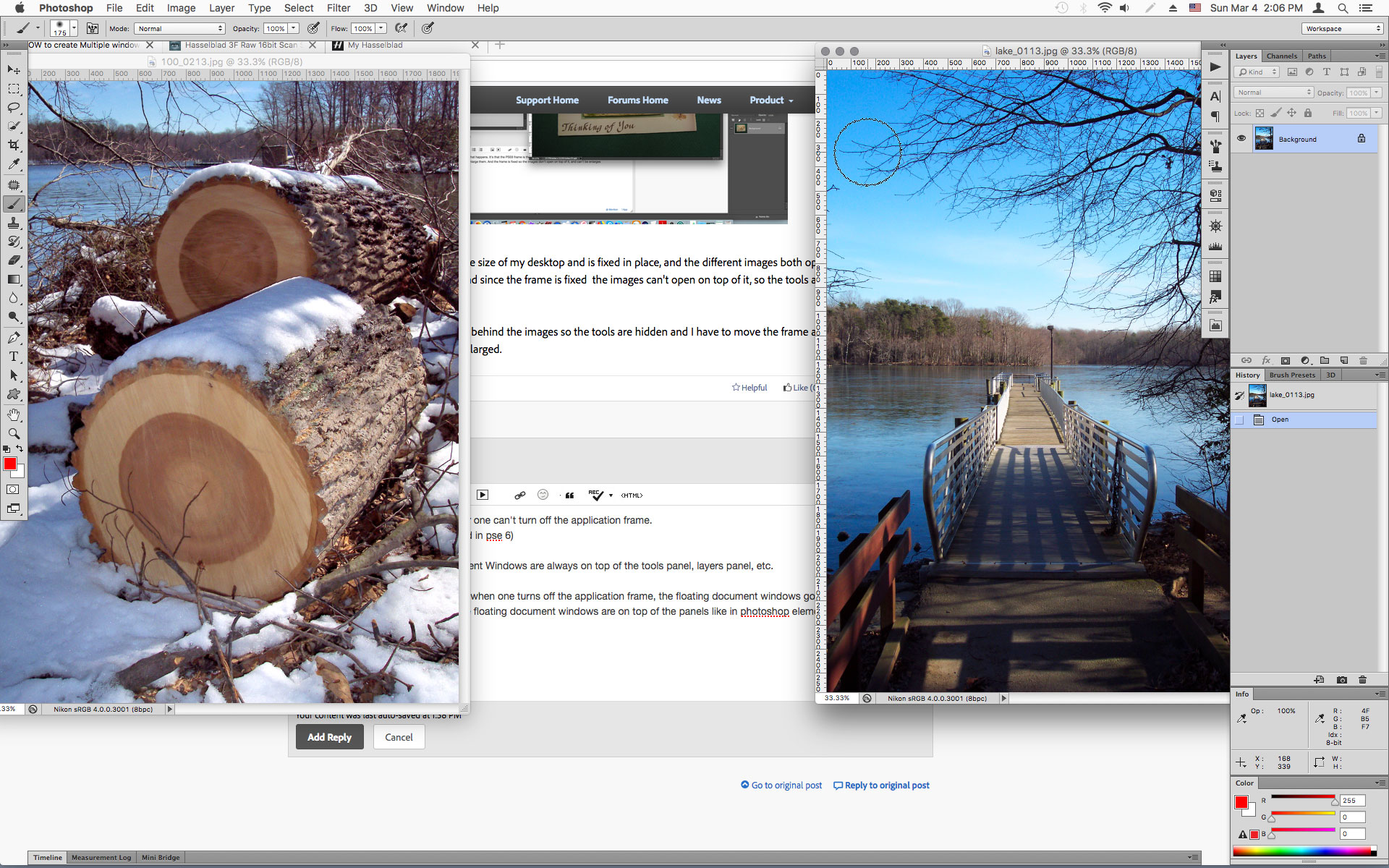
photoshop cs6 application frame on, floating document windows go over panels

Copy link to clipboard
Copied
I never messed with anything to do with the frame in pse6. Is there a way to accomplish what I want in pse18? And if not, what is the way I stop the windows from floating..or make it the closest to what i need?
Copy link to clipboard
Copied
In pse 6 unchecking Fill Workspace Background is like turning off the application frame in pse 8 thru pse 10.
Starting with pse 11, adobe doesn't allow turning off the application frame in photoshop elements.
In pse4 18, the floating document windows are always on top and as far as i know, there is no way to change that.
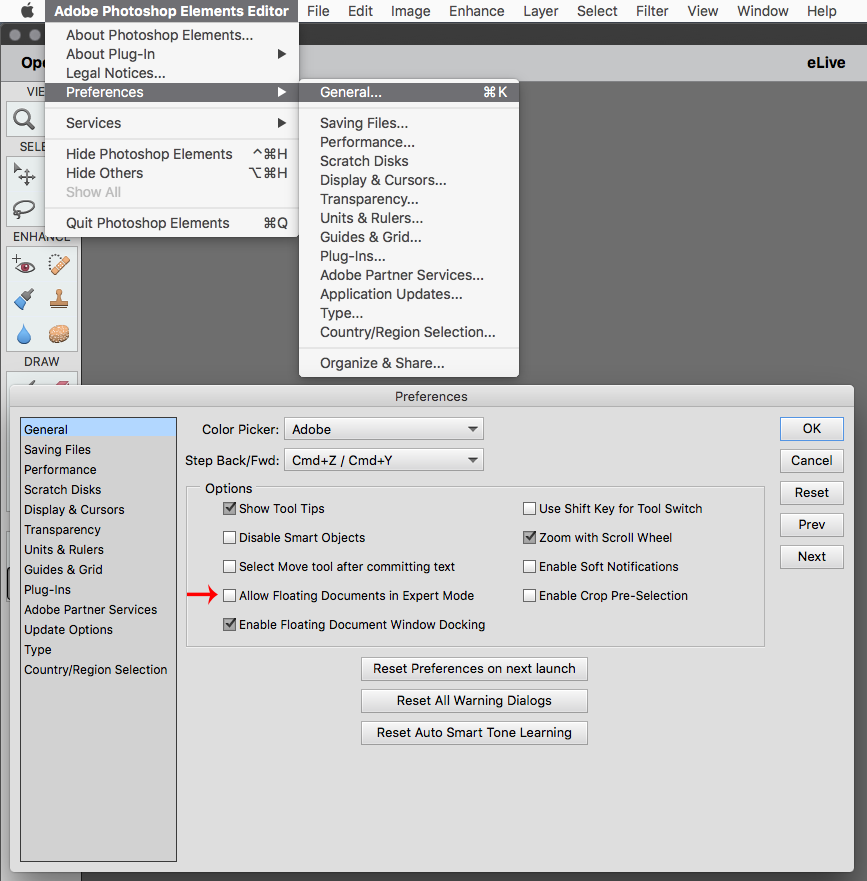
I just use Tabbed windows, since floating document windows don't really work very well in pse 11 thru pse 18 on the mac side.
(go to Adobe Photoshop Elements>Editor>General and uncheck Allow Floating Documents in Expert Mode)
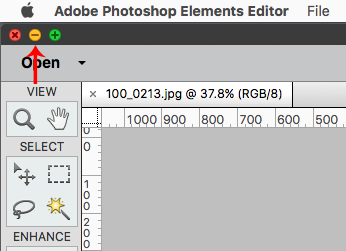
In pse 2018 you could press the Yellow Minimize button (Cmd+M) or go to Adobe Photoshop Elements Editor>Hide Photoshop Elements.
To get back pse 2018 then click on the pse icon in the dock.

Copy link to clipboard
Copied
Wow. I really appreciate your insights but am SO disappointed to hear your answers! The issue with tabs is that it's hard to work on multiple images side by side. I thought I just didn't understand how to set it up but now I realize it's the program! I guess I'm back to PSE6!
Copy link to clipboard
Copied
It takes awhile to get comfortable using Tabs, so don't give up on pse 2018 just yet.
Eventually, most likely in the next macOS version 10.14, apple is dropping support for 32 bit applications like pse 6 so they won't even install.
Copy link to clipboard
Copied
Okay....I know you are right (and it's why I updated). I just went back to tabs and tile.
I hope maybe Adobe will reinstall what was working well or make some other kinds of options. It's a PIA.
Copy link to clipboard
Copied
Also, in pse6, when I clicked on my desktop, PSE "disappeared" (became inactive) and I could see my desktop. In pse18, it doesn't. It remains in front. This makes it really frustrating and clumsy. Am I missing some settings, or is there a different version I should try to be using? I could go back to PSE 6, but that seems very wrong.


Get ready! An upgraded Adobe Community experience is coming in January.
Learn more
 AdChoices