Exit
  • Global community
    • Language:
      • Deutsch
      • English
      • Español
      • Français
      • Português
  • 日本語コミュニティ
  • 한국 커뮤니티
0

Interface/background color

Community Beginner ,
Feb 06, 2021 Feb 06, 2021

Just installed PSE 2021.  The interface/background color is white.  don't like. Want gray.  Search and searched. Can not find answer. 

TOPICS
How to
341
Translate
Report
Community guidelines
Be kind and respectful, give credit to the original source of content, and search for duplicates before posting. Learn more
community guidelines
Community Expert ,
Feb 06, 2021 Feb 06, 2021

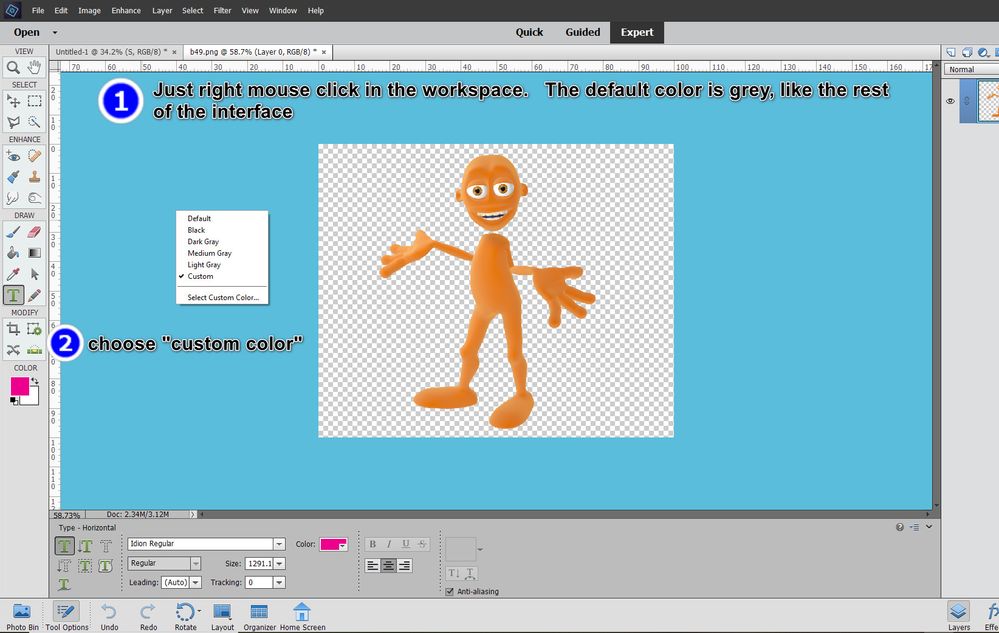
The only part of the interface you can change is the canvas color when you have an image open in the Editor.  To change it, right click on the canvas and you have a number of options.  The default is grey - I don't know if or how you ended up with white there.  If you are not talking about the canvas color, please give us a screenshot of what you are seeing.
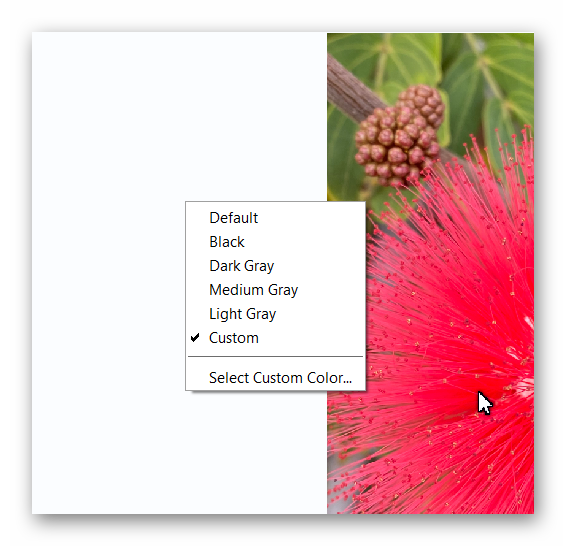

 

Ashampoo_Snap_2021.02.06_13h15m44s_003_.png

Translate
Report
Community guidelines
Be kind and respectful, give credit to the original source of content, and search for duplicates before posting. Learn more
community guidelines
People's Champ ,
Feb 06, 2021 Feb 06, 2021
LATEST

I happen to like blue...  I've always called that grey area the "workspace"-- really not sure what it's called.2021-02-05_141002.jpg

Translate
Report
Community guidelines
Be kind and respectful, give credit to the original source of content, and search for duplicates before posting. Learn more
community guidelines