Exit
  • Global community
    • Language:
      • Deutsch
      • English
      • Español
      • Français
      • Português
  • 日本語コミュニティ
  • 한국 커뮤니티
0

Photoshop Elements 14 error [An integer between 50 and 8 is required]

New Here ,
Jul 22, 2022 Jul 22, 2022

I deleted PE13 from my PC and downloaded it with PE14 (I had PE14 (and that key) that was on a defunct (dead) laptop. 
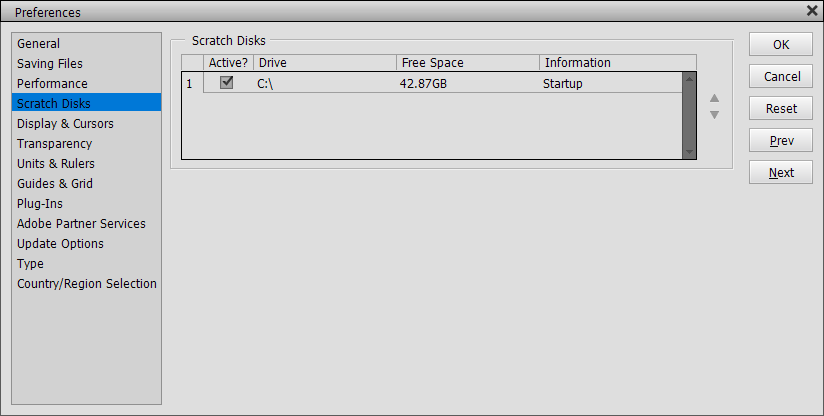
My PE now behaves totally erratic. 
EG in Edit>> Preferences >> Saving Files ->> it bleads in random "An integer between 50 and 8 is required" 
And EG - Trying to Save or Save as or Copy anything a "not enough memory (RAM) .." Even on a small file of 1000px by 1000px
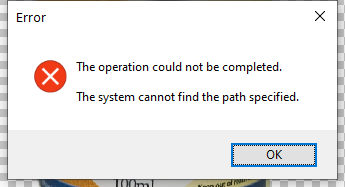
I attach a few screenshots
Thank you


TOPICS
Download and install , Problem or error
1.1K
Translate
Report
Community guidelines
Be kind and respectful, give credit to the original source of content, and search for duplicates before posting. Learn more
community guidelines

correct answers 1 Correct answer

Community Expert , Jul 22, 2022 Jul 22, 2022
Translate
Community Expert ,
Jul 22, 2022 Jul 22, 2022

Hopefully following the instructions here will solve the issue:


https://helpx.adobe.com/photoshop-elements/kb/integer-50-8-required-closest-value-inserted-photoshop...

Translate
Report
Community guidelines
Be kind and respectful, give credit to the original source of content, and search for duplicates before posting. Learn more
community guidelines
New Here ,
Jul 22, 2022 Jul 22, 2022

Thank you, Jeff. It worked! Problem solved.

Translate
Report
Community guidelines
Be kind and respectful, give credit to the original source of content, and search for duplicates before posting. Learn more
community guidelines
New Here ,
Jul 22, 2022 Jul 22, 2022

But now going to File >> Save to Web it cannot find the path.


Translate
Report
Community guidelines
Be kind and respectful, give credit to the original source of content, and search for duplicates before posting. Learn more
community guidelines
Community Expert ,
Jul 22, 2022 Jul 22, 2022
LATEST

Try a preference reset from within the pse 14 editor by going to Edit>Preferences>General. clicking Reset Preferences on next launch and restarting the pse 14 editor.

Translate
Report
Community guidelines
Be kind and respectful, give credit to the original source of content, and search for duplicates before posting. Learn more
community guidelines
People's Champ ,
Jul 22, 2022 Jul 22, 2022

That was an awesome reference. 

Translate
Report
Community guidelines
Be kind and respectful, give credit to the original source of content, and search for duplicates before posting. Learn more
community guidelines