
cheeseforsmiles
Participating Frequently
October 21, 2019
Question

Adobe XD: Unable to load Roboto Condensed on my Mobile Previews (iPad & Android)

  • October 21, 2019
  • 3 replies
  • 1948 views

Hi, 


I've stored my Adobe XD Files on Adobe Creative Cloud.

When previewing my cloud documents (prototypes) on either my iPad or my Android Phone, both fail to activate/find my main theme font: Roboto Condensed.


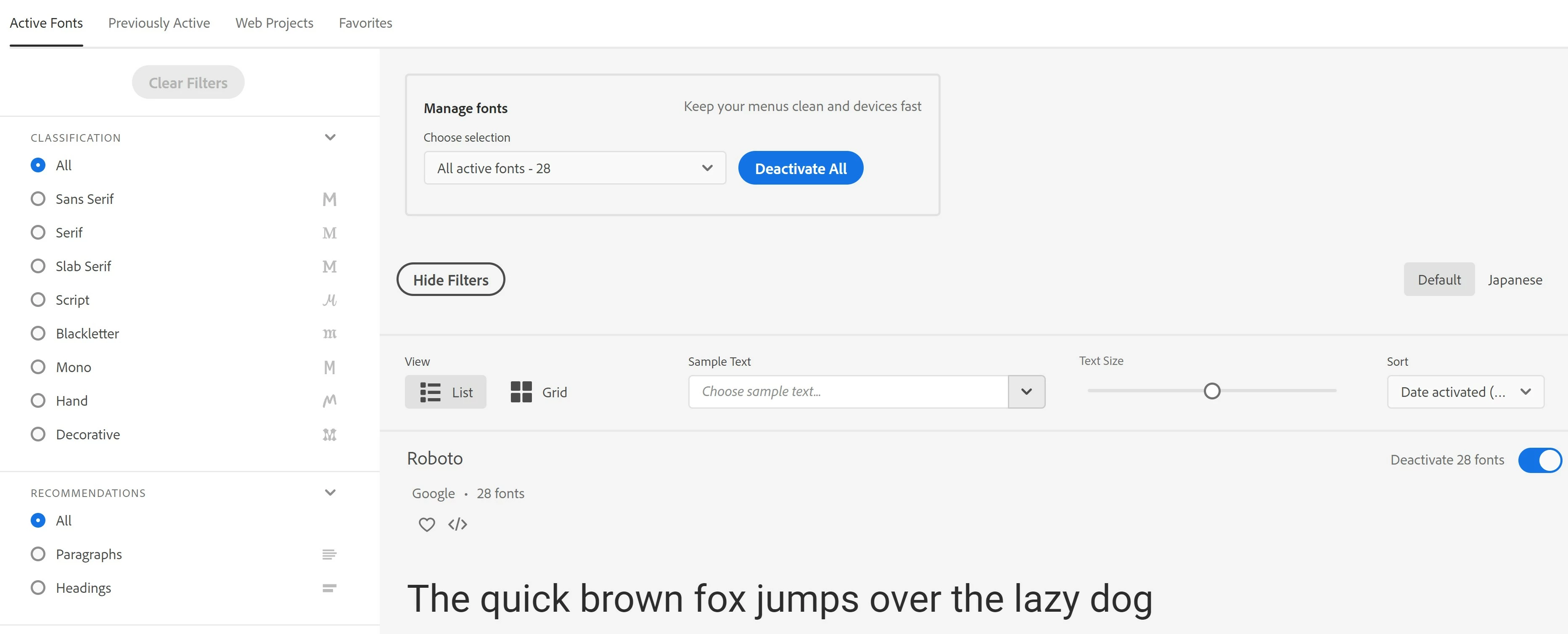
On my Windows 10 laptop, I have activated the entire Roboto Family Font at Creative Cloud App > Fonts (Refer to screenshot attached). 

   - On my iPad, it fails to activate

   - On my Android Phone, it fails to locate (Missing Font)


Is there a solution to this?

Thanks.


    This topic has been closed for replies.

    3 replies

    Joely10623436
    Community Expert
    Community Expert
    October 23, 2019

    Use the live Preview/Testing with a USB-Cable and your devices… or share the link online and then view it.

    cheeseforsmiles
    Participating Frequently
    October 23, 2019

    I thought it doesn't work for Windows Laptops?

    I tried connecting my iPad to my laptop via USB Cable but it doesn't show the preview in any ways.

    Atul_Saini
    Community Manager
    Community Manager
    October 23, 2019

    Cheeseforsmiles, do you have iTunes installed on your machine? If not, please make sure it installed. I'd also recommend you to ensure that both Adobe XD desktop and mobile are updated to XD 23.


    It would be helpful if you restart your machine before previewing your prototype. 


    Thanks,

    Atul_Saini

    cheeseforsmiles
    Participating Frequently
    October 23, 2019

    Anyone has any ideas please? 

    Vishu_Aggarwal
    Participating Frequently
    October 21, 2019

    Try manually activating the font in the Apps as follow - Settings icon > Preferences > Manage Fonts > Search for a font and activate it. Refer the screenshots    


    Vishu AggarwalAdobe Certified Instructor, Professional and Expert
    cheeseforsmiles
    Participating Frequently
    October 21, 2019

    Hi Vishul,


    Thanks for replying.

    I've tried it already to no avail. They are all activated (with a tick icon) on my devices.


    I can see the entire list of Roboto Fonts under 'Active Fonts' on my Android Phone.

    I can only see Roboto & Roboto Slab under 'Active Fonts' on my iPad.


    Regardless, the font still doesn't load in my prototypes.

    iPad: No errors when opening prototype. But font isn't Roboto Condensed (my primary font).

    Android Phone: It sayins Missing Fonts.

    Atul_Saini
    Community Manager
    Community Manager
    October 21, 2019

    Hi there, thanks for sharing the information here. Would you mind deactiviting the fonts and reactiving it the mobile app on your devices? 


    Go to 3 dots, then, edit fonts >  uncheck roboto and update it. 


    Thanks,

    Atul_Saini