


- Home
- RoboHelp
- Discussions
- How to add styles to the standard Robohelp Style l...
- How to add styles to the standard Robohelp Style l...
How to add styles to the standard Robohelp Style list?

Copy link to clipboard
Copied
Hi
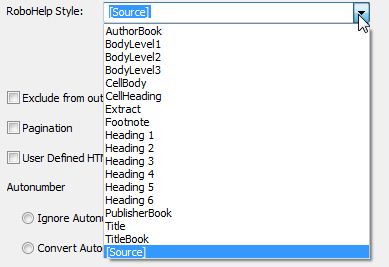
I want to create a Robohelp style with some border and shading under the standard Robohelp Style list (refer screenshot) so that I can use it to assign to a paragraph while importing my FrameMaker file.
How do I that?
Cheers
Sreekanth


 6
Replies
6
6
Replies
6




Copy link to clipboard
Copied
Go into RH and create your new style, then use the Conversion Settings screen to map the FM paragraph type to the new RH style.
Copy link to clipboard
Copied
I tried that. I created a new blank project in which I had default.css. I edited this css and created the required new style within that.
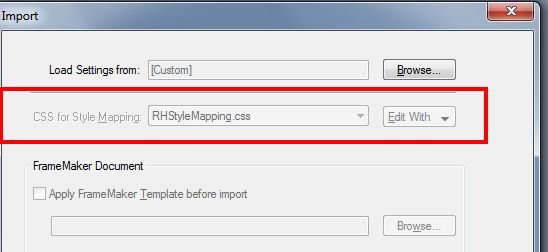
But when I try to import a FrameMaker book onto that project, RHStyleMapping.css is considered in the Import dialog box, and not the default.css which has my new style.
So, what is the workaround?
Copy link to clipboard
Copied
You can browse to select any css you've got set up for the mapping - you're not locked into using RHStyleMapping.css
Copy link to clipboard
Copied
In my case, it is grayed out. See screenshot below.
Copy link to clipboard
Copied
Go through File > Project Settings
Copy link to clipboard
Copied
Thanks a lot.
Here is what I did.
1. Imported using the default RHStyleMapping.css settings.
2. Once the file was imported, I went through File > Project Settings and added the required style to RHStyleMapping.css. This style had Solid borders, tranparent shading and a custom image for Pattern.
3. Exported the new settings as an .isf file.
4. Started a new FM import project.
5. Now, in the Conversion settings > Robohelp Styles, I found the new style. However, this had only the border and not the Pattern image.
6. When I completed the import, the resulting RoboHelp also showed only the border.
So, I think I am very close to my expected result. Now, where am I going wrong on the Pattern aspect? Do I need to place the image any specific folder so that it appears while importing?


Get ready! An upgraded Adobe Community experience is coming in January.
Learn more
 AdChoices