


- Home
- RoboHelp
- Discussions
- Re: How to shorten space between topics in printed...
- Re: How to shorten space between topics in printed...

Copy link to clipboard
Copied
Hello,
I am using RoboHelp 2015 and Windows 7.
When generating printed documentation, two blank lines separate topics, as seen in the picture below:
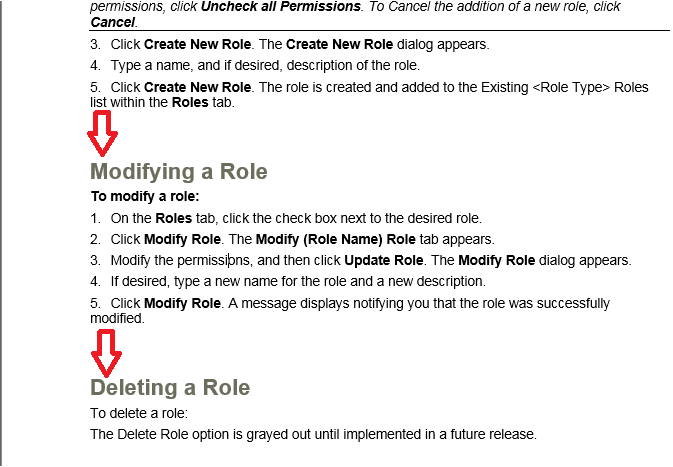
I am wondering if it's possible to make that space smaller? I've already tried adjusting Before/After paragraphs to 0 in RoboHelp and Word for those styles.
Any help is greatly appreciated. Thank you!


 1 Correct answer


Look at the source topic and see if there are extra lines below the last line of text.
During generation, they will be treated as paragraphs.
See www.grainge.org for free RoboHelp and Authoring information.


 6
Replies
6
6
Replies
6

Copy link to clipboard
Copied
Turn on Word's Show / Hide paragraph markers and see if that space really is two paragraphs or part of that Heading style.
See www.grainge.org for RoboHelp and Authoring information

Copy link to clipboard
Copied
Hi Peter, I have the same issue (2 extra paragraphs). Any ideas how to remove them?

Copy link to clipboard
Copied
Look at the source topic and see if there are extra lines below the last line of text.
During generation, they will be treated as paragraphs.
See www.grainge.org for free RoboHelp and Authoring information.
Copy link to clipboard
Copied
No, not the case. Having checked that before asking for your help 
There are no extra lines in RoboHelp topics sources.
Is it somehow adjustable? I mean to configure spacing between topics in printed output.
Copy link to clipboard
Copied
Sorry, not into mind reading.
I also don't know if you are selecting a CSS or Word template at the end of the print dialog. If you would like to set this up in a dummy project with just a couple of topics that gives the same result, I would be happy to take a look.
See the Contact page on my site and send the project as instructed there. Do make sure you include a link to this thread and please do not email the project direct.
See www.grainge.org for free RoboHelp and Authoring information.
Copy link to clipboard
Copied
Ooh, it was master page that caused this extra spacing. Sorry not having checked it earlier.
Anyway thanks for prompt responses!


Get ready! An upgraded Adobe Community experience is coming in January.
Learn more
 AdChoices