


Inspiring
April 21, 2021
Answered

Restart Numbering not working

  • April 21, 2021
  • 2 replies
  • 478 views

I am using Rh 2020.4.173.  Previously in older versions of Rh 2020 I could pick the front of my text, go to Properties > General and type in the number I want to restart numbering.

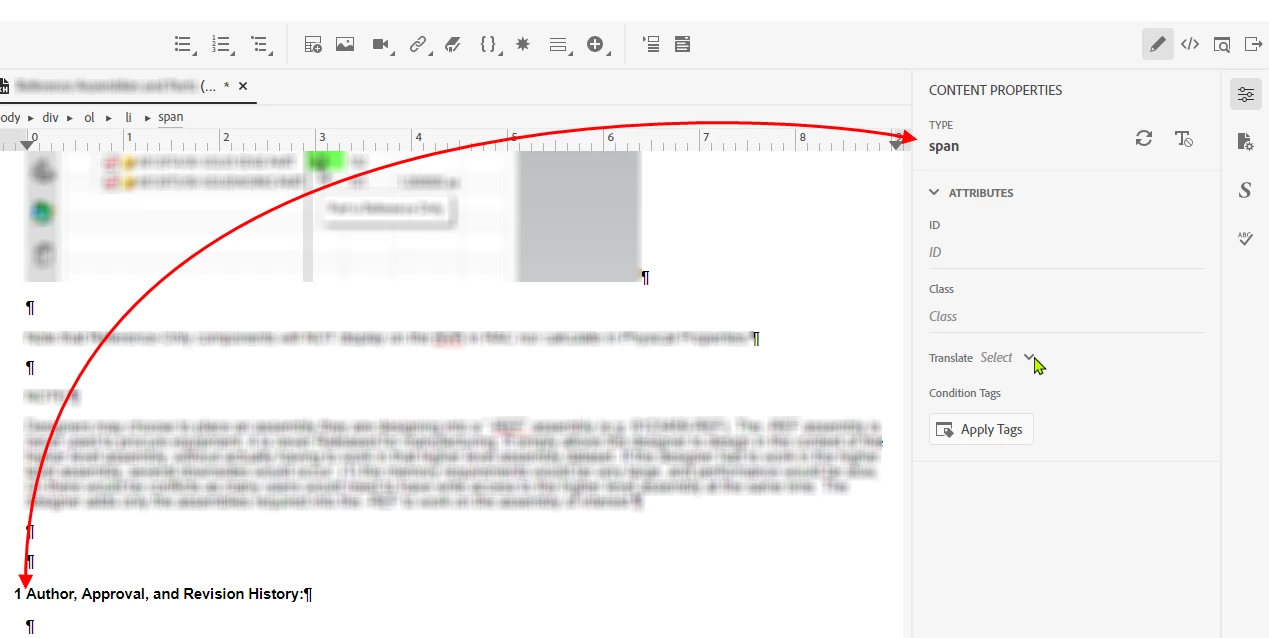
Now iwth version 4, I don't see that option.  In the image below, I have my cursor placed at the beginning of my line of text.
    This topic has been closed for replies.
    Correct answer Amebr

    If you can't see the style property you need, it's usually because the html tag your cursor is inside doesn't support that property. You can use the hierarchy tag breadcrumbs at the top of the topic to select the correct tag. Click on the tag you need, which will select all the content within that tag. In this case click the 'li' which will let you set the numbering.


    2 replies

    AmebrCommunity ExpertCorrect answer
    Community Expert
    April 21, 2021

    If you can't see the style property you need, it's usually because the html tag your cursor is inside doesn't support that property. You can use the hierarchy tag breadcrumbs at the top of the topic to select the correct tag. Click on the tag you need, which will select all the content within that tag. In this case click the 'li' which will let you set the numbering.


    Inspiring
    April 22, 2021

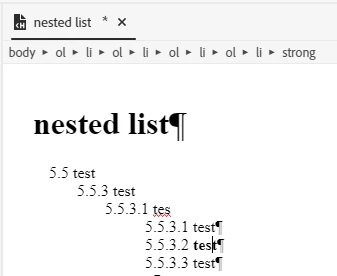
    Thanks Peter & Amebr.  Both of your suggestions lead me to be able to work with nesting numbering!

    Peter Grainge
    Community Expert
    Community Expert
    April 21, 2021

    As soon as I type just one character and click at the beginning of the text, this is what I see in Properties. I'm not sure where you have clicked to see Span rather than li.


    ________________________________________________________
    See www.grainge.org for free Authoring and RoboHelp Information

    Help others by clicking Correct Answer if the question is answered. Found the answer elsewhere? Share it here. "Upvote" is for useful posts.
    Inspiring
    April 21, 2021

    This is an imported word document that I have cleared the list sytels and imported css. I think this is where 'span' is coming into play.  I can't get it to completely clear out.  I have applied my css and my list style which is a nested numbering system in two different formats. 

    First format is like this: 

    1 Title Text (Level 1)

        body text (Level 2)

    2 Title Text (Level 1)

        body text (Level 2)

    and so forth 3-5 Title Text

    then transitions to:

    5.1 Title Text (Level 1)

           body text (Level 2)

               5.1.1 Title Text (Level 3)

                         body text (Level 4)

                               5.1.1.1 Title text (Level 5)

                                            body text (Level 6)

    the finishes back in the first nested number style with a 

    6  Author, Approver, and Revision History


    I can clear the list styles and apply the list styles as needed. However, they aren't working the same way as they were in Rh2020 versions 1-3.  Now I can't get the text under 5.1 to tab to get to Level 3 (5.1.1).


    Inspiring
    April 21, 2021

    UPDATE:  I typed a random letter into the beginning of the Author, Approver... line of text and was able to restart the numbering at 6.