



Copy link to clipboard
Copied
I created an image in Photoshop using the 3D feature. I saved it as a JPG and the file size is 13,988 KB.
When I try to upload to Adobe Stock, I get the following message:
couldn't be uploaded because its resolution is too large. Image must be at most 100 MP.
The message is clearly mistaken. What do I need to do to upload the file?


 1 Correct answer


barbafrenzie wrote
I created an image in Photoshop using the 3D feature. I saved it as a JPG and the file size is 13,988 KB.
When I try to upload to Adobe Stock, I get the following message:
couldn't be uploaded because its resolution is too large. Image must be at most 100 MP.
The message is clearly mistaken. What do I need to do to upload the file?
File size is not exactly related to the picture size. The 100MP should be read 100 MEGA PIXEL. Current cameras can easily produce 40MP images, a Hasse
...
 6
Replies
6
6
Replies
6



Copy link to clipboard
Copied
I've never encountered an issue where the system was wrong in interpreting the size of a file. Please submit a ticket to support (click the contact us link at the bottom of the contributor portal) and attach a the file to your email for us to review.
Kind regards,
Mat Hayward
Copy link to clipboard
Copied
Thanks. I'm new to this and appreciate the help. I've only uploaded a few files so far and all were accepted. I put one file into the wrong category. Can I change the category myself?
Copy link to clipboard
Copied
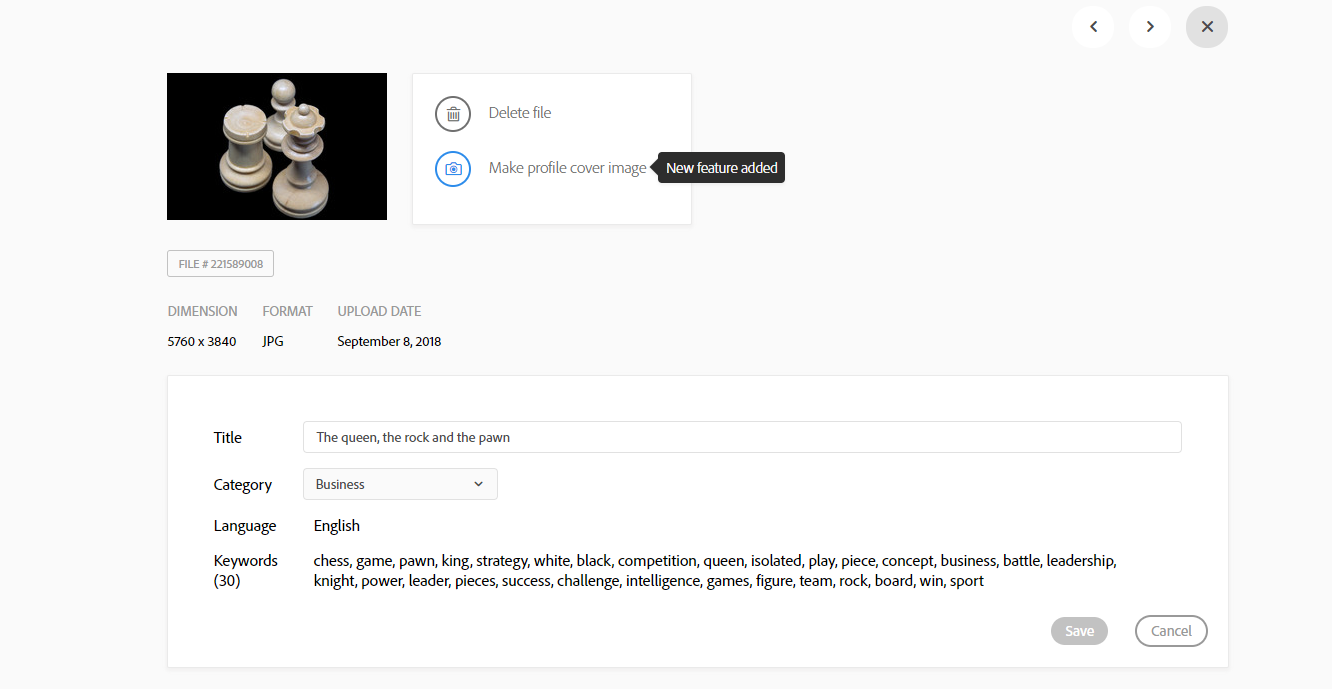
Go to your image (contributor) and click it . You can change the data when you hoover the data block and click the pencil:
Copy link to clipboard
Copied
Thank you! Your explanation made it simple.
Copy link to clipboard
Copied
barbafrenzie wrote
I created an image in Photoshop using the 3D feature. I saved it as a JPG and the file size is 13,988 KB.
When I try to upload to Adobe Stock, I get the following message:
couldn't be uploaded because its resolution is too large. Image must be at most 100 MP.
The message is clearly mistaken. What do I need to do to upload the file?
File size is not exactly related to the picture size. The 100MP should be read 100 MEGA PIXEL. Current cameras can easily produce 40MP images, a Hasselblat can go to 400MP and when you do 3D images you are free to choose your image resolution. Generally 3D images can be nicely compressed. It may be possible.

Copy link to clipboard
Copied
Yes, Abambo -- you are absolutely correct. That was the problem. I've now successfully uploaded the file. Many thanks.

Get ready! An upgraded Adobe Community experience is coming in January.
Learn more
 AdChoices