 Adobe Community


Copy link to clipboard
Copied
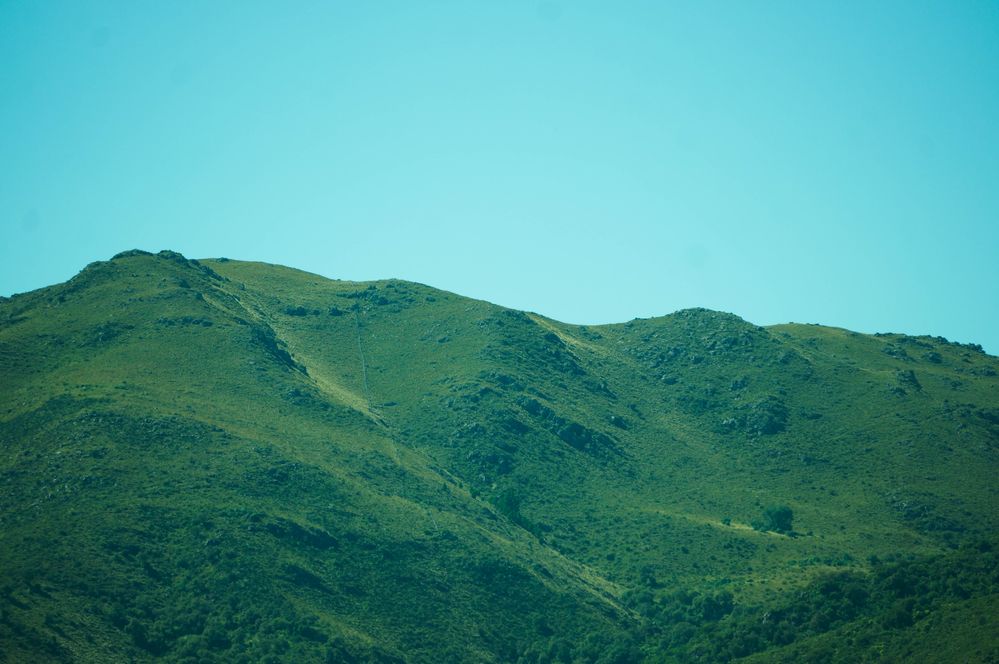
Hola! Me rechazaron estas fotos. Soy nueva en esto de publicar stock de fotos asi que agradecería mucho que me ayuden a mejorar y decirme que creen que está mal en estas fotos.



 1 Correct answer


Hola,
To begin with, all your photos have a colour cast. The first three have a blur/green cast and the last three have a yellow cast to them. Your white balance/colour temperature is not correct.
Read this about adjusting white balance:
https://www.adobe.com/creativecloud/photography/discover/white-balance.html
Another thing is that when you zoom in/enlarge to 100% the quality of the picture isn't good.

You can begin to see signs of noise, for example in the above picture.
Have a look at
...
 8
Replies
8
8
Replies
8

Copy link to clipboard
Copied
Hola,
To begin with, all your photos have a colour cast. The first three have a blur/green cast and the last three have a yellow cast to them. Your white balance/colour temperature is not correct.
Read this about adjusting white balance:
https://www.adobe.com/creativecloud/photography/discover/white-balance.html
Another thing is that when you zoom in/enlarge to 100% the quality of the picture isn't good.
You can begin to see signs of noise, for example in the above picture.
Have a look at the Adobe Stock tutorials to get a better understandiing of taking pictures for stock:
https://helpx.adobe.com/stock/contributor/tutorials.html
Copy link to clipboard
Copied
Hola,
To begin with, all your photos have a colour cast. The first three have a blur/green cast and the last three have a yellow cast to them. Your white balance/colour temperature is not correct.
Read this about adjusting white balance:
https://www.adobe.com/creativecloud/photography/discover/white-balance.html
Another thing is that when you zoom in/enlarge to 100% the quality of the picture isn't good.
You can begin to see signs of noise, for example in the above picture.
Have a look at the Adobe Stock tutorials to get a better understandiing of taking pictures for stock:
https://helpx.adobe.com/stock/contributor/tutorials.html
By @ricky336

Aah entiendo. Muchas gracias por la ayuda!

Copy link to clipboard
Copied
If you are new to stock, you should consider these resources: https://helpx.adobe.com/stock/contributor/tutorials.html
Please read the contributor user manual for more information on Adobe stock contributions: https://helpx.adobe.com/stock/contributor/user-guide.html
See here for rejection reasons: https://helpx.adobe.com/stock/contributor/help/reasons-for-content-rejection.html
and especially quality and technical issues: https://helpx.adobe.com/stock/contributor/help/quality-and-technical-issues.html
Copy link to clipboard
Copied
Gracias!!
Copy link to clipboard
Copied
You're welcome.

Copy link to clipboard
Copied
Hi @AntonellaAB
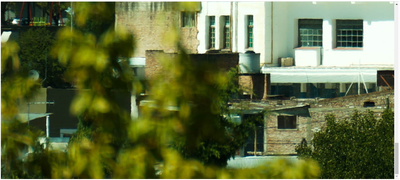
When taking your photos, you must either remove the elements in the forefront or make sure they are in focus.
For example, you should have removed these blurry elements.
In addition to the other links post here, you can benefit from the tips here that will help you improve you submission.
Best wishes
Jacquelin
Copy link to clipboard
Copied
Muchas gracias!
Copy link to clipboard
Copied

 AdChoices