- Home
- Stock Contributors
- Discussions
- Using the sftp upload not working
- Using the sftp upload not working
Using the sftp upload not working

Copy link to clipboard
Copied
I am trying to reconfigure Filezilla so I can upload files via sftp. I continue to get error messages and I think it is because I do not understand the instructions.
1. In the instructions there is an ID field yet Filezilla has no such field. Do I put the ID in the User field?
2. In the instructions there is a button to generate a password. Do I use a password that is generated or do I use my Adobe password?
3. I have the Protocol set to SFTP which I assume is the correct setting.
Any help will be greatly appreciated as I have a very slow connection and drag and drop is painful to use!
Thank you in advance.


 6
Replies
6
6
Replies
6




Copy link to clipboard
Copied
The ID is the username/login information for FileZilla, the password needs to be generated by Adobe stock, and you need to enter that as the password.
See here for more information: https://helpx.adobe.com/stock/contributor/help/uploading-content.html

Copy link to clipboard
Copied
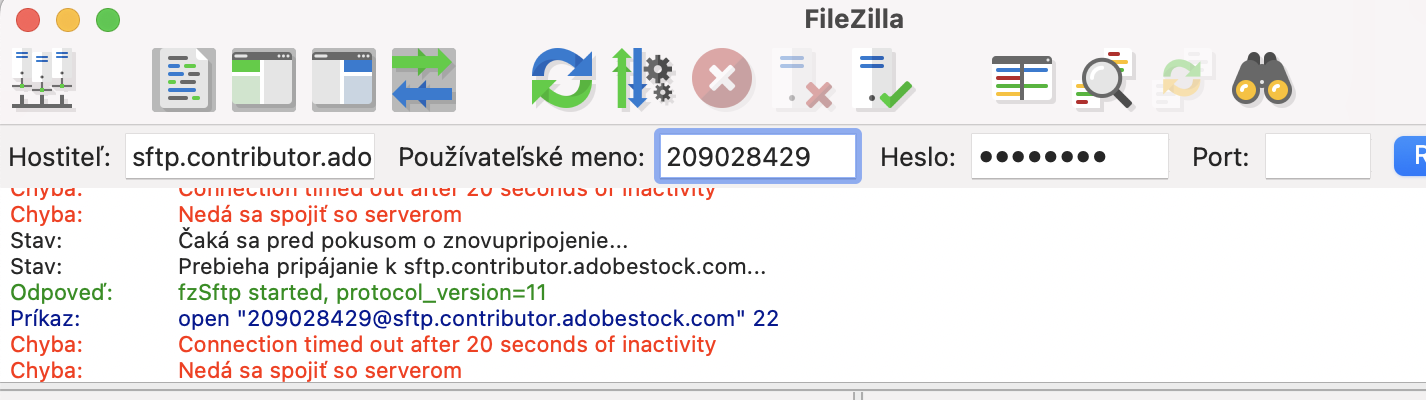
Same issue here,
Response: fzSftp started, protocol_version=11
Command: open "210333617@sftp.contributor.adobestock.com" 22
Command: Trust new Hostkey: Once
Status: Using username "210333617".
Command: Pass: *********
Error: Connection timed out after 20 seconds of inactivity
Error: Could not connect to server

Copy link to clipboard
Copied
I have the same problem. Please help
Copy link to clipboard
Copied
What tool are you using? What OS? Did you follow the instructions outlined here: https://helpx.adobe.com/stock/contributor/help/uploading-content.html?

Copy link to clipboard
Copied
Copy link to clipboard
Copied
I can't check with macOS, but it works with my Windows PC.

Get ready! An upgraded Adobe Community experience is coming in January.
Learn more
 AdChoices