Answered
Multiple Instances
Hello,
Why can't I have two instances of Designer open at the same time?

Hello,
Why can't I have two instances of Designer open at the same time?
I see !
I often face the same 'problem' but we have solutions :
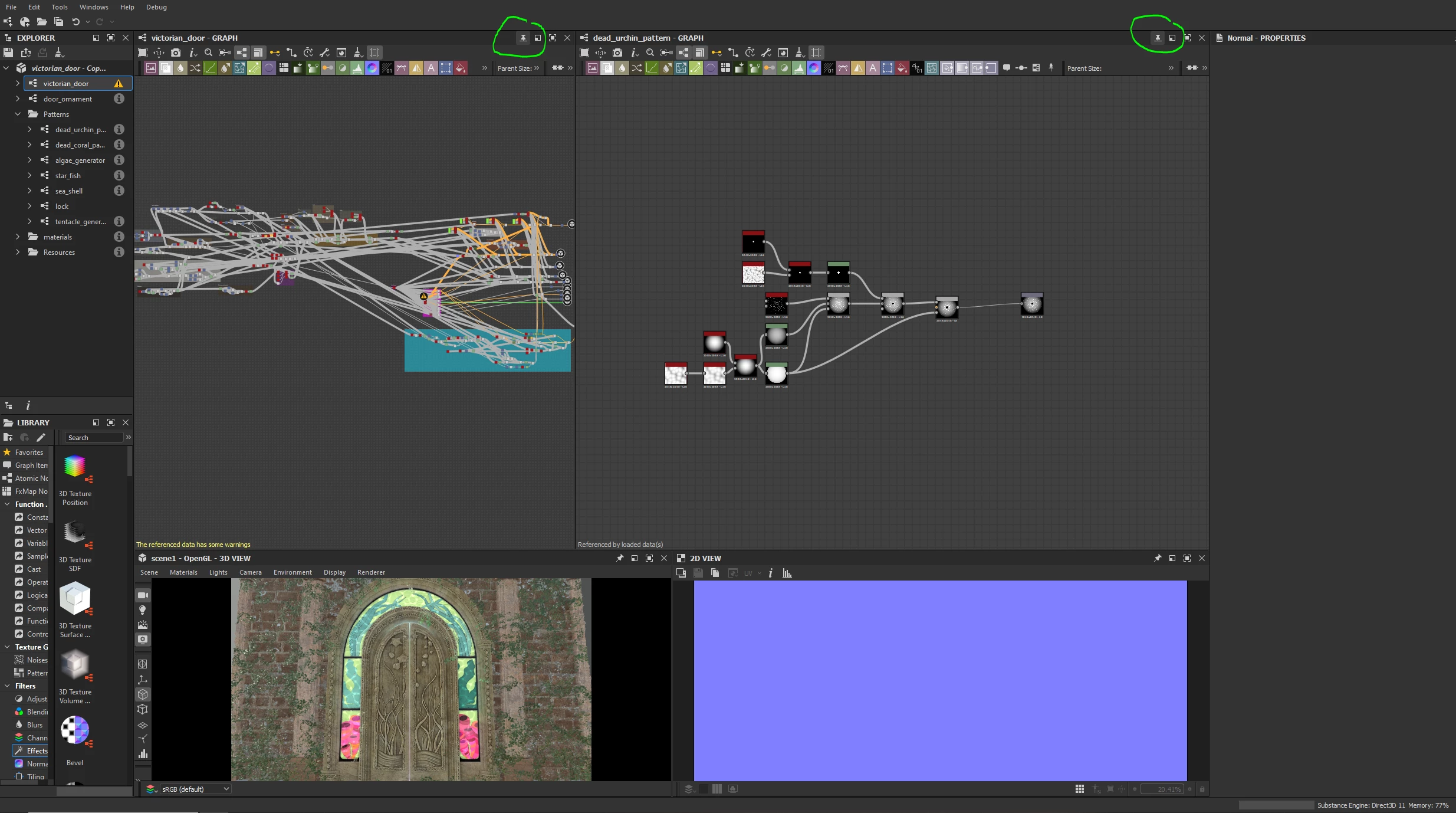
- first, you can pin graph views so that you can switch between then without having to 're-open' them everytime. It's really convenient, I use that all the time.
- then, don't hesitate to move components. You can, for example, place graph views side by side which could be pretty handy in your case. If you work with two screens, you can undock the 3D view and place it on the second screen to free space or can even do that with your graph views !
- to finish, you also have the 'in context edition' option that can be useful to inspect instances. There is a nice explanation of this feature here : https://helpx.adobe.com/substance-3d-designer/interface/preferences-window.html
Scroll down until you find 'Enable graph editing in context' section
Here is my setup for complex projects as an example. I pin graph views and I put them side by side when I need to frequently iterate between graphs.
Hope this will help 🙂
Already have an account? Login
Enter your E-mail address. We'll send you an e-mail with instructions to reset your password.
 AdChoices