
Known Participant
February 28, 2017
Question

Premiere Pro incessant crashing

  • February 28, 2017
  • 3 replies
  • 3055 views

Crashing in my version of Premiere Pro CC 2017.0.2 v 11.0.2 (47) has become intolerable. When manipulating clips in the main timeline of my project, I get beachballed and have to Force Quit. It happens with Ripple Edit, copy/paste, even moving clips vertically from one video channel to another. It happens roughly every 10 minutes.

I have an iMac Retina 5K, 27-inch, late 2014, 4GHz i7 processor, 32GB 1600 MHz DDR3 memory, AMD Radeon R9 4096MB graphics card. The prproj runs from an external mechanical 2TB HDD, and is about 80MB in size.

Among the fixes I've tried:

  • uninstallation & reinstallation
  • changing Renderer (OpenCL / Metal / Software only)
  • Removing Unused
  • breaking the 120MB prproj file into separate smaller prproj files
  • disable Composite Preview During Trim
  • copy and pasting

Here's a recent screenshot (without beachball)
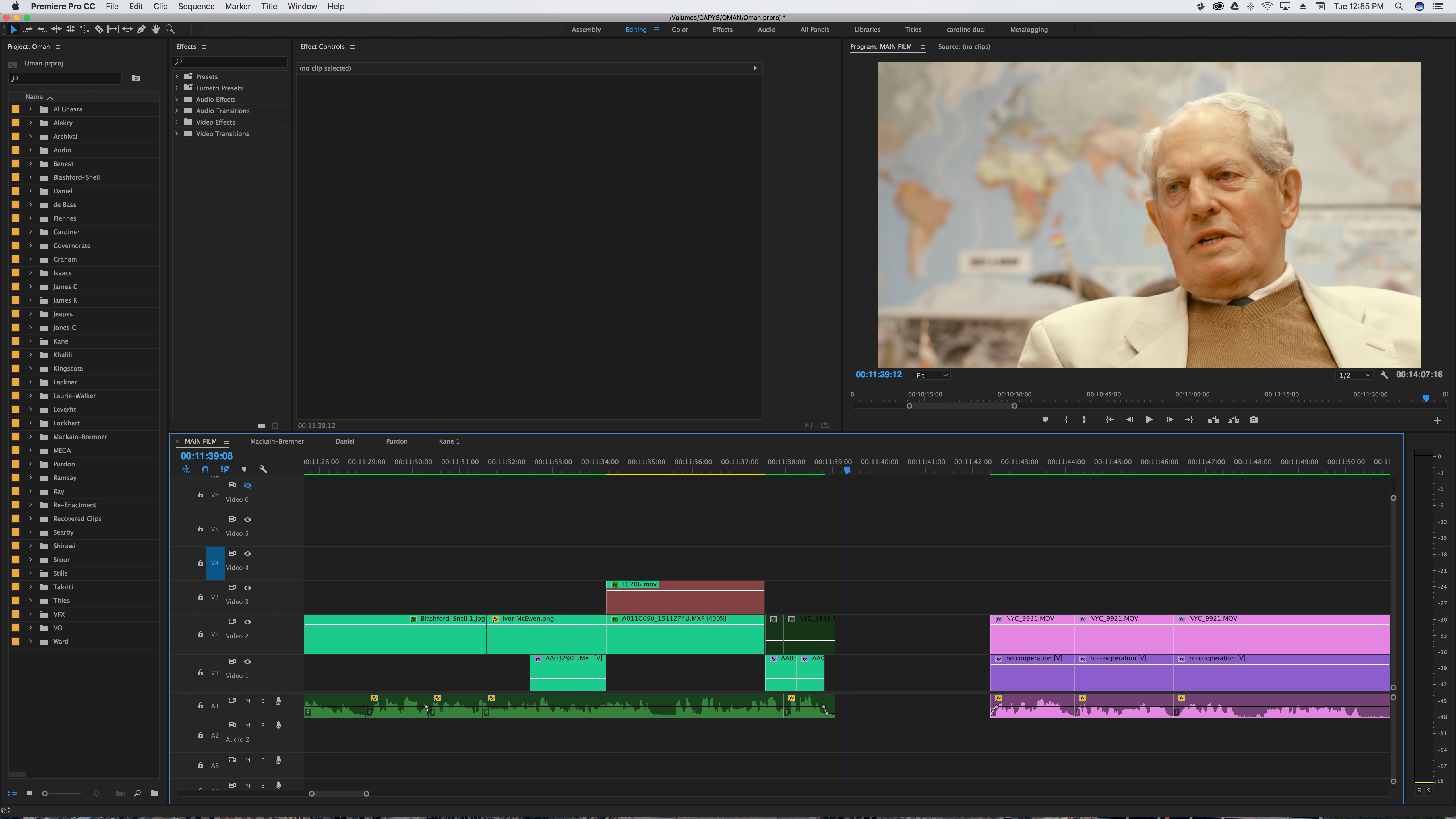
I'm completely at the end of my tether and will be forced to find another editor unless this can be solved?

[Moderator note: moved to best forum]

    This topic has been closed for replies.

    3 replies

    Kevin-Monahan
    Community Manager
    Community Manager
    March 7, 2017
    Kevin Monahan - Sr. Community and Engagement Strategist – Adobe Pro Video and Audio
    retro8869Author
    Known Participant
    March 7, 2017

    Kevin - thanks for this. Is the idea it's hanging waiting for a permission that never comes?

    I followed the instructions in your blog post last night but still a few crashes today.

    Kevin-Monahan
    Community Manager
    Community Manager
    March 7, 2017

    Hi retro,

    Sorry to hear that. Make sure all the Adobe folders have the permissions set correctly.

    Cheers,
    Kevin

    Kevin Monahan - Sr. Community and Engagement Strategist – Adobe Pro Video and Audio
    Participating Frequently
    March 1, 2017

    I have the same problem with PP crashing all the time. On a new Mac with a lot of memory and a good video card. I can see why people prefer FCP X. Especially now that I'm trying to add a menu to a DVD.

    R Neil Haugen
    Legend
    March 1, 2017

    Give more details about that rig, the number of drives/types/connections, and where your projects and media are placed around the usable storage on the machine. Also, the media you're running ... codec/s, frame-rate/size, how created, and any effects you typically use.

    You might then get some help.

    Neil

    Everyone's mileage always varies ...
    retro8869Author
    Known Participant
    March 1, 2017

    Yeah, all spinning discs. If "SSD" was the one-word answer to this problem, I'd be fine with that.

    The iMac HD is a 1.12 TB Fusion Drive, PCI connection, 70% used.

    All 4 hardware USB slots are used, to different drives, all mechanical. No Lightning.

    The prproj and video files are on external drives. No matter where I place the cache & preview files (ie internal or external), crashing happens.

    As I see it the Fusion Drive is probably the biggest hostage to fortune...

    R Neil Haugen
    Legend
    February 28, 2017

    You don't say whether this happens in all projects, or in just this project, which could all mean different things. Or whether say this project file was started in an older version and updated by simply opening in PrPro and trusting it to update the file.

    First question ... on the uninstall, did you use the OS tool for uninstalling a program, or the Adobe CC Cleaner Tool, to do the uninstall and the cleanup of the files around the computer that Adobe's programs use?

    If you didn't use the CC Cleaner tool, I would not expect an OS uninstall to fix such issues ...

    https://helpx.adobe.com/creative-suite/kb/cs5-cleaner-tool-installation-problems.html

    Next ... have you deleted (manually) the cache/media cache database and preview files? Corruption in those files is rather common, and can cause all sorts of disruptive issues. If you didn't do that, in the dialog boxes for the Project file (File/Project Settings/Scratch Disks) and Preferences file (Edit/Preferences/Media) within the Adobe PrPro menu bar, find the locations for your preview and media cache/cache database files ... then close down PrPro.

    Use Finder/Explorer to navigate to the folder locations on disc for those files, and delete everything there.

    Best thing is to then re-boot, and restart PrPro. It will rebuild those files, and that may also fix what ails you.

    If not, sometimes the project file itself is corrupted, at which point starting a new project, then using the Media browser to import the sequences from the old project may be needed. When you right-click a prproj project file, you get a dialog box with the option to import the whole project or selected sequences. Sometimes you can import the whole project and it works, sometimes you need to simply import the sequences of that project.

    Neil

    Everyone's mileage always varies ...
    retro8869Author
    Known Participant
    March 1, 2017

    Neil - thank you very, very much for your full and thoughtful reply to my crisis. It appears that although the CC Cleaner Tool didn't function exactly as advertised (no log files to verify success), it does appear to have improved stability - for which thank you very much.

    fransp67479281
    Participant
    March 1, 2017

    Aggh I spoke too soon. It's crashed twice this morning, once on moving a video clip vertically to another channel, once on an audio clip gain adjustment.

    So far I've done

    • CC Cleaner Tool Uninstall & reinstall
    • Manual deletion of cache & previews files, empty trash, reboot, and relocation to the internal solid state HD.
    • importation of the main sequence (alone) into a new project file.

    To answer your previous question, PrPro does crash with other, smaller projects (though not as frequently).

    Perhaps there's effectively a project size limit beyond which PrPro is simply not reliable?


    I have the same problems. Previously I worked with CS6 and 3 chrashes in the year were many. Since I've CC weekly from scratch. Moving a video selection. I think Apple is crazy my resulting crash reports. Recently bought a Mac Pro continues with D700 video cards and misery. Adobe please care for stable update. It takes time and money to complete projects for clients.