
Replacing raid0 volumes with M.2 SSD on older system
current system
i7-2600k
ASUS p8p67pro
gtx560ti
16g ram
Samsung 850 EVO 500g os/programs
2x1tb in raid0 for media&projects
2x1tb in raid0 for exports
I just recently had my os/program c: disk take a dirt nap. Got it successfully replaced with a Samsung 850 EVO 500g and loaded Win7x64 and CS6Master Collection. After running the CD Mark program on my 2 raid0 volumes Bill here recommended some more improvements.
This is what I now have on order:
Samsung 960 EVO Series - 500GB PCIe
Asus PCI3.0 4 M2 4 1 3PIN 32GBIT SUP PCIE SSD Only HYPERM.2X4MINICARD
WD Blue 4TB Desktop Hard Disk Drive - 5400 RPM SATA 6 Gb/s 64MB Cache 3.5 Inch - WD40EZRZ
I'm looking for info from those that have gone this route before or have the knowledge of the order of operations I need to follow. I have around 2TB between the media & projects raid and exports raid i would like to move to the 4TB WDBlue drive. At this time there are no extra SATA ports on the MB. However, I do have a HDD dock on the top of the computer that I have never used. Could I just plug the new drive into the dock and drag all my files from the raid volumes to it? Then remove the raid hard drives and install the 4TB drive in their place? This drive will be only for backup. when running PPro, I plan on having the assets on the new Samsung 960, crunching the video and then archiving back on the 4TB drive. This will free up some of the sata ports on the computer.
which sata ports should I use? and should I remove the raids then move my c: cable to the 6G port then start up, then shut down and install the 4TB cable to the other 6G port?
What bios change do I need to perform? The intel rapid storage screen also comes up before the bios and that is where I assembled the raid volumes.
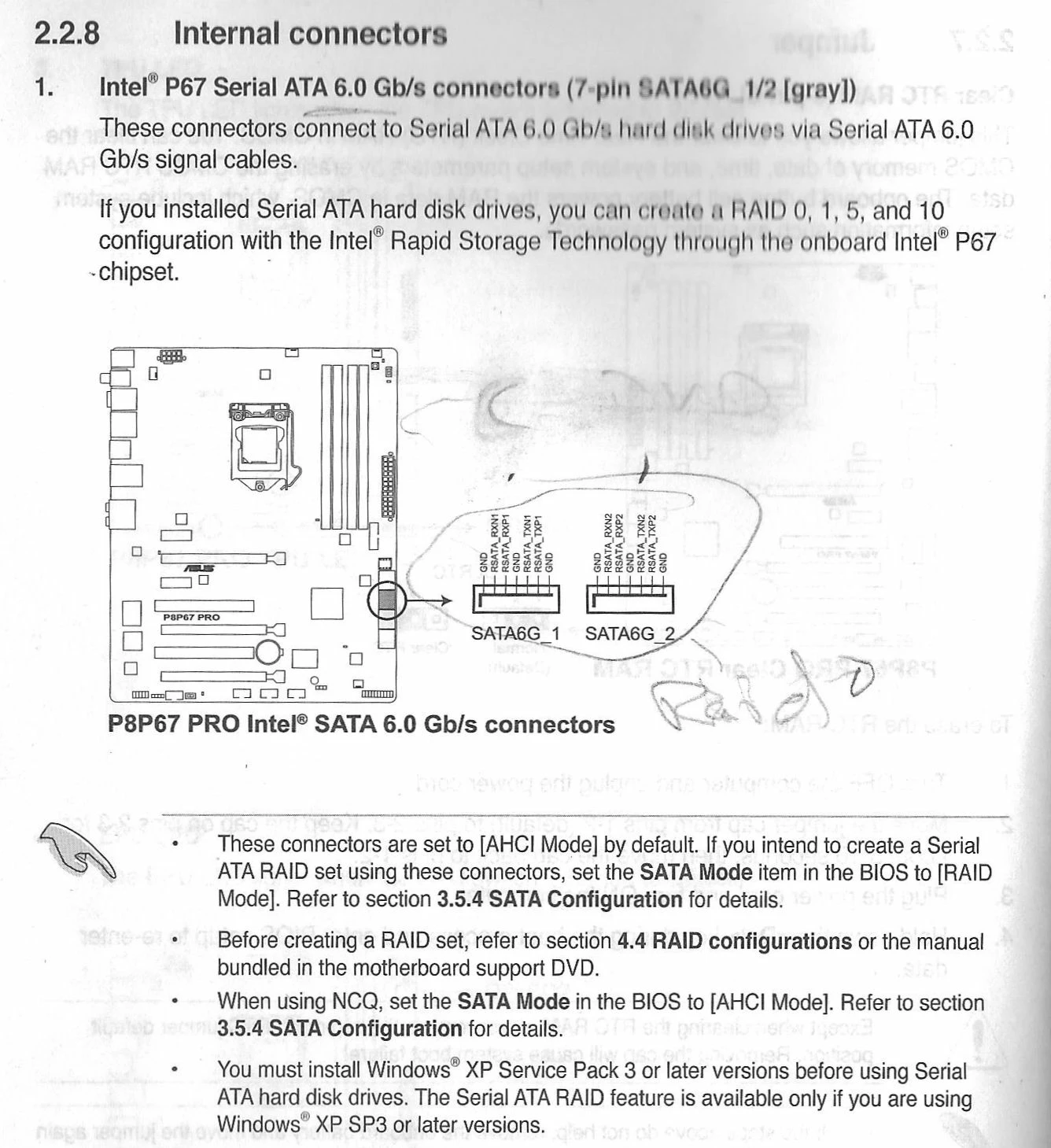
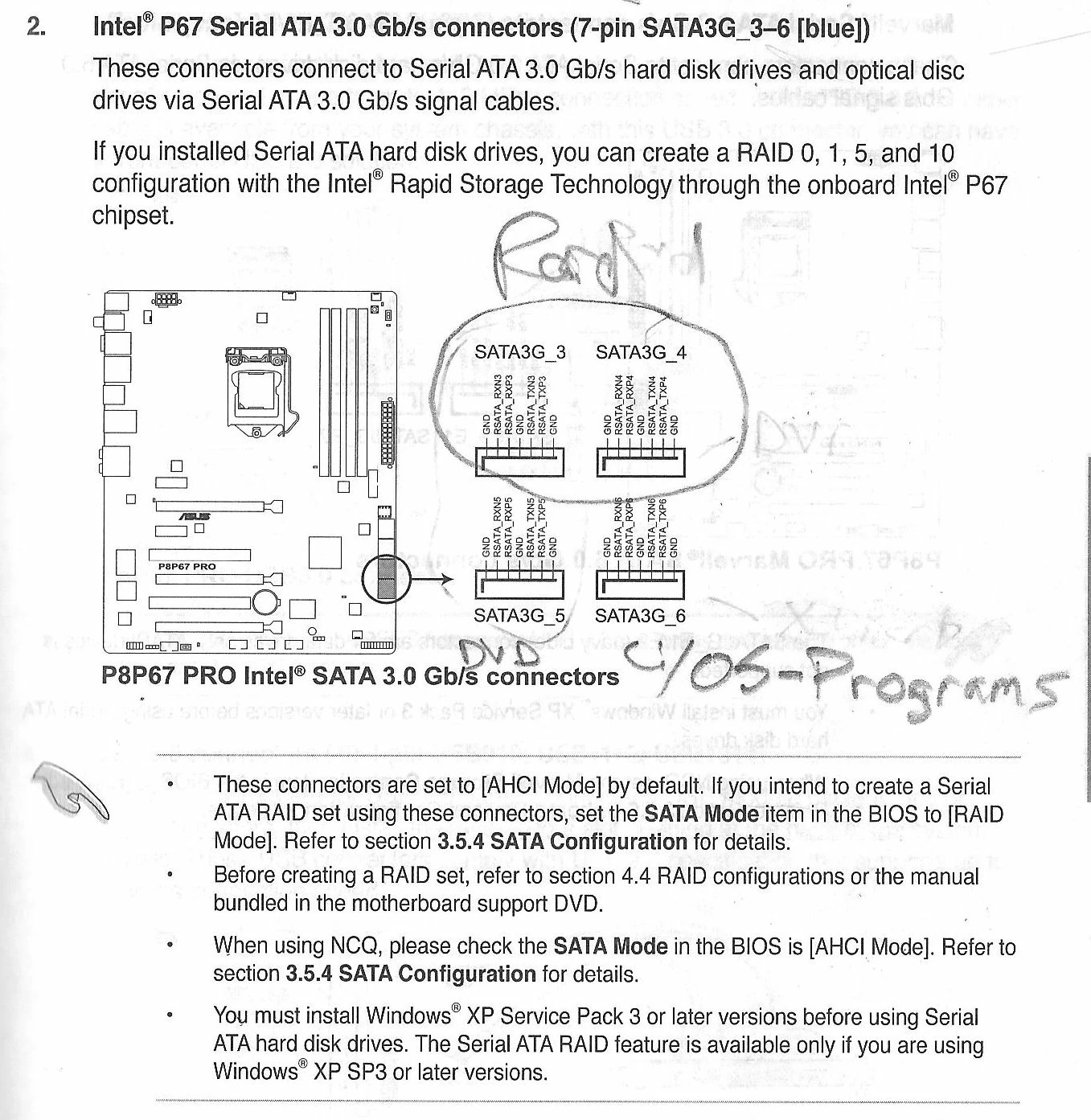
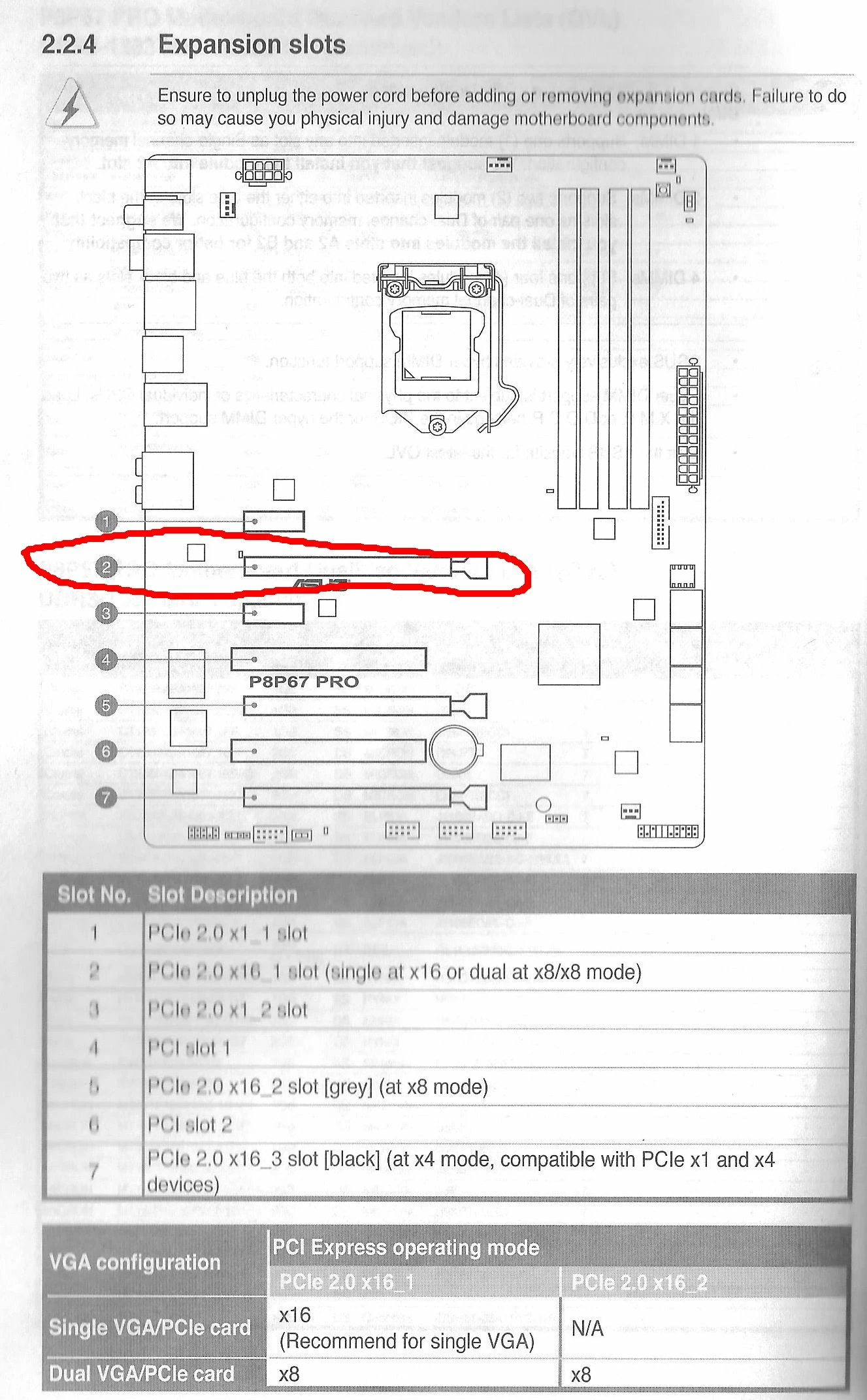
Which slot should I plug in the HYPERM.2X4MINICARD into?
The red circle is where my gtx560 is.
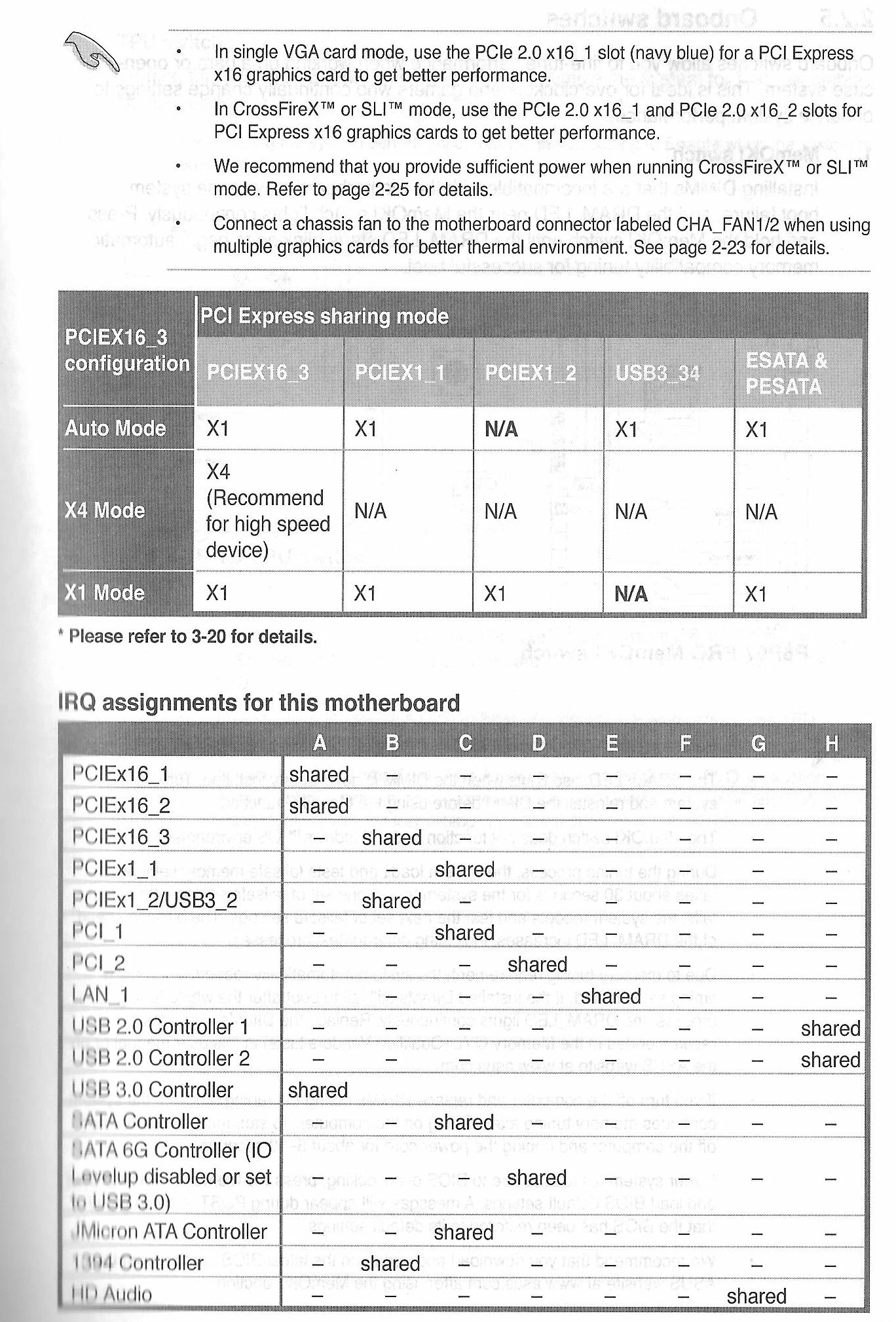
Thanks
 AdChoices