
Adobe Premiere Pro CC 2018 and Media Encoder CC 2018 CPU utilization question.
Hello everyone,
I have a question in regard to CPU utilization when it comes to exporting videos from Premiere Pro CC 2018 and Media Encoder CC 2018. Up until two days ago I was using a computer with an Intel I7-6700K CPU (4 Core 8 Threads), 16 GB of DDR4-2400 RAM, and a GTX 1080Ti. When exporting from Premiere Pro CC 2018 or Media Encoder CC 2018 I would check Windows 10 Task Manager and could confirm that the encoding process was using around 95 percent of all CPU resources. This being the case I knew that basically my current setup was giving it all to get that file or files encoded in the least amount of time possible.
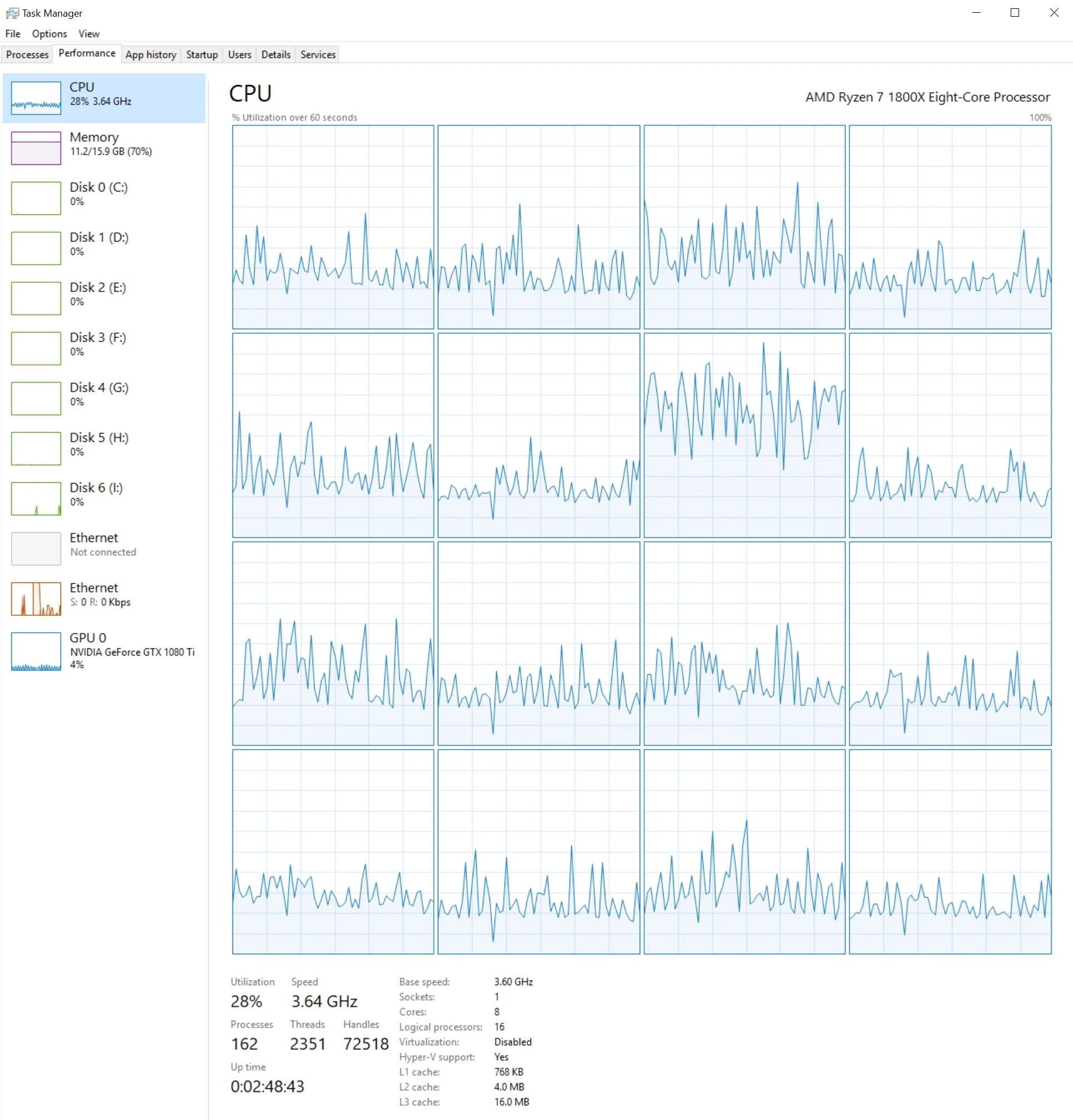
Fast forward to yesterday and I built a brand new desktop PC with a Ryzen 7 1800X (8 Core 16 Threads), 16 GB of DDR4-2400 RAM, and a GTX 1080Ti. Keep in mind this is a completely new desktop with all software freshly installed. After getting all software and drivers installed and setting all the Adobe software back up, I decided to do a test video encode. Now is where the confusion starts. You see, now when I check Task Manager while the file is being encoded, my CPU utilization never tops 30%, and the encoding time is taking about the same amount of time as the original Intel I7-6700k CPU did when it was running at 95% utilization. So my first question is why isn't the encoding process using around 95% of the AMD CPU like it was when I was using the Intel CPU? Is there any settings in Adobe Premiere Pro and/or Media Encoder that I need to change to make these programs utilize more of my new AMD CPU? I see all the time on YouTube where people are extremely happy with the amazing performance in Premiere Pro when they use the AMD Ryzen 7 CPUs, so I'm guessing I'm missing something in a setting somewhere. The next question is, what settings needs to change?
[Moderator note: moved to best forum.]
 AdChoices