ご回答ありがとうございます。
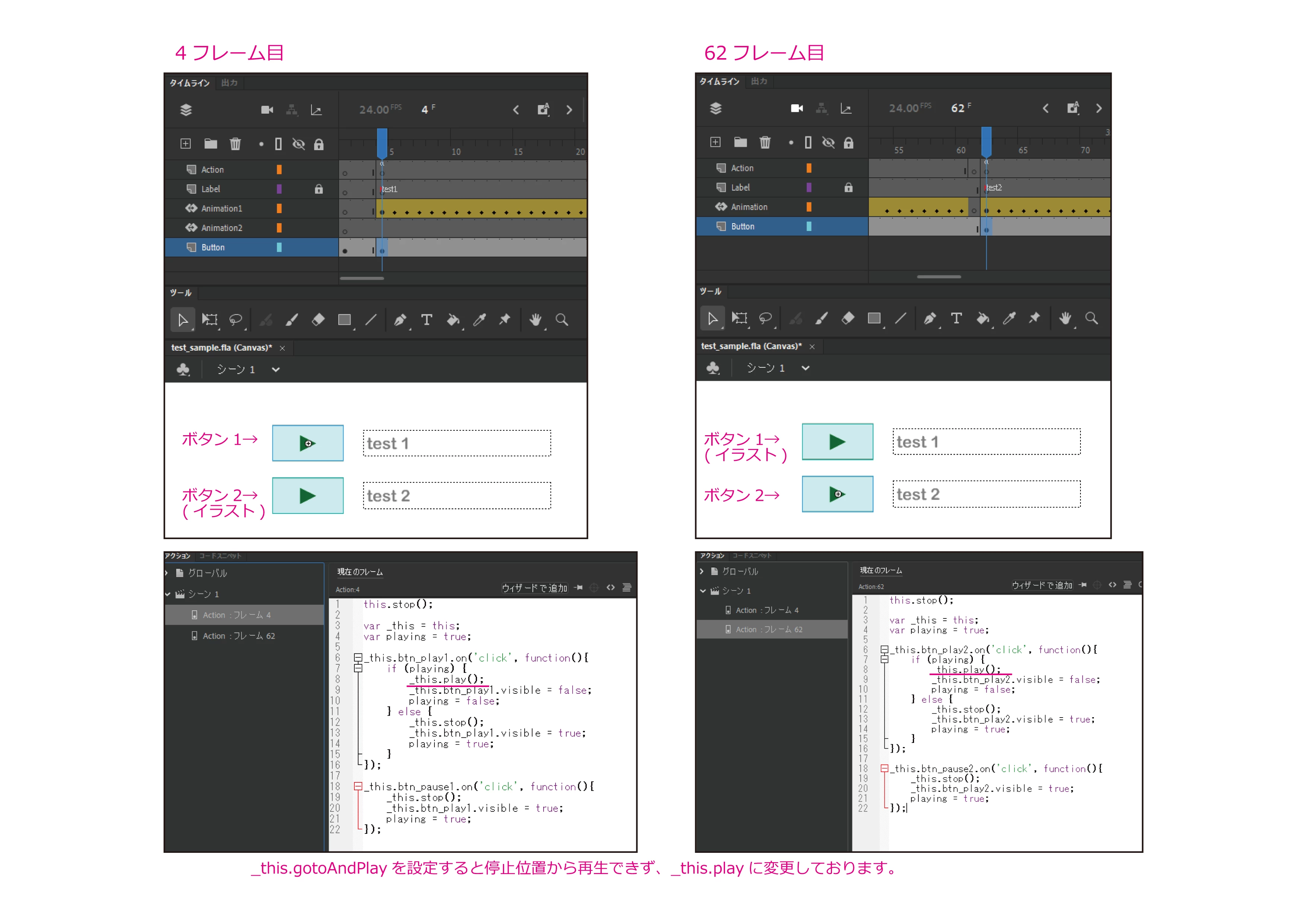
現在、以下のように配置しているのですが、上記でご回答いただいた例は4フレーム目に追加すれば良いのでしょうか?
追加したり置き換えたりしてみたのですが動作しなくなってしまいます…。
アニメーション1, 2とも_this.gotoAndPlayを設定すると停止位置から再生できず、_this.playに変更しております。
--------------------------------------------------------------------------------
アニメーション1 (4フレーム目にアクションとボタン1を配置、ボタン2はイラストを配置)
var _this = this;
var playing = true;
_this.btn_play1.on('click', function(){
if (playing) {
_this.play();
_this.btn_play1.visible = false;
playing = false;
} else {
_this.stop();
_this.btn_play1.visible = true;
playing = true;
}
});
_this.btn_pause1.on('click', function(){
_this.stop();
_this.btn_play1.visible = true;
playing = true;
});
--------------------------------------------------------------------------------
アニメーション2 (62フレーム目にアクションとボタン2を配置、ボタン1はイラストを配置)
var _this = this;
var playing = true;
_this.btn_play2.on('click', function(){
if (playing) {
_this.play();
_this.btn_play2.visible = false;
playing = false;
} else {
_this.stop();
_this.btn_play2.visible = true;
playing = true;
}
});
_this.btn_pause2.on('click', function(){
_this.stop();
_this.btn_play2.visible = true;
playing = true;
});
--------------------------------------------------------------------------------
以下のコードで試してみてください。
--------------------------------------------------------------------------------
var _this = this;
var animation1Playing = false;
var animation2Playing = false;

_this.btn_play1.on('click', function(){
    if (!animation1Playing) {
        _this.play();
        animation1Playing = true;
        animation2Playing = false;
    }
});

_this.btn_pause1.on('click', function(){
    _this.stop();
    animation1Playing = false;
});

_this.btn_play2.on('click', function(){
    if (!animation2Playing) {
        _this.gotoAndPlay(62);  // アニメーション2の再生
        animation2Playing = true;
        animation1Playing = false;
    }
});

_this.btn_pause2.on('click', function(){
    _this.stop();
    animation2Playing = false;
});
--------------------------------------------------------------------------------




 AdChoices