

Question
Windows8.1におけるFlash Playerバージョンアップデートエラーについて
最新版のFlash Playerのデバッグ版を
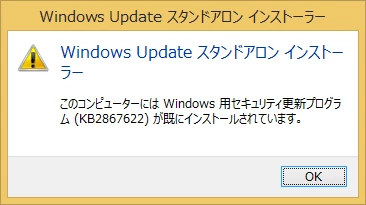
適用しようとしたところ、下記のメッセージが表示されインストール不可でした。
また、IE版のインストーラが別にありましたのでそちらをダウンロードして
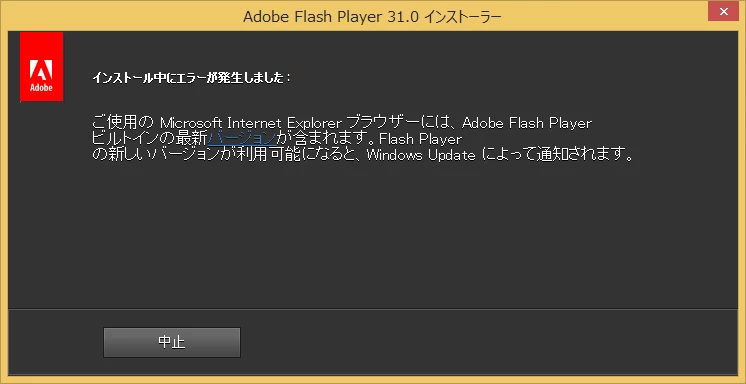
実行してみましたが、こちらもエラーとなりインストール不可でした。
原因と対応策をお教えいただきたく思います。

最新版のFlash Playerのデバッグ版を
適用しようとしたところ、下記のメッセージが表示されインストール不可でした。
また、IE版のインストーラが別にありましたのでそちらをダウンロードして
実行してみましたが、こちらもエラーとなりインストール不可でした。
原因と対応策をお教えいただきたく思います。
Already have an account? Login
Enter your E-mail address. We'll send you an e-mail with instructions to reset your password.
 AdChoices