


illustrator CC 2019のツールバーのカスタマイズを無効にしたい
こんにちは
illustrator CC 2019のツールバーのカスタマイズ機能ですが
添付画像のようにツールバーの各ボタンの配置順が作業をしているうちにいつの間にか変わって困っています。
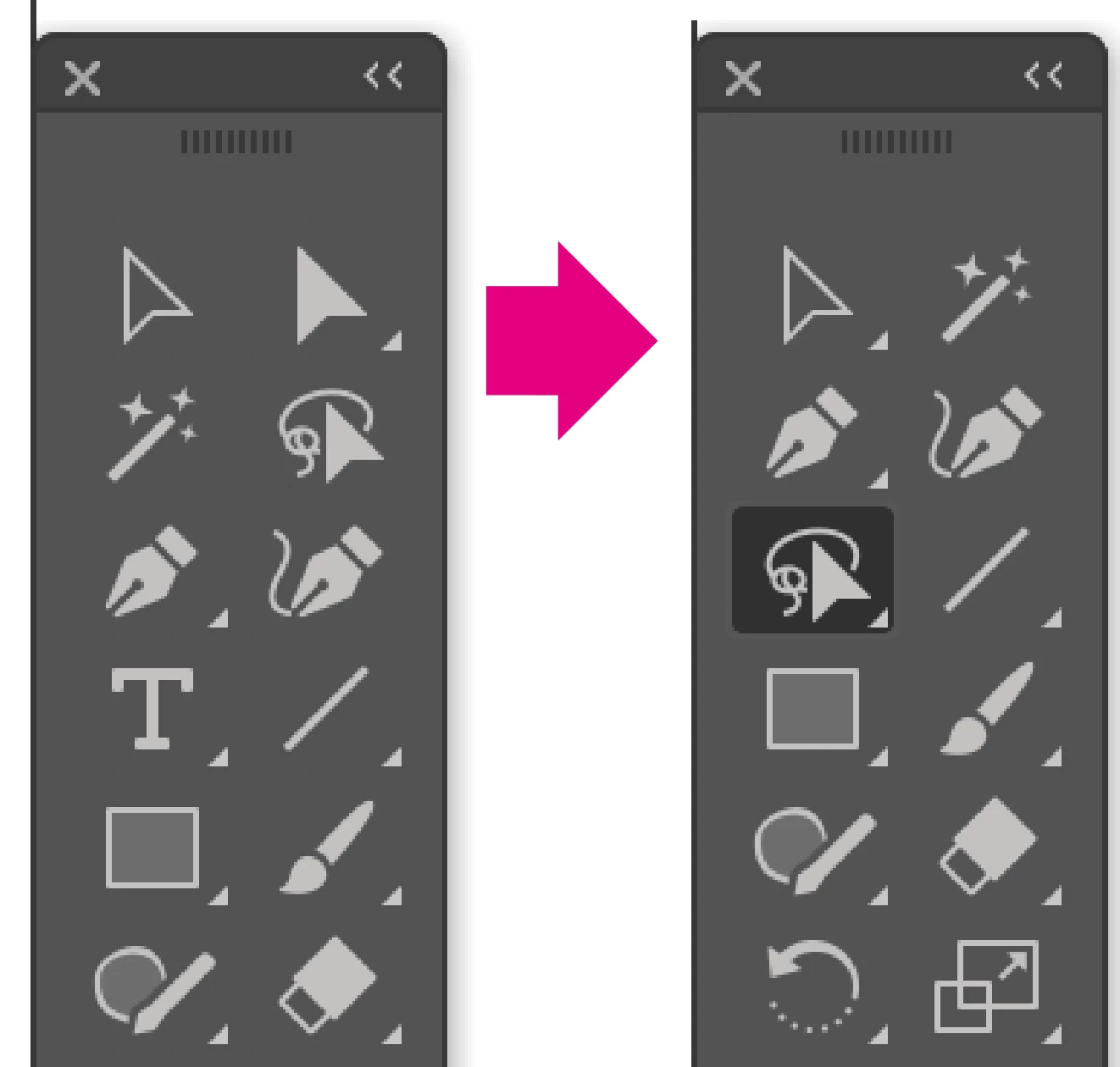
その都度下部の「・・・」ボタンからリセットをするのが面倒なのですが
カスタマイズを無効にする方法はないでしょうか?
作業中マウスを動かすのが速いのでクリックして離すまでに他の部分にドラッグされてるのだと思いますが...

こんにちは
illustrator CC 2019のツールバーのカスタマイズ機能ですが
添付画像のようにツールバーの各ボタンの配置順が作業をしているうちにいつの間にか変わって困っています。

その都度下部の「・・・」ボタンからリセットをするのが面倒なのですが
カスタマイズを無効にする方法はないでしょうか?
作業中マウスを動かすのが速いのでクリックして離すまでに他の部分にドラッグされてるのだと思いますが...
Hello
2019 Illustrator CC toolbar customization feature
Of order of each button on the toolbar to attach images to change before one is aware, are in trouble.
More annoying each time at the bottom of [...] to reset button.
There is no way to disable the customization?
I think that I'm being dragged and then far away so fast that moving the mouse work in other parts of the...
Have you read this thread?
How to lock right toolbar panel icons?
Maybe you want to add your vote to
New Customizable Toolbar need a way to Lock – Adobe Illustrator Feedback
Already have an account? Login
Enter your E-mail address. We'll send you an e-mail with instructions to reset your password.