Participant
January 27, 2020
Answered

illustrator2020でサンプルテキストの変更をしたいです

  • January 27, 2020
  • 4 replies
  • 1196 views

illustrator2020、Windows10を使用しています。


サンプルテキストで「草枕」が出てくるのですが、こちらを任意の文章に変更したいです。


変更するべきファイルの場所や、変更方法を教えていただけますでしょうか?

This topic has been closed for replies.
Correct answer Ashutosh_Mishra

Hi there,


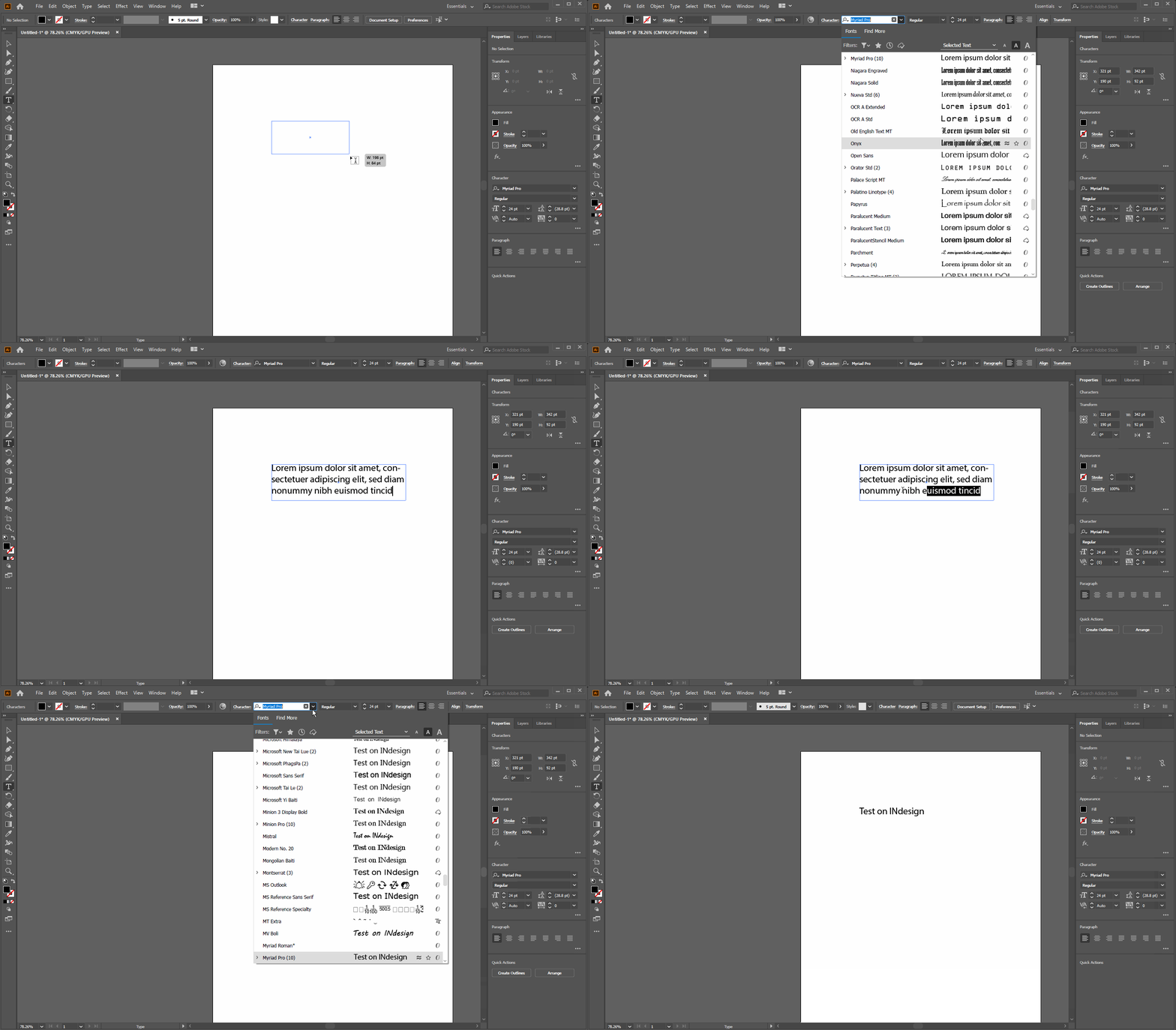
Thanks for reaching out. If you have text highlighted, you see the highlighted text in the different fonts. If you have nothing selected, it shows as Sample. I am also attaching a GIF as well for your reference:

There is no way to change this process. If you are talking about something else, please elaborate.


Regards,

Ashutosh

4 replies

Ten A
Community Expert
Community Expert
January 28, 2020

Illustrator ver.24のランゲージファイルはバイナリ化されたため、以前のバージョンの様な編集によるPlaceHoldeTextの変更は行わないほうが良いでしょう。


Omachi
Legend
January 27, 2020

残念ながら変更できません。

Ashutosh_Mishra
Ashutosh_MishraCorrect answer
Inspiring
January 27, 2020

Hi there,


Thanks for reaching out. If you have text highlighted, you see the highlighted text in the different fonts. If you have nothing selected, it shows as Sample. I am also attaching a GIF as well for your reference:

There is no way to change this process. If you are talking about something else, please elaborate.


Regards,

Ashutosh

LinSims
Community Expert
Community Expert
January 27, 2020

Let me move this to the Illustrator forum for you, where you are more likely to receive an answer to your question.

Note that the Community Help forum is for help in how to use the Adobe Communities. Product questions should be posted in the associated product community.

N.HAuthor
Participant
January 27, 2020

Thank you.