

Answered

YamonovCorrect answer
Legend
December 8, 2020
整列用のオブジェクトを作らなくても、Illustrator環境設定>一般で「プレビュー境界を使用」にチェックを入れた上で、上下のオブジェクト&テキスト両方選択して整列パネルで垂直方向に等間隔に分布、でいけると思います。
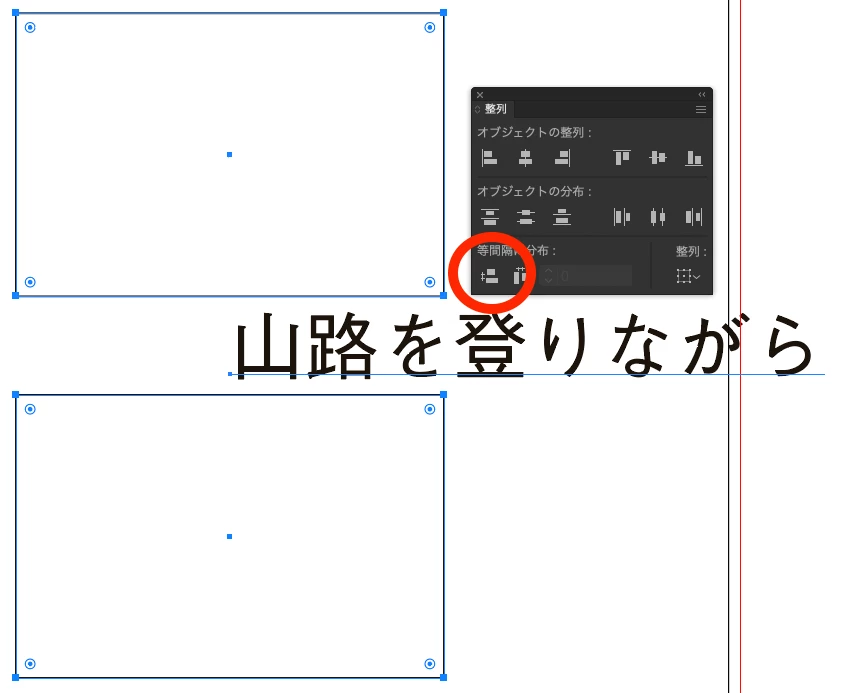
--Yamonov

Already have an account? Login
Enter your E-mail address. We'll send you an e-mail with instructions to reset your password.
 AdChoices