

じゅんぺそ
Participant
December 14, 2019
Question

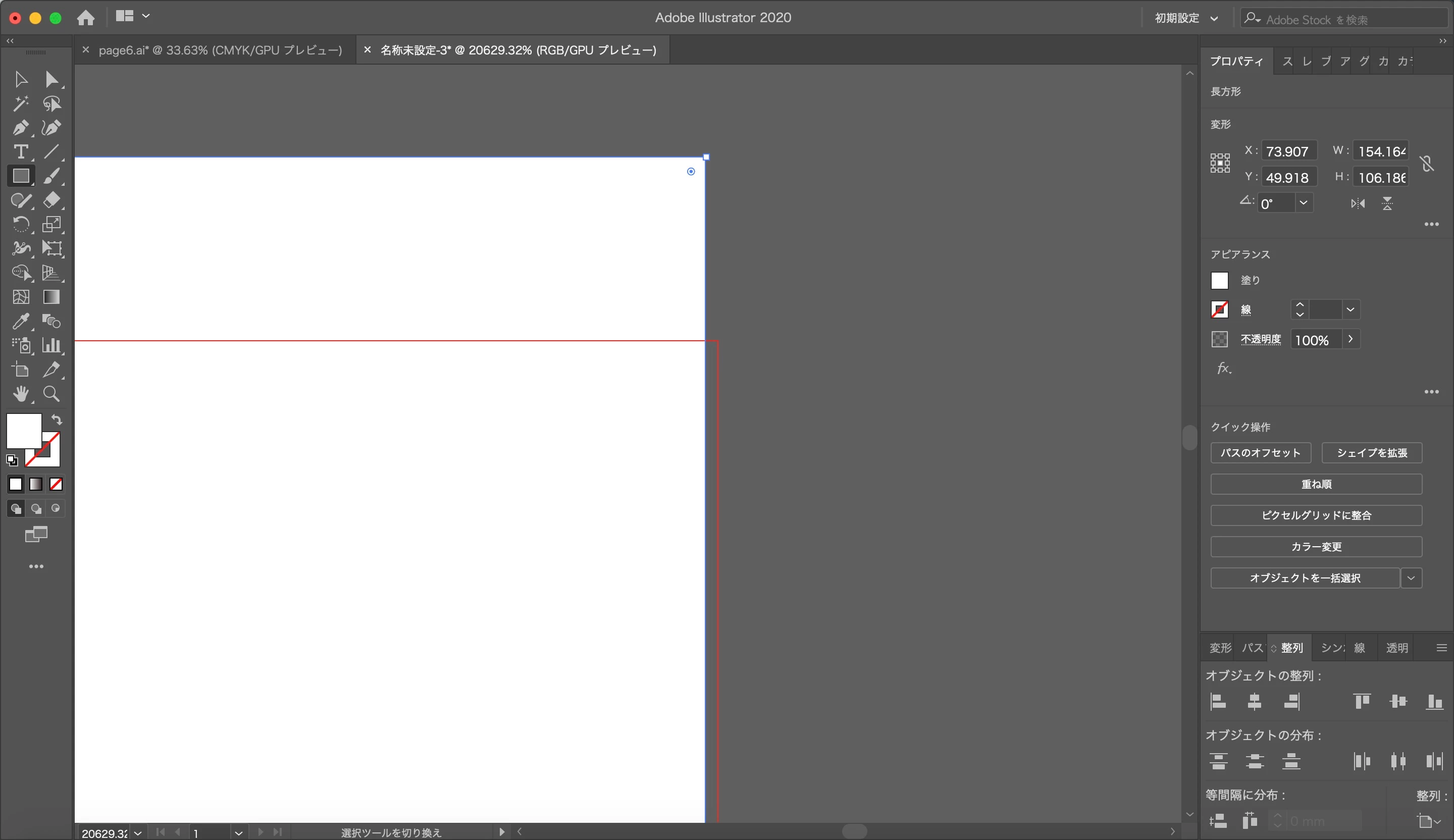
ドラッグしてオブジェクトを作成するとサイズがズレます

  • December 14, 2019
  • 2 replies
  • 709 views

アートボードと同じサイズの長方形を置こうとしてスマートガイドで「交差」と表示されたところで作成をしたのですが、ズレが生じてしまいました。

今はとりあえず自分でサイズ指定して作成しています

今まではこの方法できちんと作成できていたので解決策を知っている方いらっしゃいましたら教えてください。

This topic has been closed for replies.

2 replies

assause
Community Expert
Community Expert
December 18, 2019

今までは、というのは、以前のバージョンででしょうか、それとも2020内で、ということでしょうか。

いずれにしても環境設定のリセットは試してみたいところです。

https://helpx.adobe.com/jp/illustrator/using/setting-preferences.html

じゅんぺそ
Participant
December 18, 2019

2019のバージョンです。

最近2020にアップデートをしてからこうなったと記憶しています。

環境設定のリセット、試してみます

Srishti Bali
Community Manager
Community Manager
December 20, 2019

Thanks for sharing this information. I would like to know if resetting preferences helped resolving the issue? If not, try following these steps:


  1. Make sure Illustrator is up to date (v24.0.1).
  2. Restart your machine. 
  3. Reset Preferences manually:
    Close all Adobe applications. 
    Go to locations 

    ~/Library/Caches 

    ~/Library/Application Support/Adobe 

    ~/Library/Preferences 

    Rename  Adobe Illustrator, com.adobe.illustrator and Adobe Illustrator 24 Settings folders to   Adobe Illustrator.old, com.adobe.illustrator.old and Adobe Illustrator 24 Settings.old 

    Launch Illustrator from the Creative Cloud. 

  4. If nothing helps, reinstall application once again and let us know how it goes.


Regards,

Srishti

Srishti Bali
Community Manager
Community Manager
December 14, 2019

Hi there,


Thanks for reaching out. If I get it correctly, you are unable to drag and scale the rectangle to match the length of artboard. Please go to View and click Show Bounding box.


Let us know if this helps, or if you need any further assistance.


Regards,

Srishti


じゅんぺそ
Participant
December 14, 2019

Thank you for replying me.

I tried it but it couldn't be impreved. There is still little gap.

There is no such a situation in illustrator 2019. It happened after update.

So, I think it involved.


I'm sorry to ask you many times.


regards,

Junsei Suzuki


silk-m
Community Expert
Community Expert
December 14, 2019

Hi,

スマートガイドのスナップの許容値はいくつにしていますか? これを大きくしてもずれますか?


--Susumu Iwasaki