Participating Frequently
Sep 18, 2023 12:28 PM UTC
Answered

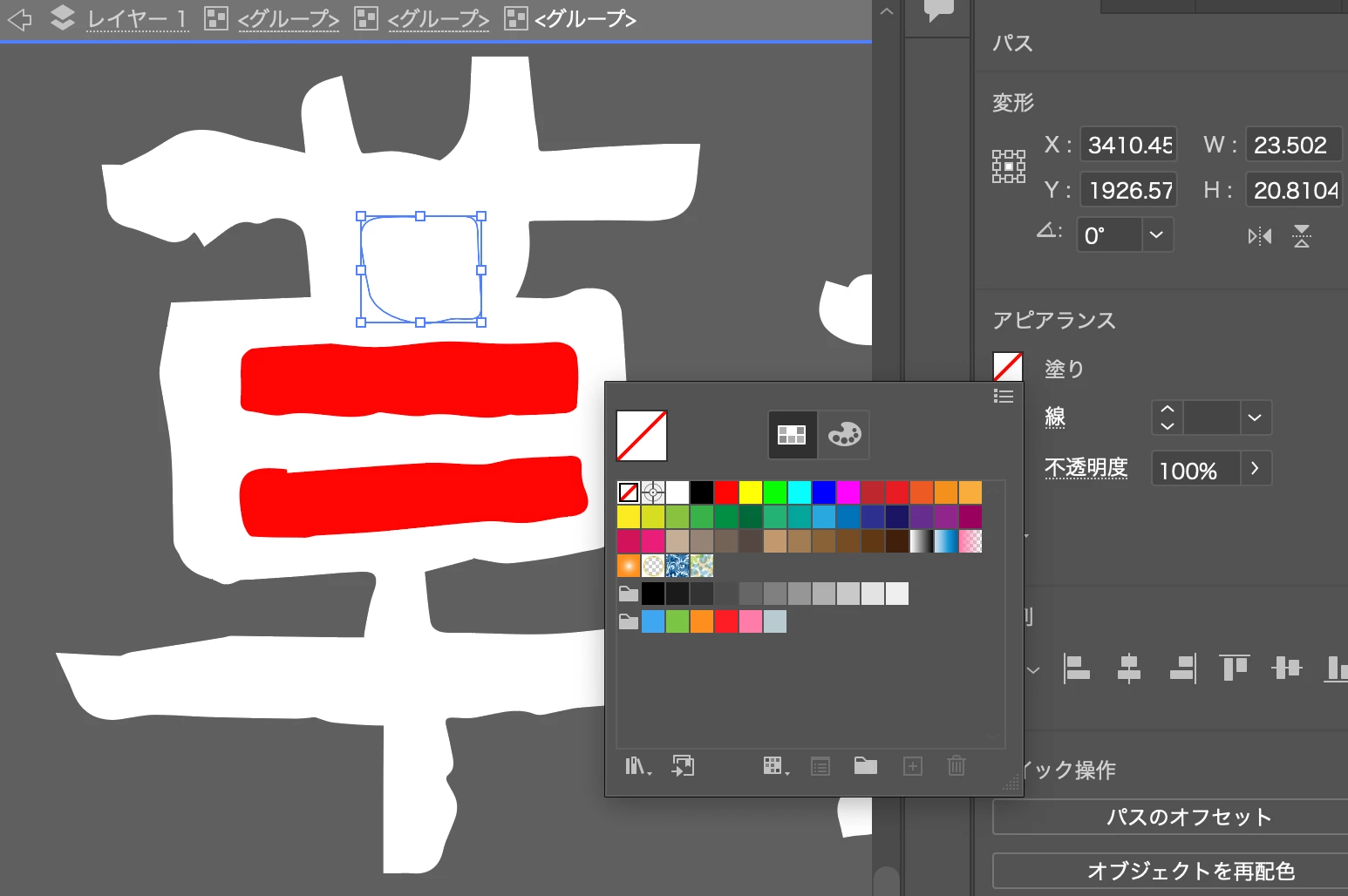
添付写真の赤色部分を背景透明にしたい

添付写真の赤色部分を背景透明にしたいです


塗色を「なし」にすると以下のようになります

This topic is closed to new replies. Start a new post to keep the conversation going.
Ten A
Ten ACorrect answer
Community Expert
Sep 18, 2023 1:22 PM UTC

白い部分と赤い部分を同時に選択して複合化して下さい。詳しくは以下のページで。


https://helpx.adobe.com/jp/illustrator/using/combining-objects.html

4 replies

Ten A
Community Expert
Ten ACommunity ExpertCorrect answer
Community Expert
Sep 18, 2023 1:22 PM UTC

白い部分と赤い部分を同時に選択して複合化して下さい。詳しくは以下のページで。


https://helpx.adobe.com/jp/illustrator/using/combining-objects.html

Translate
Participating Frequently
Sep 19, 2023 2:21 AM UTC

→白い部分と赤い部分を同時に選択

→オブジェクト

→複合パス

→作成


で解決しました。

ご返答、ありがとうございました!


Translate
Ten A
Community Expert
Community Expert
Sep 19, 2023 2:35 AM UTC
複合化処理はよく使うのでショートカット(⌘又はctrl+8)を覚えておくといちいちメニューにアクセスしなくても処理できるので覚えておくと良いでしょう。
Translate