


Participant
October 30, 2024
Answered

Adobe iPhone Colour Changing

  • October 30, 2024
  • 1 reply
  • 768 views

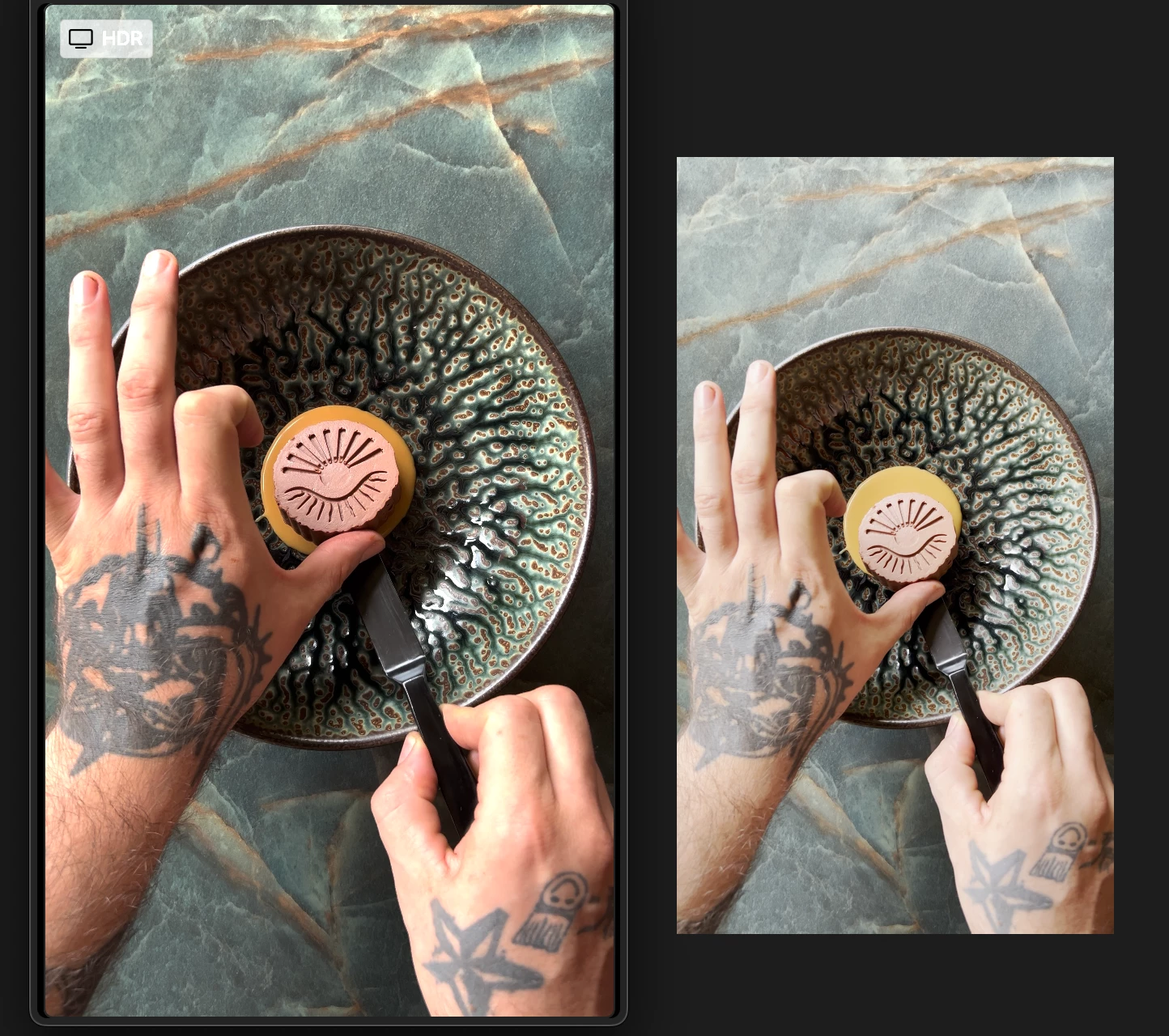
I edit all my Instagram Reels in Adobe After Effects and used to upload them to the server without any issues. Typically, I’d just drag and drop the videos from there, and the color quality remained intact. But recently, every time I upload a video to After Effects, the colors shift drastically, going from the original full color to a yellowish hue. I haven’t changed any settings—nothing in my color profiles, export settings, or anywhere else. I’m stuck and would love any advice on what could be causing this shift.

The image on the left is the iPhone quality, the image on the right is after they’re uploaded onto Adobe.
Thanks in advance!
Correct answer 그의 이야기


Hi, this issue is caused by a different color space.
If you look at the attached image, it looks like the red color is desaturated.

My guess is that the color space of the video clip is P3 and the color space of the monitor is sRGB.

It would be great to know the specs of the clip and the monitor, but I can only make a guess.


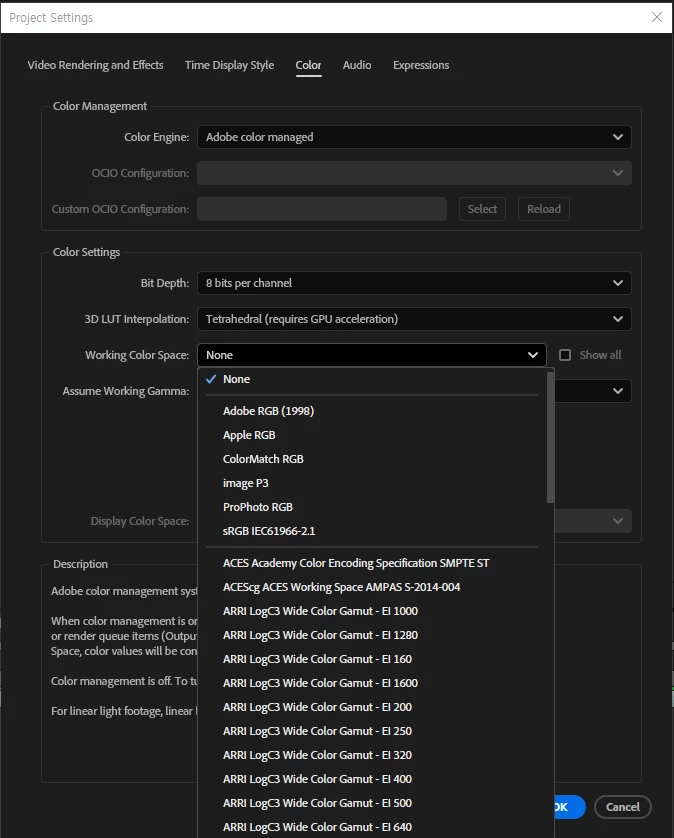
Can you check the color space of the video clip and set the color space in Ae's project settings to the same as the color space of the video clip?

1 reply

그의 이야기
그의 이야기Correct answer
Inspiring
October 31, 2024


Hi, this issue is caused by a different color space.
If you look at the attached image, it looks like the red color is desaturated.

My guess is that the color space of the video clip is P3 and the color space of the monitor is sRGB.

It would be great to know the specs of the clip and the monitor, but I can only make a guess.


Can you check the color space of the video clip and set the color space in Ae's project settings to the same as the color space of the video clip?

il.lexyAuthor
Participant
October 31, 2024

Hi! Absolutely right!, thank you so much, the footage was set to Rec.2020 Gamma 2.4 both on footage and on the project settings.

Thanks again!