


Question
パスワードを設定する時にクラッシュする
以下、バグのようです。早めの修正をお願いいたします。
- PDFファイルを開きます。
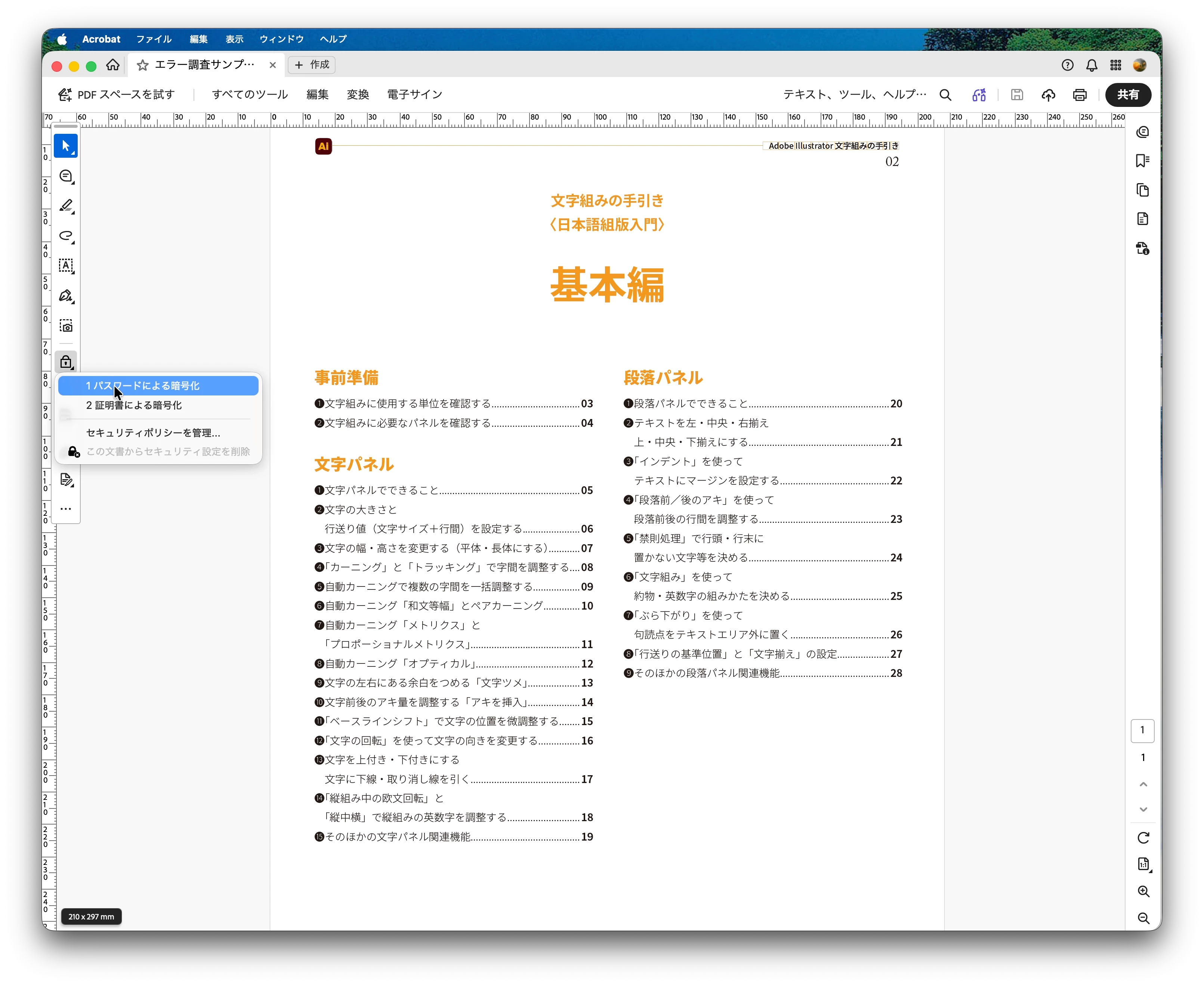
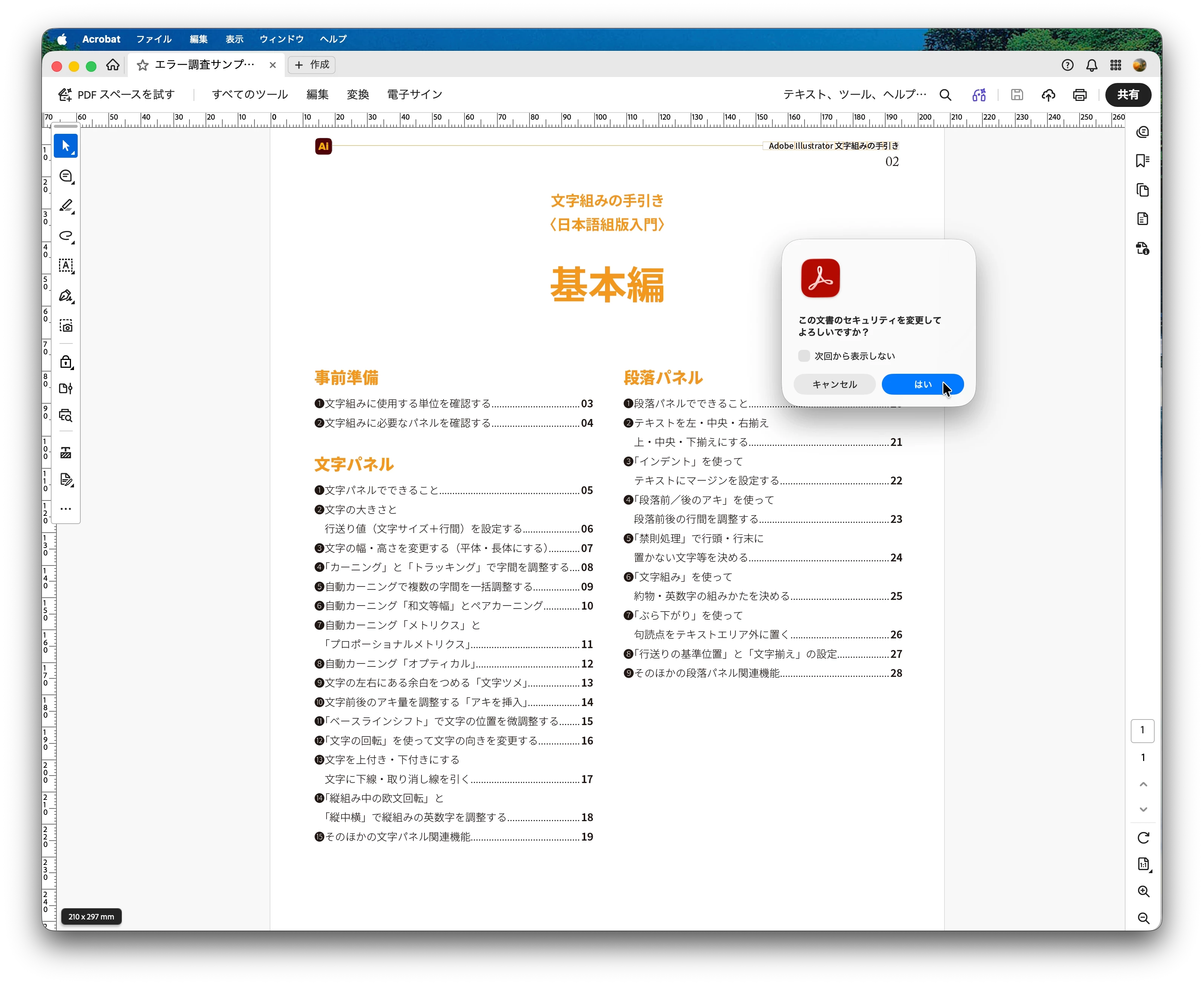
- ツールバーの「鍵」ツールを選択し、表示されるドロップダウンメニューから「パスワードで暗号化」を選びます。ダイアログが開くので、「はい」をクリックします。
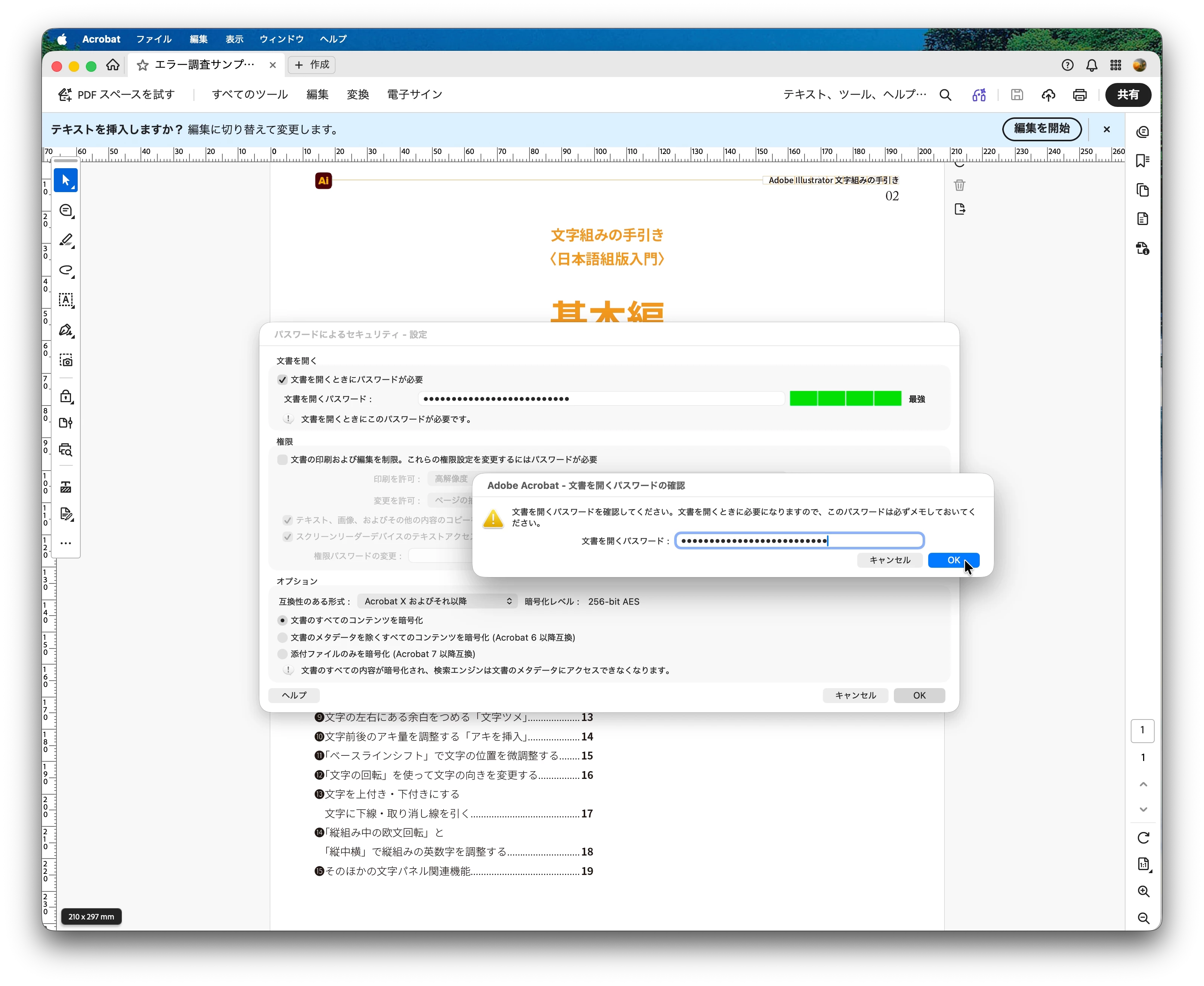
- 「文書を開く時にパスワードが必要」のチェックをオンにして、パスワードを設定します。
- ここで奇妙な現象が発生します。
- 「OK」をクリックし、確認のためにパスワードを再入力します。
- アプリケーションがクラッシュします。
一方、ファイルメニューの「文書のプロパティ...」(⌘D)を使用してパスワードを設定した場合、アプリケーションはクラッシュしません。
This looks like a bug. I'd like the Adobe team to fix this ASAP.
- Open a PDF file.
- Select the “Key” tool in the toolbar, and then choose “Encrypt with a Password” from the drop-down menu that appears. A dialog window will open. Click YES.
- Check the box for “Require a password to open this document” and set a password.
- Something strange occurs.
- Click OK, then retype the password to confirm it.
- The application crashes.
On the other hand, when you set a password using “Document Properties...” (⌘D) in the File menu, the program does not crash.
The basic information is as follows.
macOS 26.7.1
Adobe Acrobat Pro 2026.002.22031
Langage) Japanese
[重複投稿が確認されたためこちらの投稿以外は削除いたしました:モデレーター]
 AdChoices