Participant
January 10, 2019
Answered

Acrobat Pro DC体験版をインストールしたがPDF印刷(ファイル生成)ができない。

  • January 10, 2019
  • 1 reply
  • 283 views

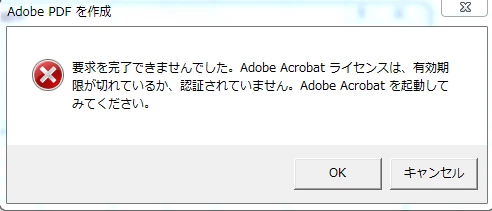
本日体験版をインストールしましたが、EXCELなどから印刷コマンドでのPDFファイルが作れません。

Windows 7 32bit メインメモリーは上限です。

adobe アカウントはもちろんあります。それ以外に認証などの条件があるのでしょうか。
This topic has been closed for replies.
Correct answer AkanchhaS8194121

Hi Takyjen,

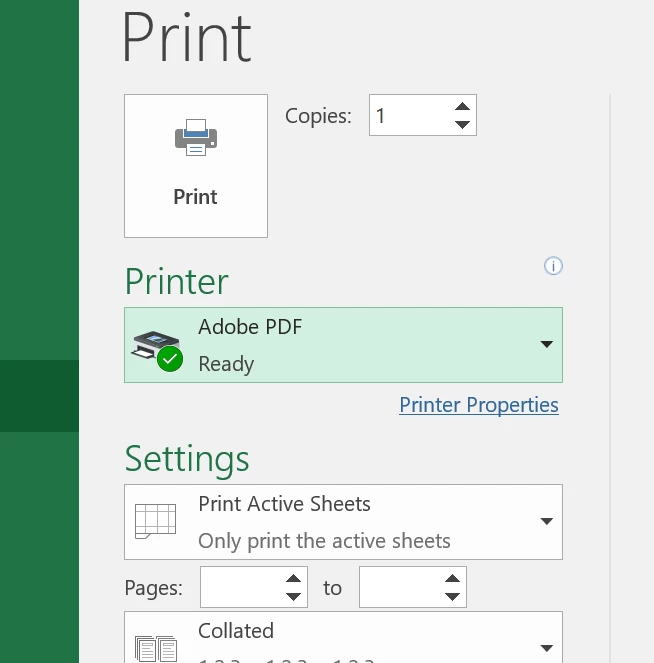
If we understand your query correctly, you have installed Adobe Acrobat DC trial. And now trying to create PDF through Excel file using "Print to PDF"? Try printing the pdf as "Adobe PDF" printer?

  • To create PDF, it should be print to "Adobe PDF"

  • You can directly create PDF through Excel using Acrobat DC itself. Open Acrobat DC> Create PDF>Select excel and create PDF.

Create PDFs with Adobe Acrobat

To help us understanding in better manner, please use translate the content showing in the screenshot shared above.

Regards,

Akanchha

1 reply

AkanchhaS8194121
AkanchhaS8194121Correct answer
Legend
January 11, 2019

Hi Takyjen,

If we understand your query correctly, you have installed Adobe Acrobat DC trial. And now trying to create PDF through Excel file using "Print to PDF"? Try printing the pdf as "Adobe PDF" printer?

  • To create PDF, it should be print to "Adobe PDF"

  • You can directly create PDF through Excel using Acrobat DC itself. Open Acrobat DC> Create PDF>Select excel and create PDF.

Create PDFs with Adobe Acrobat

To help us understanding in better manner, please use translate the content showing in the screenshot shared above.

Regards,

Akanchha