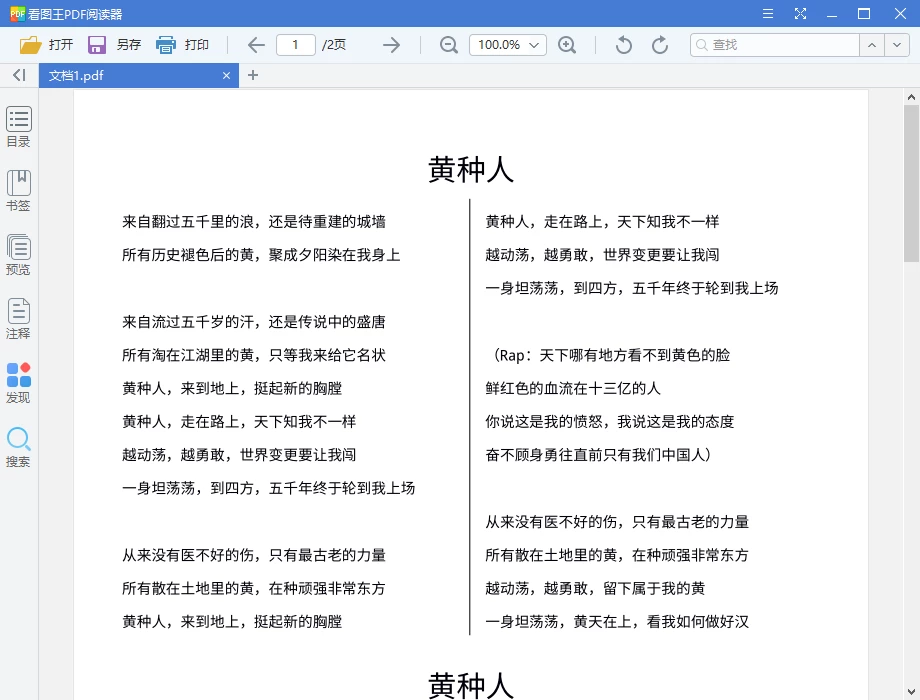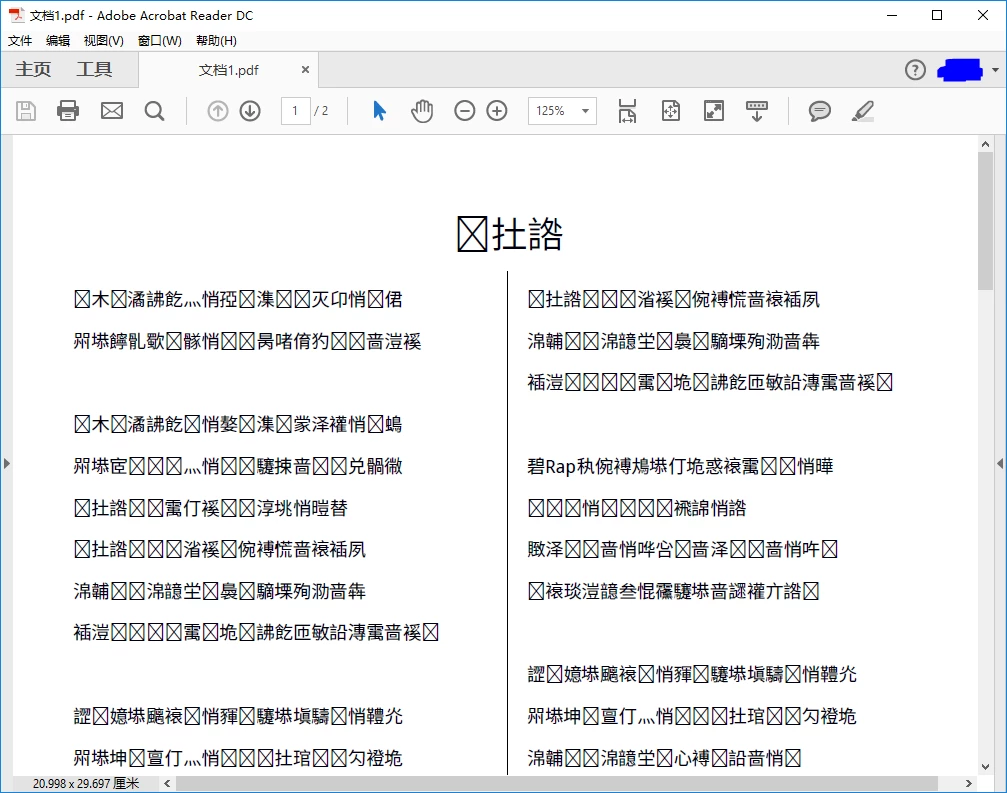
Sorry for the delayed response and inconvenience caused. Please make sure that you have the latest Adobe Reader DC installed, check for any pending updates from help>check for updates, reboot the machine after installing the updates and see if this brings any difference.
Navigate to Adobe Reader's Preferences and go to the "Page Display" category. Now toggle the "Use local fonts" under Rendering setting. Does that make a difference?
Make sure that you have all the required Fonts installed in the system, this is very likely a problem with how the font is embedded in the PDF file. Just because it worked in Edge, does not necessarily mean that it cannot be such a problem: The new version of Acrobat/Reader may just be interpreting the PDF standard more tightly as the required Fonts are not embedded in the PDF.
How does this PDF was originally created? Most times, associated with the use of non-standard encoding for the fonts used in the PDF or the use of fonts (and associated encoding)in the PDF that are not on the end-user local machine can cause this issue.
If this PDF is created by a third party application, it seems that the PDF originator failed to use an adequate PDF producer.
You may want to bring the issue up with the PDF originator and see if they can provide you the fonts which can be installed or ask them to embed the font in the original PDF.