

Answered

akatsuki_obanaCorrect answer
Community Expert
April 5, 2021
添付のようなイメージでしょうか?

こちらはテキストフレームに塗りを設定し、透明パネルの「塗り」をクリックして選択後、パネル右下の「fx」のアイコンをクリックして効果(グラデーションぼかし)を設定しています。
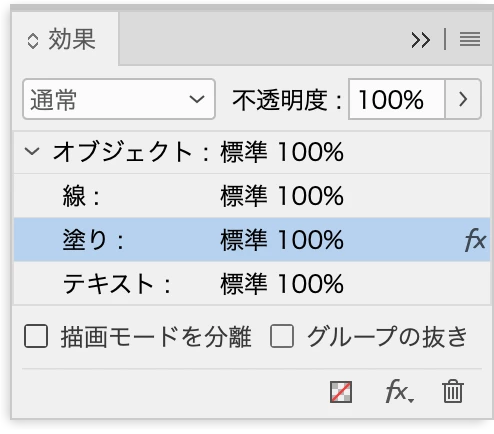
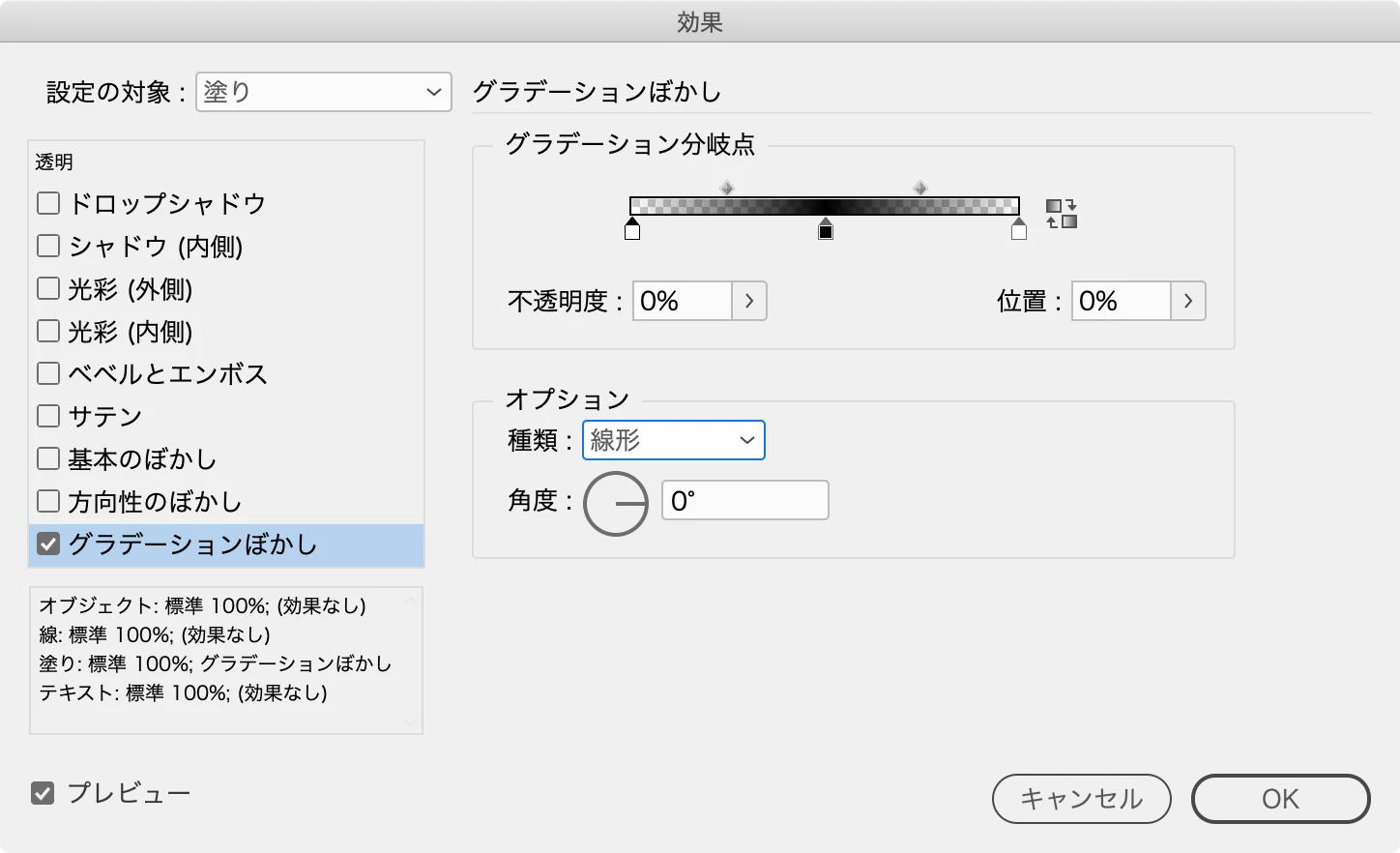
「グラデーションぼかし」の設定は、グラデーションと同じ要領でストップカラーを追加し、両端の不透明度を0%に設定しています。

Already have an account? Login
Enter your E-mail address. We'll send you an e-mail with instructions to reset your password.
 AdChoices