

Answered
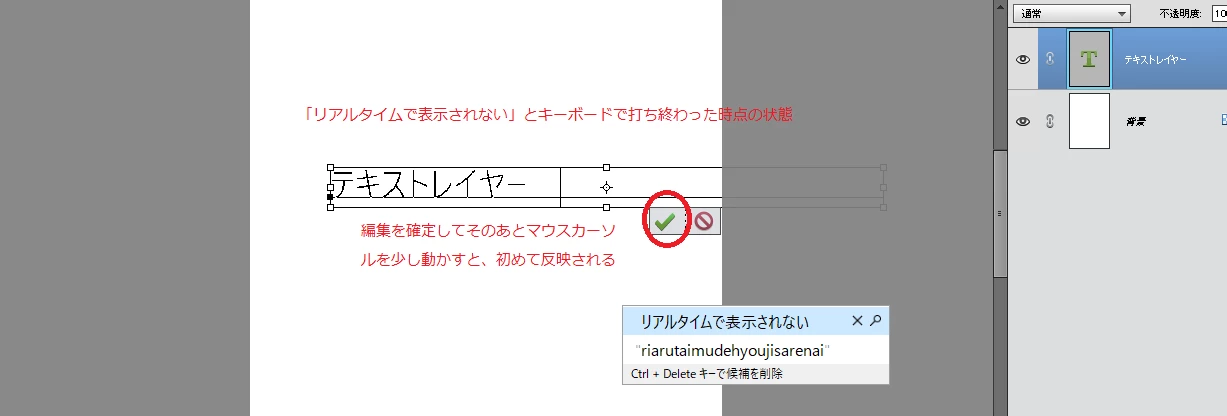
テキストの編集がリアルタイムで表示されない
初めて質問します。
Windows10,Photoshop Elements 15
数日前から、テキストツールで打った文字がリアルタイムで反映されず、
編集を確定を確定してその後マウスカーソルを少し動かすと初めて表示されるようになりました。
何か設定の問題などありますでしょうか?

初めて質問します。
Windows10,Photoshop Elements 15
数日前から、テキストツールで打った文字がリアルタイムで反映されず、
編集を確定を確定してその後マウスカーソルを少し動かすと初めて表示されるようになりました。
何か設定の問題などありますでしょうか?
Already have an account? Login
Enter your E-mail address. We'll send you an e-mail with instructions to reset your password.


 AdChoices