This topic is closed to new replies. Start a new post to keep the conversation going.
Atul_Saini
Atul_SainiCorrect answer
Legend
December 28, 2016

Hi 秀章茂46091630,

I would like to inform you that Experience Design (Beta) requires Windows 10 Anniversary Update and later. Learn more about Windows 10 Anniversary Update here. You may also check this information on this page:-https://creative.adobe.com/products/download/experience-design?promoid=RPZBNCDH&mv=other​.

Please try this and let us know if this helps. 

Thanks.

4 replies

秀章茂46091630
Participant
December 27, 2016

Hi All

I already tried with some PC but I did not solve it.

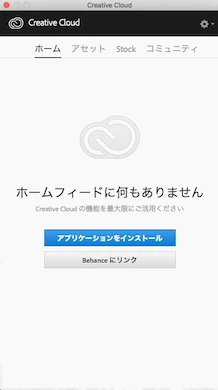
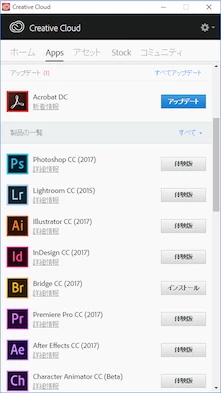
- Apps tab not appeared in Desktop Application.

or  Adobe XD not appeared in Apps tab.

I will try various things again.

Thanks

Translate
Atul_Saini
Atul_SainiCorrect answer
Legend
December 28, 2016

Hi 秀章茂46091630,

I would like to inform you that Experience Design (Beta) requires Windows 10 Anniversary Update and later. Learn more about Windows 10 Anniversary Update here. You may also check this information on this page:-https://creative.adobe.com/products/download/experience-design?promoid=RPZBNCDH&mv=other​.

Please try this and let us know if this helps. 

Thanks.

Translate
Sheena Kaul
Legend
December 26, 2016

Moving to Creative Cloud Download & Install​

Translate
Ned Murphy
Legend
December 26, 2016

Download Error in Apps tab of Creative Cloud Desktop Application

https://helpx.adobe.com/creative-cloud/kb/Download-error-apps-tab.html

Translate