
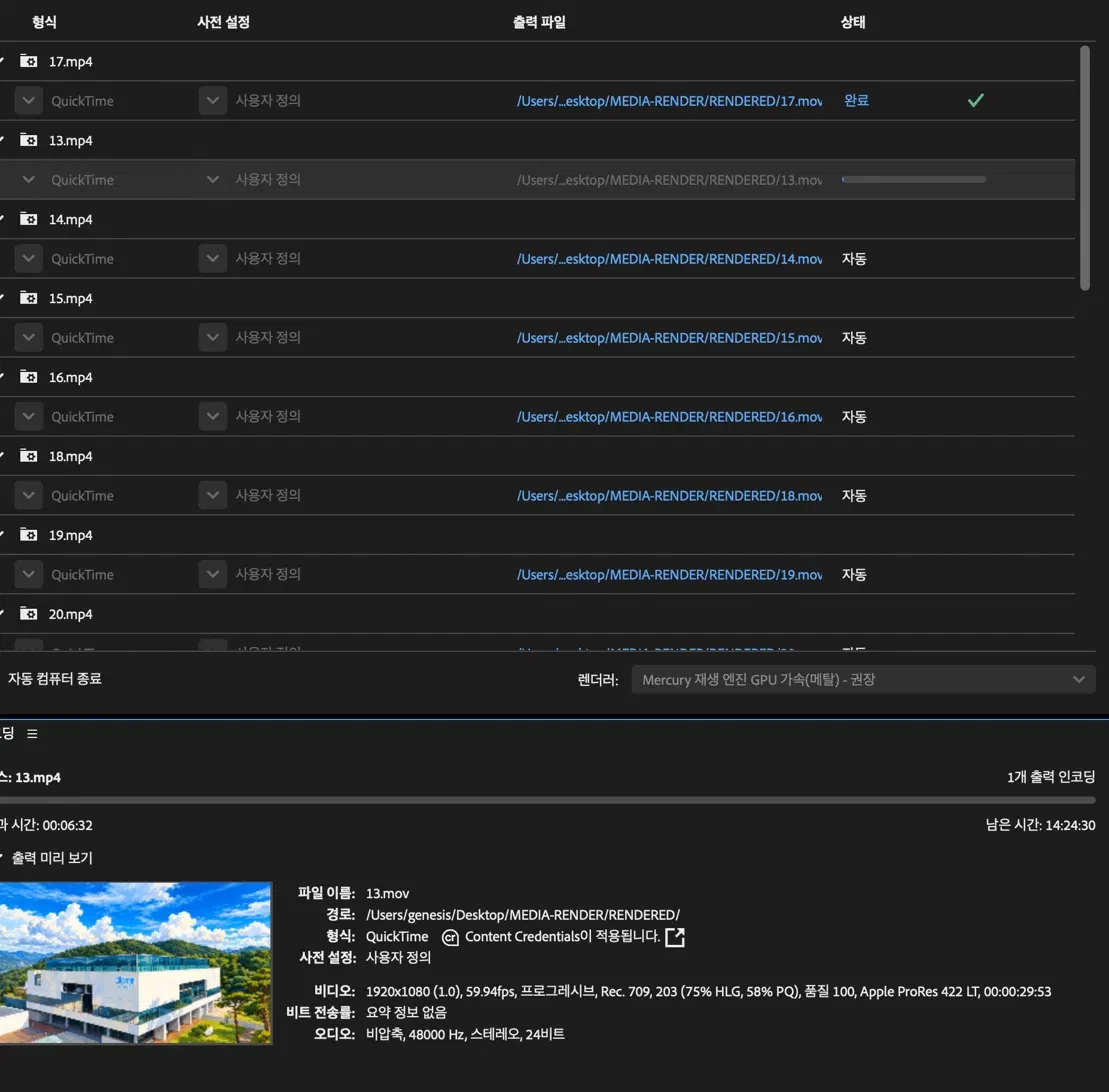
media 인코더시 에러
Title: Watch Folder – auto-skip stalled/failed items and continue the queue
Hi Adobe Media Encoder team,
I run a broadcast video team and use AME Watch Folders for unattended batch rendering (ProRes 422 LT, 1920x1080 59.94p).
The problem:
When one file in a watch folder stalls at 0% (in my case, caused by a stale media cache entry for a file that had the same name as a previously interrupted job), the entire queue stops. The encoding panel keeps counting elapsed time and shows an estimated remaining time of 14+ hours for a 30-second clip. All remaining items stay in "Auto" status and nothing else renders until someone manually stops the queue, removes the file, and restarts AME.
For an unattended watch-folder workflow, this defeats the purpose of automation.
Requested features:
1. Stall timeout: if an item makes no progress for a user-defined time (e.g. 60 seconds), mark it as failed and move on to the next item automatically.
2. Failed-item handling: move the failed source file to a separate folder (e.g. "Failed") so the user can see what needs attention.
3. Optional notification when an item is skipped or fails.
4. Invalidate media cache entries when a new file appears at the same path (different creation time / content), so old cache data isn't reused.
Environment: macOS, Adobe Media Encoder 2026, Watch Folder with auto-encode enabled, parallel encoding off, Mercury Playback Engine GPU (Metal).
Thank you for considering this — it would make AME watch folders far more reliable for production use.
GENESIS /taewon.kim@atomypark.com


 AdChoices