Help me
I am foreigner here in Korea. I do not know Korean very well. I want to change English version CC


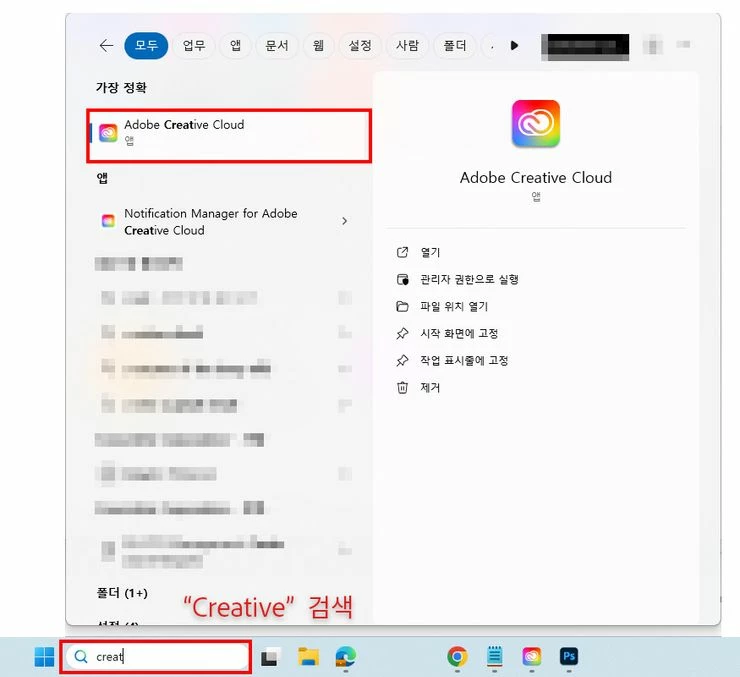
1.Run Adobe Creative Cloud

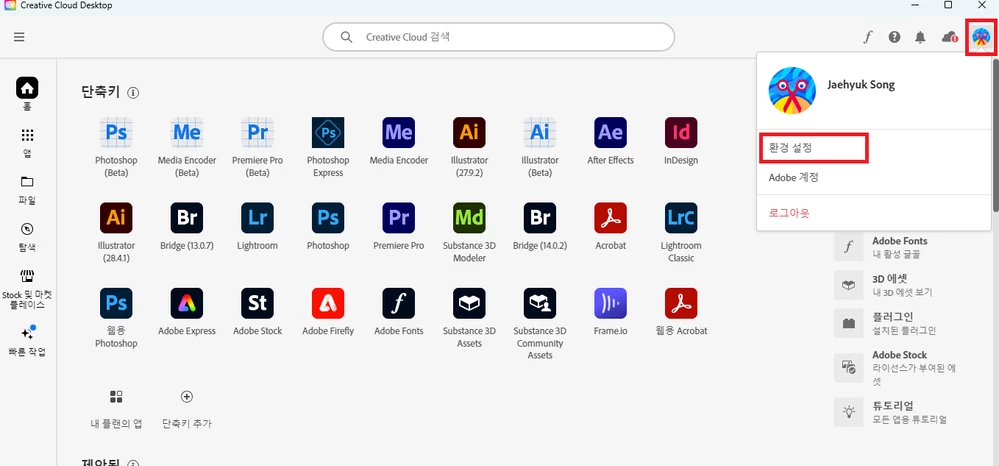
2. Click the profile icon at the top right and open the “Preferences” menu!

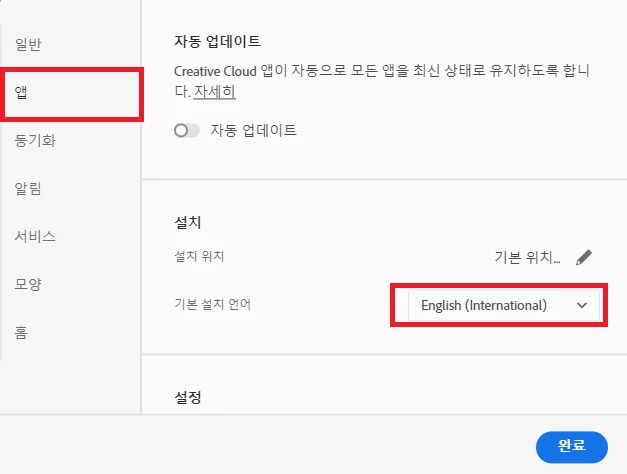
3. Select “App” in the left menu, change the default installation language, and then press Done.
4. Reinstall the latest version of Photoshop.
※ Even if you install the English version, the Korean version of the app remains.
If you change the default installation language to Korean, apps installed in the Korean version will be exposed.
After confirmation, uninstall the Korean app.
Already have an account? Login
Enter your E-mail address. We'll send you an e-mail with instructions to reset your password.