Participant
August 13, 2020
Answered

컴퓨터를 바꾸고 난 후로 파일이 제대로 열리지 않습니다.

  • August 13, 2020
  • 1 reply
  • 897 views

안녕하세요.

컴퓨터를 새로 구입한 후 클라우드로 일러스트레이터CC 2019 버전으로 다시 설치했습니다.


설치 후 다른 환경에서는 잘 열리던 파일이 이 컴퓨터에서는 제대로 열리지 않는 것을 확인 했습니다.
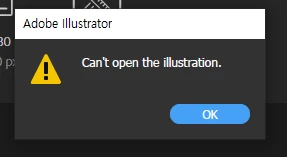
파일을 열면 파일을 열 수 없다는 알림과 함께 이렇게 나옵니다.



원래의 파일은 이런 모습입니다.


또, 새로운 파일을 만들 때 이미지 파일을 불러올 수도 없습니다. 폴더에서 이미지를 끌어왔을 때
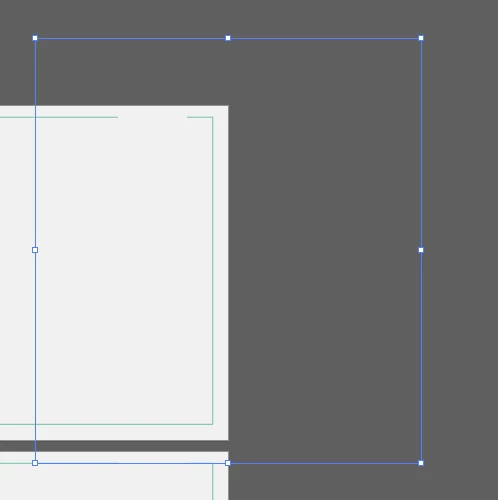
이런 식으로 빈 이미지가 불러와지거나 무반응, 또는 illustrator could not read the file try replacing this with another valid link 이런 에러 메세지가 뜹니다.


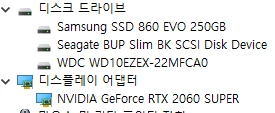
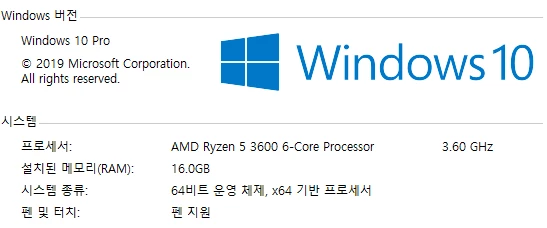
무엇이 원인인지 찾지를 못해 작업을 하지 못하고 있습니다. 혹시 몰라 컴퓨터 사양도 첨부합니다...
 

This topic has been closed for replies.
Correct answer Srishti_Bali

Hi there,


Sorry to hear about this trouble. Let us help you with this. I would request if you could share a few more details like:


  • Is the issue related to a specific document? If yes, could you please share the document with us? You can upload it to the Creative Cloud (https://helpx.adobe.com/in/creative-cloud/help/share.html) and share the download link. 
  • Where the files are saved (Network Drive/ System HDD/ Shared Folder on System /External HDD)? 
  • Try disabling the GPU performance and see if that helps.
  • Keep this version installed and try installing version 2020 (24.2.3) and see how it works.


We’re here to help, just need more info.


Regards,

Srishti

1 reply

Srishti_Bali
Srishti_BaliCorrect answer
Legend
August 16, 2020

Hi there,


Sorry to hear about this trouble. Let us help you with this. I would request if you could share a few more details like:


  • Is the issue related to a specific document? If yes, could you please share the document with us? You can upload it to the Creative Cloud (https://helpx.adobe.com/in/creative-cloud/help/share.html) and share the download link. 
  • Where the files are saved (Network Drive/ System HDD/ Shared Folder on System /External HDD)? 
  • Try disabling the GPU performance and see if that helps.
  • Keep this version installed and try installing version 2020 (24.2.3) and see how it works.


We’re here to help, just need more info.


Regards,

Srishti