


Participant
December 17, 2024
Question

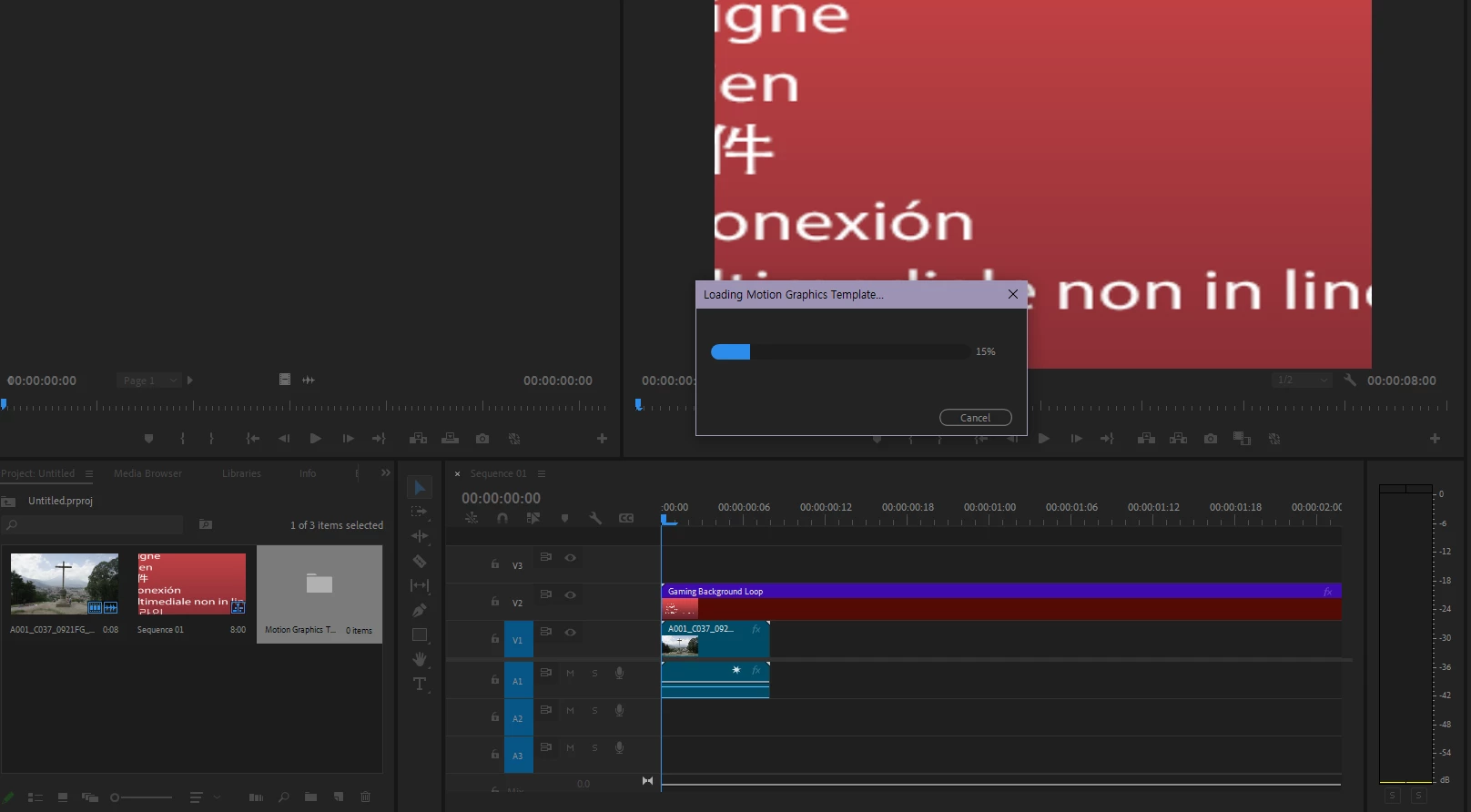
모션 그래픽 템플릿 로드중 15%에서 멈춥니다
  • December 17, 2024
  • 1 reply
  • 391 views

처음 23.5에서 발생했고, 이후로 계속 버전을 업데이트해도 사라지지 않는 문제입니다.

mogrt 파일을 타임라인 위에 드래그앤드롭 하면 "모션 그래픽 템플릿 로드중" 팝업이 15%에서 멈추고 더 이상 진행되지 않습니다.

외부에서 구입한 게 아닌 프로그램에서 기본 제공되는 모션그래픽에서도 일어나는 문제입니다. 다만 이름이 [AE]로 시작하는 폴더에 들어있는 모션그래픽에서만 문제가 생기는 것을 확인했습니다.(Sports Package, Video Gaming Package) 그리고 에펙으로 제가 직접 만든 모션그래픽에서도 같은 문제가 생깁니다.

외부 플러그인은 전혀 사용하지 않습니다.

CC Cleaner로 삭제와 재설치는 이미 해보았습니다.

그래픽 드라이버는 최신 상태입니다.

에펙은 프리미어와 같은 버전을 사용했습니다.


PC 스펙:

OS: 윈도우 10 Home

CPU: AMD Ryzen 5 7600X

RAM: 32GB

GPU: NVIDIA GeForce RTX 3060


제발 도와주실 분 없나요?

This topic has been closed for replies.

1 reply

Theresa Rostek
Community Manager
Community Manager
December 17, 2024

Hi @Trigonotis,


Sorry you're running into issues!


Can you do the following:

  • Open the Console (CTRL + F12) and select "Console View" from the Hamburger Menu of that panel
    • Next apply a Mogrt to the timeline and look for something that says "MOTION-GRAPHICS-TEMPLATE" 
    • Please share a a screenshot of what it says after that statement and send to me
  • Go to File -> Project Settings -> Scratch Disks
    • Please share a screenshot of this dialog


Can you answer the following:

  • Are you using an anti-malware program aside from the one that comes with Windows?
  • Is your computer IT managed?


Thanks!
Theresa

Motion Graphics, Premiere Pro
Participant
December 18, 2024

There's nothing that says "MOTION-GRAPHICS-TEMPLATE". It just stops after this one sentence.


Scratch Disks appears like this.


For your questions:

Yes, I use Avast Antivirus.

No, it's not.