



Question
Premiere Pro 또는 Premiere Rush에서 비디오가 녹색과 분홍색으로 표시되는 문제 해결방법
Premiere Pro 또는 Premiere Rush에서 비디오가 녹색과 분홍색으로 표시되는 경우 해결 방법입니다.
이 문제가 발생되는 제품은 아래와 같습니다.
- Adobe Premiere Pro 버전 13.0 이상
- Adobe Premiere Rush 버전 1.0 이상
- Adobe Media Encoder 버전 13.0 이상
[해결 방법]
Premiere Pro / Premiere Rush / Media Encoder
- 그래픽 카드 드라이버를 업데이트 합니다. (Premiere Rush의 경우 해당 절차를 진행하면 문제가 해결됩니다.)
그래픽 카드 드라이버를 업데이트 하는 페이지는 아래와 같습니다.
<인텔>
https://www.intel.co.kr/content/www/kr/ko/support/detect.html
<AMD>
https://www.amd.com/ko/support
<NVIDIA>
https://www.nvidia.co.kr/Download/index.aspx?lang=kr
2. 렌더링 설정을 소프트웨어 렌더링으로 변경해봅니다.
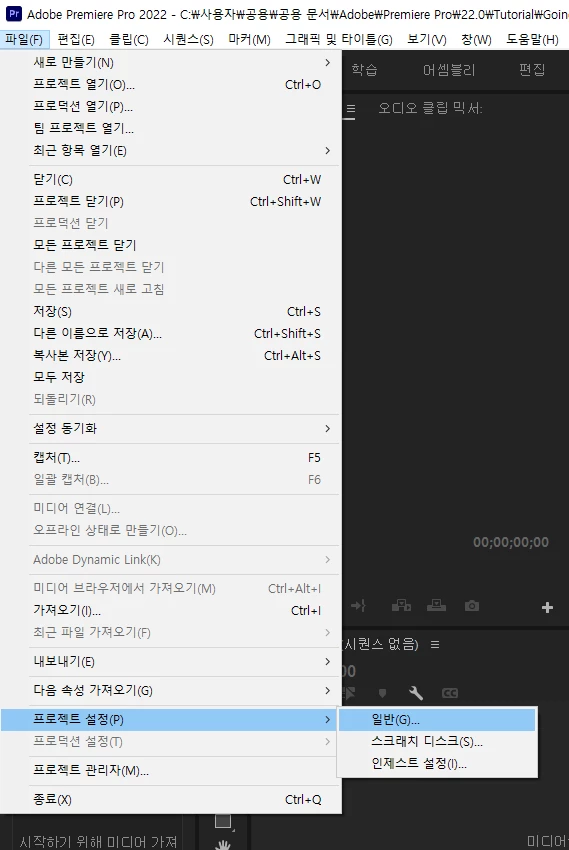
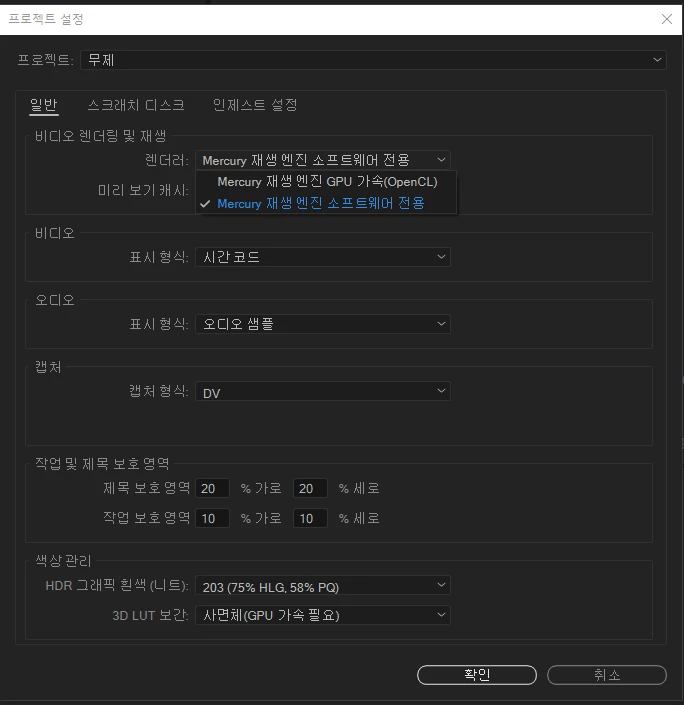
Premiere Pro : 파일 > 프로젝트 설정 > 일반 > 비디오 렌더링 및 재생 > Mercury Playback Engine Software 전용
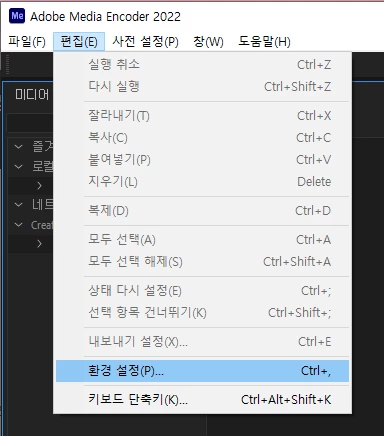
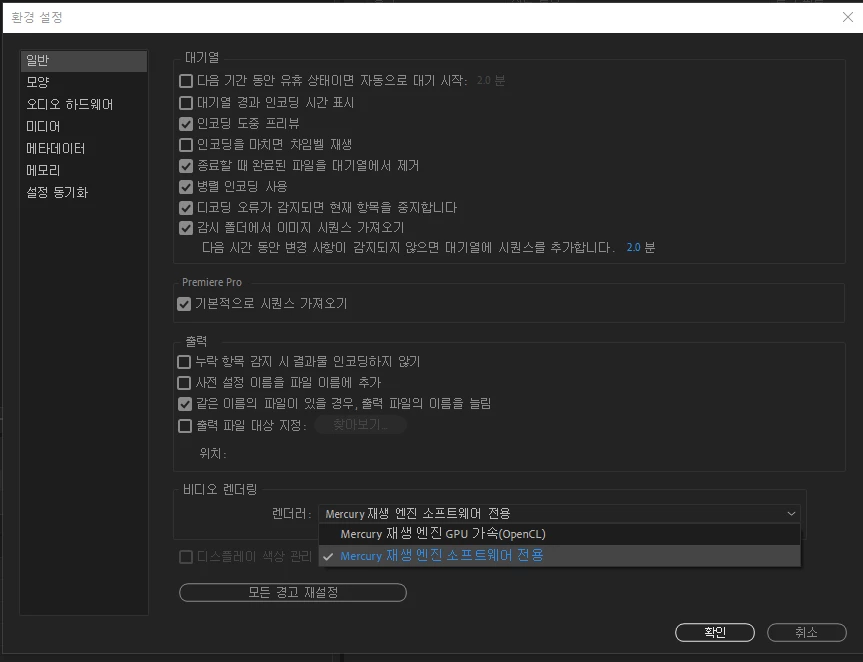
Media Encoder : 편집 > 환경설정 > 일반 > 비디오 렌더링 > Mercury Playback Engine Software 전용
 AdChoices