

yoons4872546
Participant
February 1, 2018
Question

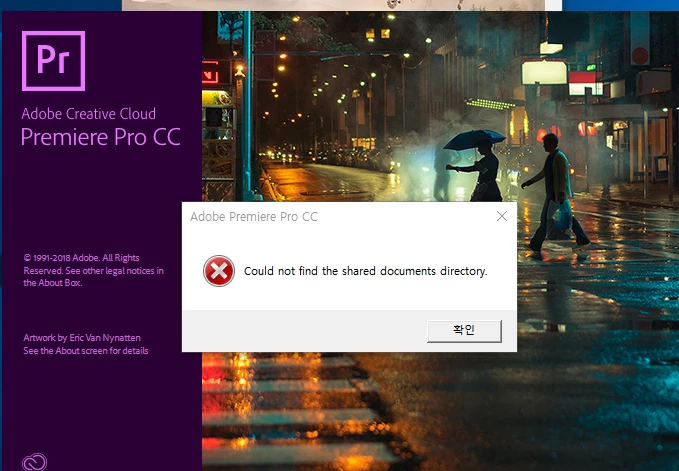
Premiere Pro CC "could not find the shared documents directory."

  • February 1, 2018
  • 2 replies
  • 1282 views

프리미어 실행시   "could not find the shared documents directory." 이런 메시지가 뜨면서 구동이 안됨.

    This topic has been closed for replies.

    2 replies

    chathurar25786788
    Participant
    August 5, 2018

    Do not uninstall adobe premiere pro cc 2018. At the same time install adobe premiere pro cc 2017 v.11.0.0 and reboot the PC.

    Open adobe premiere pro cc 2017 and close it. Now try to open adobe premiere pro cc 2018.

    Your Welcome!

    kulpreet singh
    Inspiring
    February 1, 2018

    Hi yoons4872546,

    I am sorry that you are not able to use Premiere Pro. Do you have administrative rights on this machine?

    Create a test account or enable the hidden admin account on your machine and check if you see same issue there.

    Thanks,

    Kulpreet Singh