Amitej S
Community Manager
Community Manager
March 10, 2026
Sticky

Adobe Express: 2026 Updates
  • March 10, 2026
  • 2 replies
  • 1400 views

Hi everyone,


Here’s a quick roundup of some of the latest updates and improvements in Adobe Express. These enhancements focus on improving creation workflows, video editing, brand management, and overall usability.


Enhancements


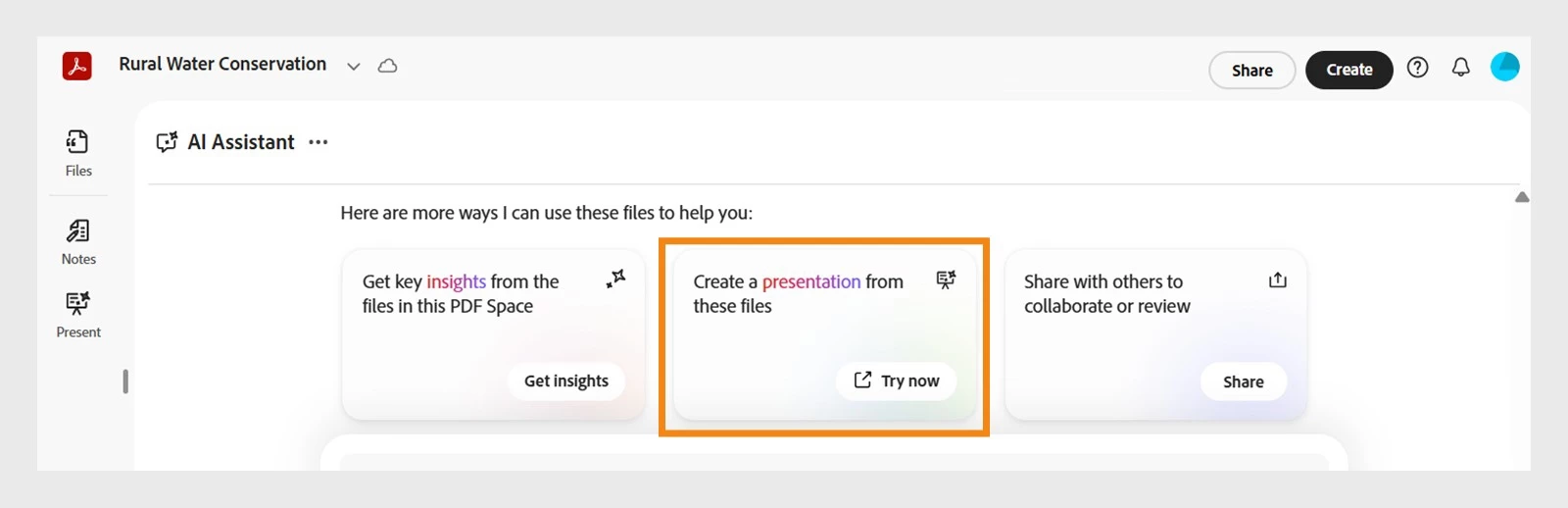
Generate Presentations (Adobe Express × Acrobat) Create presentations faster by starting in Express or Acrobat. Use Acrobat AI to generate slides, then refine and present seamlessly in Adobe Express.
Crop Pages Set precise crop dimensions or automatically fit the crop to content while keeping variable elements in place.
Copy & Paste Style (Paintbrush Tool)

Use the paintbrush icon in the Edit toolbar to quickly copy styling from one text element and apply it to another.

New Edit Mode The left panel will no longer open automatically when selecting an object, reducing unnecessary canvas shifts.


Start creating your presentation slides using Acrobat AI!


Video Editing Improvements


Video Captions in Editor Captions are now available directly within the video editor, improving the captioning workflow and reducing friction.
Slip Edits Adjust the visible portion of a video within a clip without changing its position or duration on the timeline.
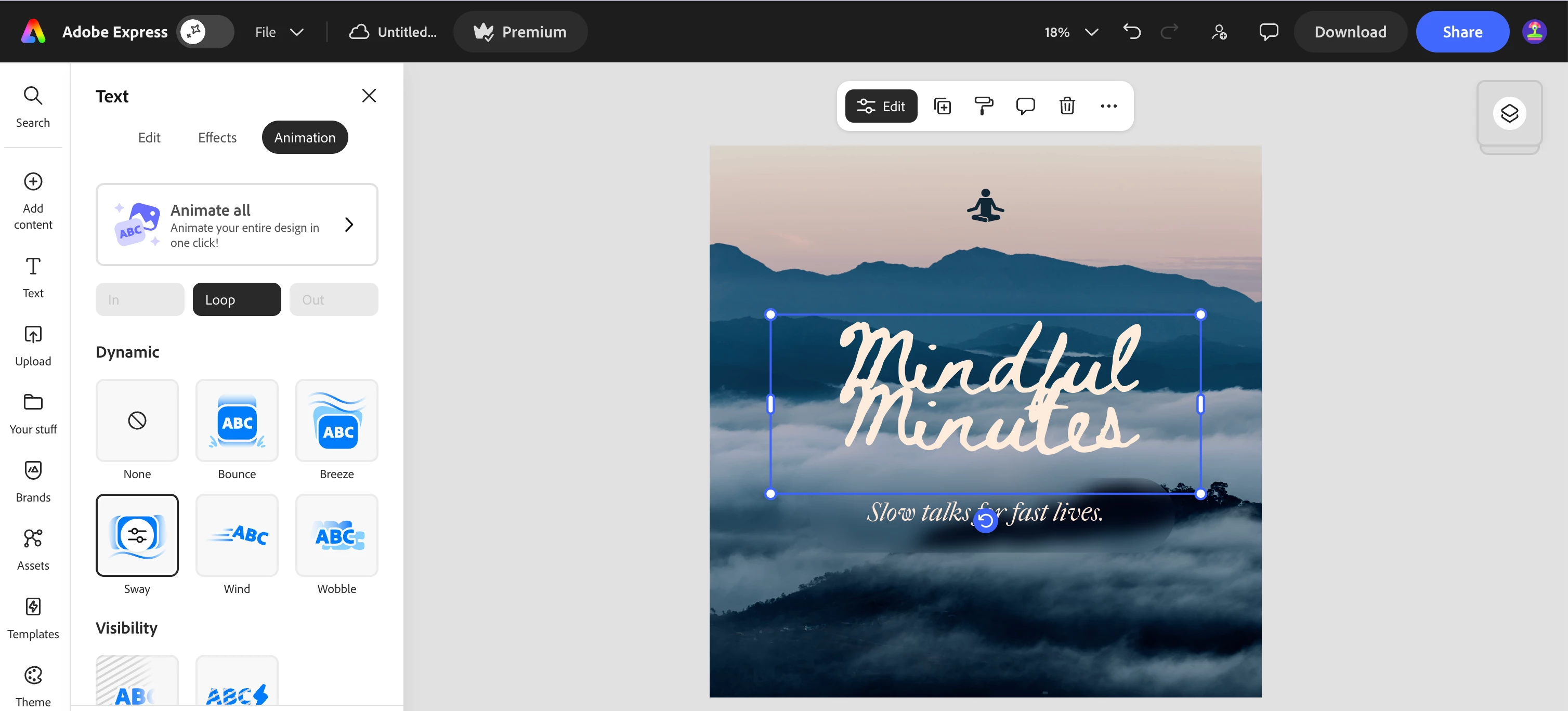
Sway Loop Animation Add a gentle looping sway animation to objects, creating a smooth and dynamic motion effect.


Check out the “Animation” tab on your next Express project!


Add-Ons


Export to Google Slides Using the Google Drive add-on, presentations can now be exported directly to Google Slides.
Export PPT to Storage Export PowerPoint files directly to storage services such as Google Drive or OneDrive without needing to download them first.
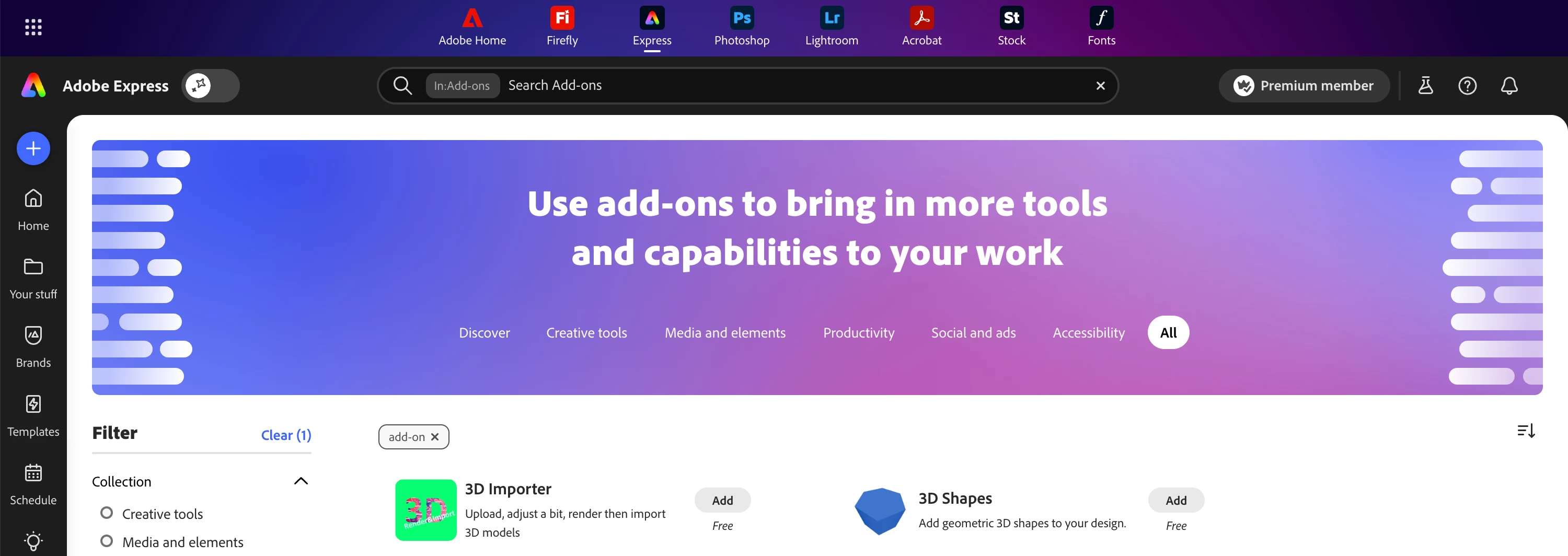
Find Add-ons in Global search Search for and discover add-ons directly from the top global search bar.


Use the search bar at the top to find the best add-ons for your workflows!


Additional Capabilities


HEIC Image Import Improved support for HEIC images commonly used by Apple and newer Samsung devices.
Spellcheck Language Settings

Users can now choose and customize their spellcheck language from

Profile → Settings.

Improved Tables in PDF Import Tables now render more accurately when importing PDFs.


We hope these updates help make your creative workflows in Adobe Express even smoother.


Feel free to share your thoughts or questions as replies, we’d love to hear your feedback!


    2 replies

    Timon22873029qkoq
    Participant
    March 21, 2026

    Do you plan to implement the possibility to publish 1080x1440 posts on instagram? (1080x1350 is outdated) Currently Adobe Express blocks publishing the new file dimension so that you have to download the files and publish it manually via Instagram app.

    lowontheblock
    Participant
    March 11, 2026

    Hey, after generating captions for my vertical video design, I can’t adjust the position of the captions - they seem fixed to certain spot on the canvas. I tried to move them in every possible way on my desktop (W11, Chrome as browser) and then tried the same on my iPad Pro M4 app to make sure it’s not bugging on Chrome, but the positioning can’t be touched.

    Also the release notes of this captions update makes it sound like you can adjust the font of captions manually but I can only select between few pre-selected template styles to change up the font. Should the menu look like this and should I be able to move the captions?
    edit: if it makes a difference, I pressed Media Source: Videos instead of “All”, when generating captions for my design that includes a single video and static graphics in the background+overlapping.


    Amitej S
    Community Manager
    Amitej SCommunity ManagerAuthor
    Community Manager
    March 20, 2026

    Hi ​@lowontheblock, Thanks for sharing your experience. 

    Could you please also share a screen recording of the workflow where you’re encountering the issue? This will give us better clarity and help with our investigation.

    Also, let us know if you’d be open to sharing the project with edit access (if needed).


    Meanwhile, could you confirm:

    • Does this happen across all video projects, or only a specific one?

    • Is this the only project you’re facing issues with?

    • Does this particular project have a high number of layers?

    Any additional details or observations you can share will be very helpful.

    Best!