





















『アドビコミュニティフォーラム』に質問/トピックを投稿する方法
Announcements
新着順
What is this offer? Adobe Creative Cloud and Express Premium members can redeem 3 free months of LinkedIn Premium Career, including access to 24,000+ LinkedIn Learning courses, job insights, and hiring manager outreach tools.How do I redeem? Visit adobe.com/benefits or the Benefits tab in the Creative Cloud Desktop app. Redemption links are unique to each member and cannot be shared or transferred. You qualify if you are:An active Adobe Creative Cloud or Express Premium subscriber New to all LinkedIn Premium tiers - meaning you've never taken a free trial and don't have a current or recent paid subscription to LinkedIn Premium Career, LinkedIn Business, Sales Navigator, or Recruiter Lite*You do NOT qualify if you are:A Creative Cloud Enterprise or Express Free user A previous LinkedIn Premium free trial redeemer (any tier, any time) A paid LinkedIn Premium subscriber within the last 12 months*Your existing LinkedIn free account must be at least 4 weeks old to qualify for the offer.
Hello, everyone! We’re continuing to make improvements to Adobe Express to ensure the app remains secure, reliable, and optimized for the devices most of our community uses.As part of these ongoing updates, we deprecate support for older mobile operating systems each year. This allows us to focus on performance, security, and quality across supported platforms. Unfortunately, over time, this also means that some devices can no longer run Adobe Express if their operating systems are no longer compatible. What you need to know iOS 16 was deprecated at the beginning of 2025 iOS 17 is being deprecated at the beginning of 2026 If your device cannot be updated beyond iOS 17, Adobe Express will no longer run on that device.Ways to keep working Use Adobe Express on another iOS device that supports iOS 18 (iPhones and iPads included). Access your projects on desktop browsers using a supported computer. Note: Your work remains safe and accessible when you sign in on a supported device. We kn
Hello everyone!! If you have received a message in Adobe Express that you are Running out of storage or Have already run out of storage, Then, you may need to permanently delete some of your assets to free up space in your storage. Note: You must navigate to https://assets.adobe.com/deleted to manage your storage and permanently delete assets. You can follow these steps to manage your storage: Navigate to https://assets.adobe.com/deleted Go to Files > Deleted Click … on any asset Click “Permanently Delete” Confirm that you want to permanently delete the asset Stay tuned. We are actively working on adding functionality to Adobe Express that will allow you to manage storage within the Express platform.
Run into something not working in Adobe Express? Let’s tackle it together. Sharing bugs helps our product teams understand what’s happening, reproduce issues, and fix them faster. This guide shows you how to create a clear, helpful report with no technical expertise needed. Before you startCheck to see if someone’s already spotted the same issue in the community. If you find a matching post, add your vote, and add your experience in the thread! This keeps everything in one place, helps our team connect the dots, and solve things faster. Note: Duplicate posts may be merged into a main thread so you can check one spot for updates! What makes a good bug report?Explain what happened, what you expected, and how others can reproduce it. Clear details make it easier to investigate and fix.Include these details:Issue summary: Short description of the problem Product & version: Adobe Express (web or mobile app, if applicable) Platform: Browser (and version) or device (iOS/Android) Steps to
Hi everyone, Here’s a quick roundup of some of the latest updates and improvements in Adobe Express. These enhancements focus on improving creation workflows, video editing, brand management, and overall usability. Read on for highlights from: March 2026 April 2026 May 2026 June 2026 Enhancements Generate Presentations (Adobe Express × Acrobat) Create presentations faster by starting in Express or Acrobat. Use Acrobat AI to generate slides, then refine and present seamlessly in Adobe Express. Crop Pages Set precise crop dimensions or automatically fit the crop to content while keeping variable elements in place. Copy & Paste Style (Paintbrush Tool) Use the paintbrush icon in the Edit toolbar to quickly copy styling from one text element and apply it to another. New Edit Mode The left panel will no longer open automatically when selecting an object, reducing unnecessary canvas shifts. Start creating your presentation slides using Acrobat AI! Video Editing Improvem
June's Adobe Express releases focus on improving creative workflows, enhancing AI-powered editing, and giving you more control over design and print projects. What is it? What does it do? Why does it matter? Template Analytics (Enterprise) View analytics for custom templates and track how they're being used across your organization. Measure template adoption and understand engagement with branded content. Extract Audio from Video Extract audio tracks from videos and edit them separately from the original video. Greater flexibility when editing podcasts, voiceovers, music, and video content. Layout Guide Presets Apply professional guide grids instantly using preset layout options. Create well-aligned, consistent designs more efficiently. Remove Animations with AI Assistant Use AI Assistant prompts to remove motion, reset scenes to static designs, or clear animation effects. Quickly modify animated projects without manually editing every element. Multi-Page Nav
Hi everyone,We’re currently aware of an issue impacting Adobe Express, where users on multiple platforms may experience:File loading issues Editor loading issues With the app displaying ‘Something went wrong’ message. Our team is actively working on a fix for this and we’ll keep you posted here as soon as we have updates. For more details and real-time updates visit our status page: https://status.adobe.com/ We appreciate your patience and understanding. Team Adobe Express!
Go from first prompt to publish-ready — without leaving Express If you've been in the AI Assistant beta, you already get the idea. Today, it gets a lot more powerful.Starting June 18, the AI Assistant imaging update is live in Adobe Express, and this is the version we've been building toward. What's new?The earlier beta let you describe what you wanted and see the assistant take action. This update goes further: re-imagine any image in a single prompt while keeping the parts you love intact, then keep layering. Crop, add filters, adjust lighting, and more until every detail lands exactly where you want it. Prompts and manual edits work together in the same flow, so you're never choosing between AI speed and hands-on control. Here's what that looks like in practice:Turn a casual snapshot into a polished professional headshot in seconds. Spin up product shot variants for a campaign without a full reshoot. Remove distractions, swap backgrounds, or take yourself from city to beach. Kawaii
Hey everyone! May was a big month for Express. Lots of updates focused on making multi-page design smoother, putting AI to work for faster edits, and connecting your tools so you're not jumping between platforms. Here's the rundown. What is it? What does it do? Why does it matter? Page actions in multi‑page canvas A contextual heads‑up display (HUD) lets you add, duplicate, move, resize, or delete pages directly on canvas Makes managing multi‑page designs faster and more intuitive without breaking your workflow. Page operations via AI Assistant Use prompts to add, duplicate, or delete pages without manual navigation Simplifies workflows and enables faster editing using natural language. Click order preview in presentations Preview animation, video, and audio sequence directly in the editor before presenting Helps ensure presentations run exactly as expected, reducing last‑minute issues. Expanded translation support Translation now includes additional languages li
If you've ever found yourself hunting for that exact shade of blue or re-uploading your logo for the hundredth time, Brand Kits in Adobe Express are about to change your workflow. Brand Kits let you store your colors, logos, fonts, and graphics in one place — so every design you create stays consistent, whether you're working solo or collaborating with a team! What You'll LearnIn this tutorial, you'll learn how to create a Brand Kit in Adobe Express, the two ways to set one up, how to connect a Brand Kit to a project, and how to apply your brand to any template quickly. Before You Begin: You'll need an Adobe Express account. Brand Kits are available on paid plans. If you're not sure what's included in your plan, check your account settings before diving in. Step 1: Navigate to Brands From the Adobe Express home screen, look for the Brands section in the left-hand navigation panel. This is your hub for creating and managing all your Brand Kits.Step 2: Choose How to Create Your Brand K
Boost Your Creative Career with 3 Months of LinkedIn Premium – Free with Adobe Creative Cloud Subscription! We're excited to help you take your next big step-creatively and professionally. With 3 free months of Linkedln Premium, you'll get access to powerful tools designed to help you grow your network, land your next opportunity, and build in-demand skills. Here’s what you’ll unlock: LinkedIn Premium Career can help you find the right job, stand out to hiring managers, network with recruiters, and build skills to advance your career with over 24,000 LinkedIn Learning courses. Who’s Eligible & How to Redeem Your Free LinkedIn Premium Offer? Offer EligibilityThis exclusive offer is available to Adobe Creative Cloud customers who have never tried Linkedln Premium before. If you're a net-new user, you're in! How to RedeemPlease visit adobe.com/benefits and log in to check your eligibility and redeem your offer. Note:
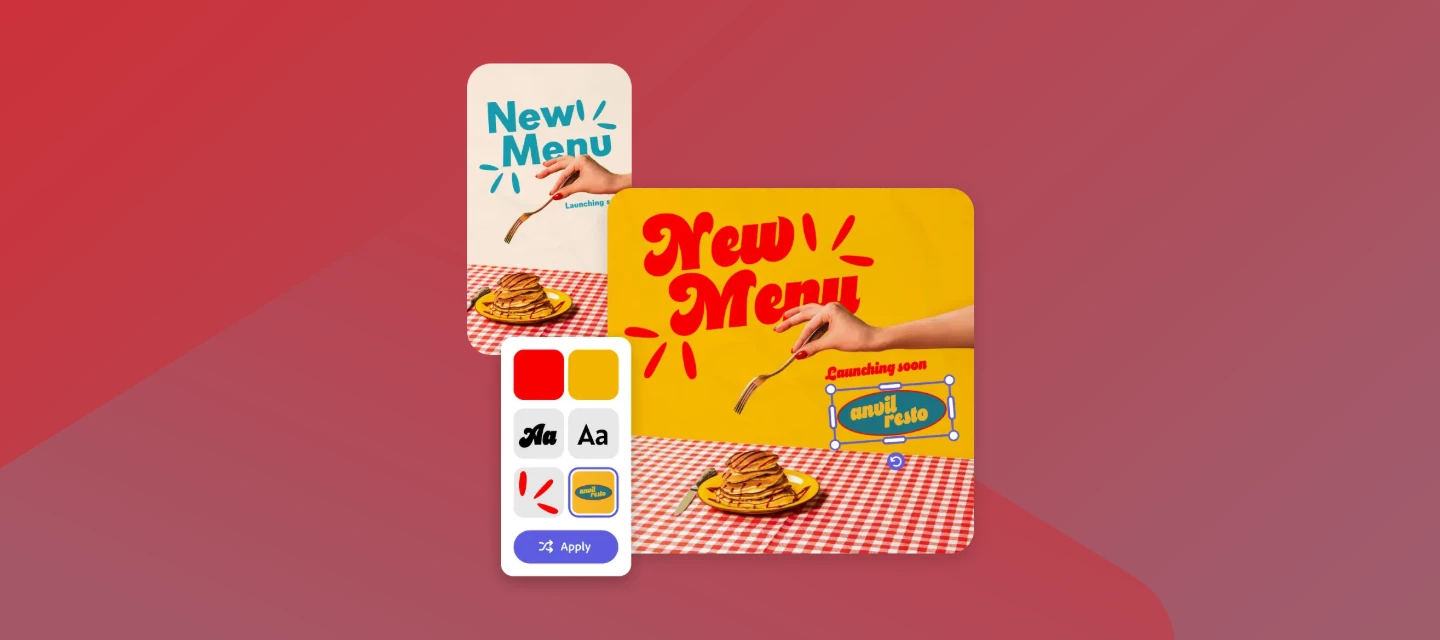
April's release is a good one. Adobe Express shipped five updates this month that touch almost every part of the editor - from how you style a design to how you build a webpage. Here's what dropped and why it matters for your workflow. CATEGORY: STYLESApply Styles: Transform a design in secondsStyles lets you apply predefined color and font combinations to any design in one click. Open the Styles panel, pick a combination, and hit Apply to all pages - your whole project updates instantly. You can also shuffle color themes, edit individual colors or fonts on the fly, and use the In Use section to see exactly what's applied at any moment. Really useful if you're managing brand consistency across a lot of content! Instead of manually updating colors and fonts page by page, you define the style once and let Express do the heavy lifting. Brand teams and solo creators alike should find this a real time-saver. Learn more here! CATEGORY: PRESENTATIONSClick Order: You control what plays (and wh
Hi Everyone,We’re excited to share that March brought a set of thoughtful updates to Adobe Express—focused on making everyday creation faster, smoother, and more collaborative. We’re already seeing teams and creators in our community benefit from these changes, so here’s a quick look at what’s new and why it matters. What's the new feature What does it do Why it matters Create designs from Microsoft 365 Copilot Adobe Express can now be accessed directly from Microsoft 365 Copilot to start designs Saves time by letting you create and edit Express designs through natural‑language prompts without leaving Microsoft 365. Improved PDF table imports Tables from PDFs (without merged cells) retain structure and stay editable after import Saves time when reusing reports, documents, or learning material in Express Controlled image swaps in templates (Teams & Enterprise) Template owners can restrict where images can be swapped from (brands, libraries, projects)
Hi community!We’re continuing to expand how Adobe Express fits into your social content workflows.Introducing the Sprout Social add-on, a new integration designed to help you create content in Adobe Express and seamlessly hand it off for publishing, collaboration, and review in Sprout Social. This will help reduce friction between design and social teams, so you can move faster from idea to live content. How to use SproutSocial in Adobe Express See the workflow in action Supports creation of social‑ready content that aligns with social publishing and management workflows. Available as an add-on Key benefits: Faster social content creation, better alignment between creative and social teams. Learn more about the update here: Sprout Social add-on help article Frequently asked questions Do I need a Sprout Social account to use this?Yes, you’ll need to connect your Sprout Social account to send content for publishing. Where does my content go after I send it?Your
Hello Community! We’re excited to introduce a new way to simplify your social content workflow in Adobe Express.The Hootsuite add-on is now available, making it easier to design, plan, and publish social content without switching between tools. This integration is designed to help you stay focused, move faster, and keep your content consistent across platforms. How to use Hootsuite in Adobe Express See the workflow in action Connects Adobe Express with social media management workflows to speed up content creation and publishing. Available as an add-on and inside of Hootsuite’s Composer tool. Key benefits: Streamlined social workflows, reduced handoffs, faster campaign execution. If you’d like to learn more about these updates, here are some important links:Hootsuite Add-on Help Guide Add-ons overview in Adobe Express Frequently asked questions Do I need a Hootsuite account to use this add-on? Yes, you’ll need to sign in to your Hootsuite account to publish o
As a Creative Cloud member, you have access to a host of membership benefits to keep you ahead of the curve and support your creative work. This month, we've added a powerful new partner perk and a curated collection of free design templates to help you do more with your membership. Here's what's new:New Partner Perk: 50% Off Hootsuite + 30-Day Free TrialWhether you're a freelancer, marketer, or creative professional, getting your work in front of the right audience matters just as much as making it look great. That's why we're excited to announce an exclusive Hootsuite offer for Creative Cloud members: 30 days free plus 50% off your first year of Hootsuite Standard.With Hootsuite, you can plan your content calendar, publish across multiple social networks from a single dashboard, engage with your audience, and measure what's working, all in one place. And because Hootsuite integrates with Adobe Express, you can design your visuals and schedule them without ever breaking your creative
Hello Adobe community! We’re thrilled to share the latest updates to Adobe Express for Enterprise, designed to make creating on-brand content faster, smarter, and more connected for your teams. What's new in Adobe Express for Enterprise These updates bring powerful tools to help businesses streamline content creation and maintain brand consistency across all projects. Enterprise Templates Access a curated library of approved templates tailored for your brand. This ensures every piece of content aligns with your company’s visual identity, saving time and reducing errors.Learn more about Enterprise Templates. Review and Approval Streamline your workflow with built-in review and approval tools. Teams can now provide feedback, request changes, and approve content—all within Adobe Express.Learn more about Review and Approval. Branded Homepage Enjoy a customized homepage featuring your brand elements and resources, making it simple for teams to start projects with the right assets every tim
We’re excited to share a powerful new way to create visual content - right from your Microsoft 365 workflow. Meet the Adobe Express Agent for Microsoft Copilot. It brings Adobe Express design capabilities right into Copilot, so you can create, tweak, and export great-looking visuals using simple, natural language prompts… with no app switching required! Just tell it what you need, and it can:Create designs like flyers, posters, social posts, invitations, or announcements Update text instantly (names, dates, offers, event details) Swap images using plain-English descriptions Change backgrounds, colors, or overall style Add animation to bring your designs to life Download your design or open it in Adobe Express for deeper editsWant the full rundown? Check out this article. Tip: To get even more out of the Adobe Express Agent in Microsoft Copilot, take a look at this prompt guide! It includes ready-to-use examples to help you create, edit, and customize designs effectively:https://helpx
Hi everyone! Thank you for all the thoughtful feedback you’ve shared with us across the community, feedback forum, and our support channels — we truly appreciate it. Adobe Express is shaped by your ideas. Every feature request and upvote helps us build a better, more powerful tool for creators like you. Thanks for helping us grow a product that truly reflects the needs of our community. Check out our Top Community Feature Requests page to see what other users are asking for, vote on your favorites, and track their status as we review, plan, and roll out new updates. You've requested, and we've listened These features came straight from your feedback—so keep sharing your ideas, we’re listening. Feature Request What Users Want Adding a drop shadow to objects Users looking for drop shadows on elements, assets, videos and images, just not shapes. Allow us to edit Margins and Bleed Marks A customizable option to set their own margins and bleed
As a Creative Cloud member, you have access to a host of membership benefits to keep you ahead of the curve and support your creative work. Over the past month, we’ve added new benefits and enhanced others to make your membership more valuable. Here’s what’s new: Adobe Fonts: New Foundries and Sofia Update We know everyone has their own type – which is why we’re constantly adding to Adobe Fonts to make sure there’s something for every project. With this update, we’ve added new expressive/display fonts, as well as fonts that support Korean, Hebrew, and Arabic. Plus, we’ve expanded the iconic Sophia Pro font family.Click here to explore the new fonts and foundries. New Partner Perk: 25% off Flickr Pro Photographers, this one’s for you! We’ve heard a desire from Creative Cloud members in the photo space for partner perks designed for photo use cases. Look no further! We’re happy to announce that Creative Cloud members can take advantage of a 25% discount on various Flickr Pro plans. T
Hi Everyone!! Several users experienced issues with Adobe Express and related Adobe services on October 20, 2025. This included difficulties loading the app, accessing or downloading files, encountering 404/504 errors, crashes, and Quick Action failures. Workflows connected to Adobe Stock and Adobe Fonts were also affected. This issue was the result of an ongoing incident with our underlying cloud infrastructure provider. Our teams also actively worked to mitigate the impact and restore normal functionality as soon as possible. We apologize for the frustration and appreciate your patience. PS: This issue is now resolved for all users. Here are some resources that provide more details on the outage. Feel free to explore them: Status.Adobe.com AWS Health Dashboard
Hello everyone!! If you have received a message in Adobe Express that you are Running out of storage or Have already run out of storage, Then, you may need to permanently delete some of your assets to free up space in your storage. Note: You must navigate to https://assets.adobe.com/deleted to manage your storage and permanently delete assets. You can follow these steps to manage your storage: Navigate to https://assets.adobe.com/deleted Go to Files > Deleted Click … on any asset Click “Permanently Delete” Confirm that you want to permanently delete the asset Stay tuned. We are actively working on adding functionality to Adobe Express that will allow you to manage storage within the Express platform.
Create smarter, edit faster with prompts! Within Adobe Express, the AI Assistant combines generative AI with quick, easy design editing. You can now use prompts to explore ideas, create new content, or edit existing designs, all while keeping the parts you like intact. AI Assistant is currently in limited beta and available for testing & feedback only on desktop devices. It's also not available on Free, Teams, Enterprise, or K12 Education plans. Try Express AI Assistant Feature at a glance Use short text prompts in the Express AI assistant to: Add or replace objects, texts, images, or backgrounds Edit visuals, apply filters, or adjust brightness or opacity Generate or rewrite text in different tones and lengths. Manage layouts, resize, align, or organize elements Apply filters, themes, or color palettes to match design styles AI Assistant runs on trusted models like Adobe Firefly, Gemini 2.5, and Flux.1 Kontext to
Powering On-Brand Creation for Enterprise users! Adobe Express is evolving to make on-brand content creation faster, smarter, and more connected for business users. With features like Enterprise Templates, asset management in Projects, and Branded Homepage, teams can now access approved assets, templates, and brand elements all in one place. Reviews & Approvals and contextual commenting simplify collaboration, while integration with Adobe Workfront and AEM eliminates bottlenecks, connects creative and marketing teams, and enables faster, scalable content creation, helping enterprises deliver brand-perfect assets every time. Try Adobe Express Feature Highlights Templates 2.0 Template re-editing, moving templates to projects, and enabling users to create, manage, and organize templates according to their needs, making it easier to distribute them across their organization. &
Here's the new era of Adobe Express! This MAX, Adobe Express is stepping into its next big chapter, one built on your feedback, creativity, and ambition. From smarter workflows and on-brand content creation to more seamless integration across Creative Cloud, this release is designed to help every creator, whether students, freelancers, or enterprise teams, move from idea to impact faster than ever. Try Adobe Express Feature Highlights AI Assistant (beta) Design, edit, and transform visuals in a flash with the AI Assistant. Explore its features and try sample prompts to get your creativity started. Custom Gradients Easily transform your visuals by adding preset or custom color gradients to backgrounds, shapes, text, and images. CMYK Print Support Download print-ready PDFs with your chosen CMYK color profi
Remix with Firefly Community Gallery
Thousands of free creations to fall in love with and remix in Firefly.
すでにアカウントをお持ちですか?ログイン
アカウントをお持ちではありませんか? アカウントを作成
Enter your E-mail address. We'll send you an e-mail with instructions to reset your password.