



Amitej S
Community Manager
Community Manager
March 27, 2026

Fixed - Adobe Express outage - 'My Stuff' not loading, 'Something went wrong' | March 27th, 2026

  • March 27, 2026
  • 25 replies
  • 493 views

Hi everyone,

We’re currently aware of an issue impacting Adobe Express, where users on multiple platforms may experience:

  • File loading issues
  • Editor loading issues 

With the app displaying ‘Something went wrong’ message. 
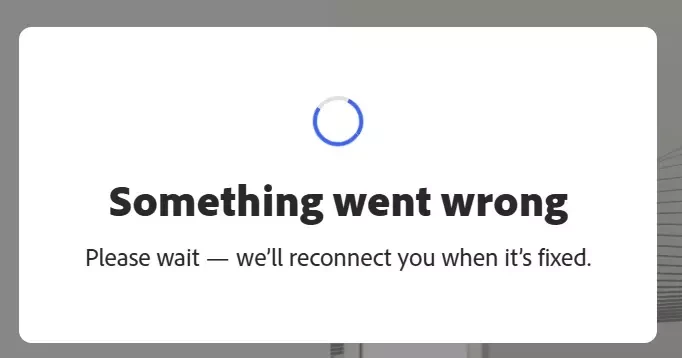
 

Our team is actively working on a fix for this and we’ll keep you posted here as soon as we have updates.


For more details and real-time updates visit our status page: https://status.adobe.com/


We appreciate your patience and understanding. 

Team Adobe Express!

25 replies

Participant
July 8, 2026

Dealing with this currently for the past few days

Rose DV
Community Manager
Community Manager
July 8, 2026

Hi ​@JoeEndurus8 

Sorry to hear you're dealing with this - just to note that the outage this thread refers to was resolved back in March, so if you're seeing this now it's likely a separate issue.


A few things worth trying:
1. Clear your browser cache and cookies, then sign back in
2. Try an incognito/private window
3. Try a different browser


If none of those help, could you share a bit more detail - what browser and OS are you on, and are you seeing the error on all projects or just specific ones? A screenshot of the error message would also help us dig further.

Rose

ArtemArtis
Participant
June 25, 2026

Dear Adobe Team!
It’s June 25-th and I still have that ‘Something went wrong’ problem while try to open my projects or create new ones in Adobe Express. What should I do to solve this problem?

Regards,
Artem

Amitej S
Community Manager
Amitej SCommunity ManagerAuthor
Community Manager
June 25, 2026

 Hi ​@ArtemArtis, sorry to hear you're still running into this issue. 

Since you're seeing the "Something went wrong" error when opening both existing and new projects, it may be related to your account or browser session rather than a specific project. 

As a first step, please sign out of Adobe Express, clear your browser cache and cookies, restart the browser, and then sign back in.

It would also be helpful to try the same workflow in an Incognito or Private window.

If it works there, the issue could be caused by any browser extension or plugins such as an ad blocker, VPN, or privacy tool.

If the problem persists, let us know which browser you're using, whether this happens across multiple browsers, and if you're connected to a workplace network, using a VPN, or have an active firewall.

A screen recording of the behavior would also help us investigate further.

Hope this helps!

stjosephwakefield
Participant
March 27, 2026

I am able to edit and dowload again as of a few minutes ago.

crystalm27701314
Participant
March 27, 2026

Same issue for me and co-workers 

robi_0121TTF
Participant
March 27, 2026

I am also getting the same error. hope they find fix ASAP 

Royce34222033f4l7
Participant
March 27, 2026

Same issue here!

Royce34222033f4l7
Participant
March 27, 2026

Same thing here!  If anyone figures out how to fix it, let us know!

daniela_3389
Participant
March 27, 2026
The same is happening to me. I need help with this. I cant Work!


stjosephwakefield
Participant
March 27, 2026

I have the same issue. I have done all the suggested fixes and nothing helps. I was finally able to open a different document and make some edits but now I cannot download it. How do we submit a ticket for this.? I can’t find a way to submit a ticket.

Participant
March 27, 2026

I am encountering the same issue and my co-workers are also experiencing this on their documents too.