



Amitej S
Community Manager
Community Manager
March 27, 2026

Fixed - Adobe Express outage - 'My Stuff' not loading, 'Something went wrong' | March 27th, 2026

  • March 27, 2026
  • 40 replies
  • 581 views

Hi everyone,

We’re currently aware of an issue impacting Adobe Express, where users on multiple platforms may experience:

  • File loading issues
  • Editor loading issues 

With the app displaying ‘Something went wrong’ message. 
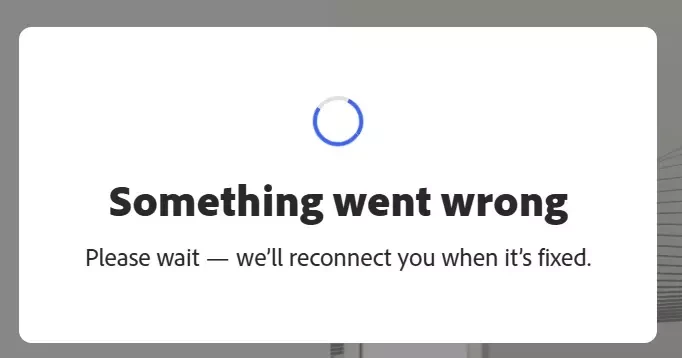
 

Our team is actively working on a fix for this and we’ll keep you posted here as soon as we have updates.


For more details and real-time updates visit our status page: https://status.adobe.com/


We appreciate your patience and understanding. 

Team Adobe Express!

40 replies

Tarun Saini
Community Manager
Community Manager
March 27, 2026

Hi ​@AhernandezCTS,


Welcome to the Adobe Express community! We’re sorry to hear about this, and thank you for sharing the detailed report. Did you recently install any plugins/Extensions in your browser? Which browser and version are you using? Does the same behavior occur in an incognito/private window?


Please try signing out and signing back in to Adobe Express to check if that helps. Also, please make sure that the network endpoints listed on https://helpx.adobe.com/enterprise/kb/network-endpoints.html are allowed.


If the above steps don’t work, could you share the URL of one affected Express file via private message?


Regards,

Tarun


Participating Frequently
March 27, 2026

Hi Tarun,

Thank you for the response.

I have already tried signing out and back in, and that did not resolve the issue.

A few additional details:

  • I did not recently install any new browser plugins or extensions.

  • I am using Adobe Express in Microsoft Edge.

  • My coworker is experiencing the same issue in Google Chrome.

  • The same behavior also happens in an incognito/private window.

  • This is affecting all files, not just one or two.

  • It happens when opening either a new file or an existing file.

  • The file appears to load at first, but after a few seconds, once the page previews/thumbnails finish loading, the error message appears.

This issue is affecting both my coworker and me, and we are in a shared office. We have also already tried clearing cookies and doing a hard browser reset, but the issue still persists.

At this point, it seems less likely to be tied to a single file, but I am still willing to send a link via Private message if you think that will help.

Please let me know the best next step. Since this is happening across browsers, in private mode, and for multiple users in the same office, I would appreciate escalation if needed.

Thank you.

Andrew
Participant
March 27, 2026

This is happening to every user in our workgroup.

BBCicha
Participating Frequently
March 27, 2026

I am experiencing the same issue. Nothing will load. Here is a screenshot of what I am seeing. Yes, I have logged out, back in. Restarted my PC, etc. 

S.T.A.
Participating Frequently
March 27, 2026

@bonez88 Same here, I already tried everything and on all kind of devices.

bonez88
Participating Frequently
March 27, 2026

still getting the something went wrong error on all browers and all platforms, can we get an update please 

Aaron29800758zw79
Participant
March 27, 2026

It is not fixed. 


Aaron29800758zw79
Participant
March 27, 2026
Been getting this for 20 minutes on a project I have put a lot of work into that needs finished today. 


bonez88
Participating Frequently
March 27, 2026

do we know if this is a general outage, I’ve been gettin the same error message for 30 mins now

Participating Frequently
March 27, 2026

I have also been getting this same message. Some of my files and projects are showing up, while others aren’t. I am able to open some of my files, but can’t save changes.