



Bring AI-powered live learning with Live Hub in Adobe Learning Manager
A new way to deliver and enhance live learning is here. Live Hub brings live, Instructor-led training into the learning platform with AI-powered capabilities that help Instructors create more engaging sessions, simplify delivery, and turn every session into a richer learning experience.
With Live Hub, Instructors and Learners can stay in the flow of learning with built-in capabilities for live sessions, collaboration, engagement, and participation.
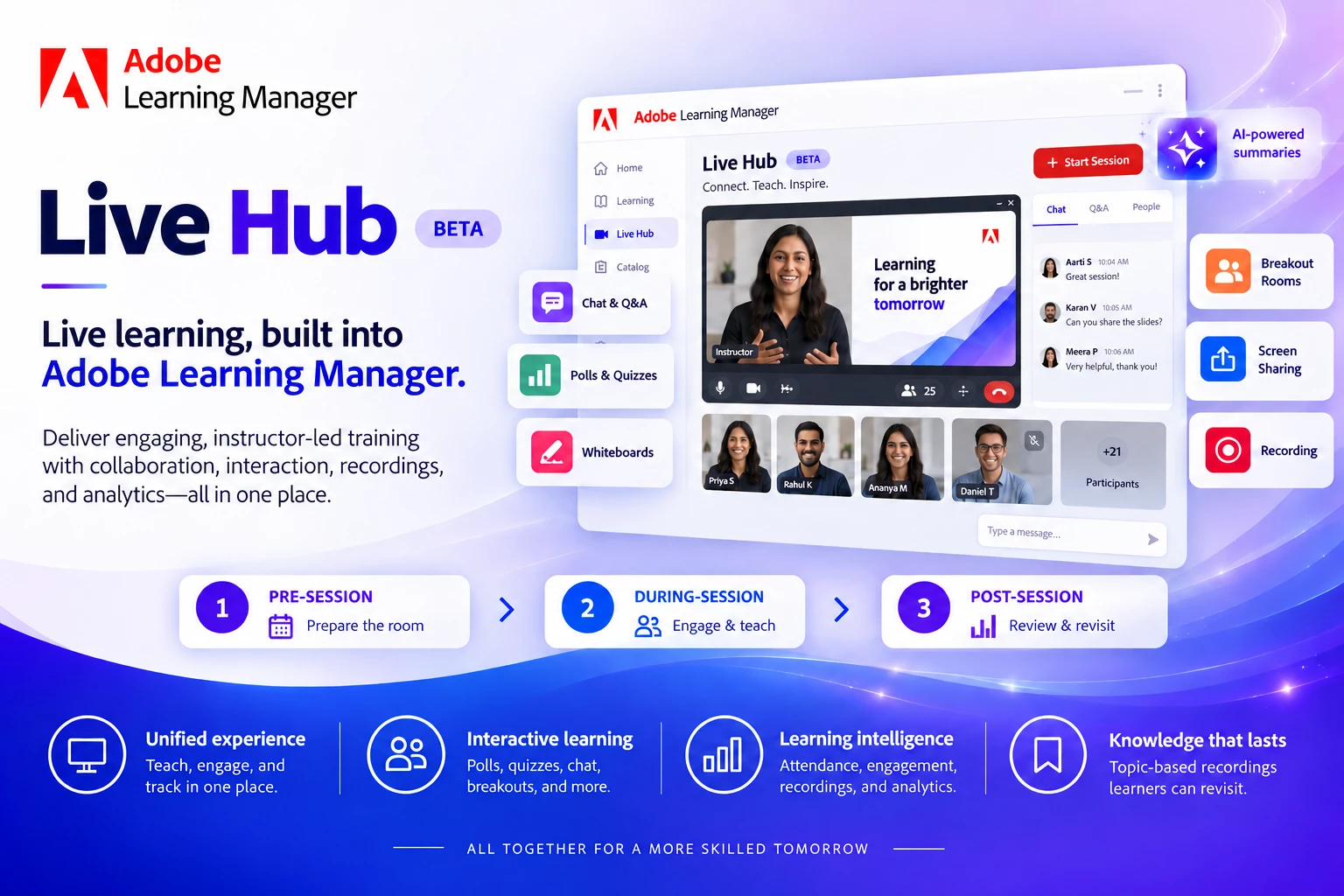
From setup to learning, all in one journey
- Before the session: Administrators enable Live Hub, Authors create the course, and Instructors prepare the virtual room, content, and activities.
- During the session: Instructors can deliver live training and engage learners with chat, polls, quizzes, whiteboards, screen sharing, and breakout rooms.
- After the session: Instructors can review attendance, recordings, and engagement analytics, while learners can revisit recordings through topic-based navigation.
AI-Powered capabilities in Live Hub
Live Hub brings a set of five AI assistants into the live learning journey, helping Instructors prepare sessions, support learners, manage activities, and extend learning beyond the live event.
- Poll Assistant: Turn course content and session transcripts into polls and knowledge checks. Review the AI-generated questions and launch them during the session to check understanding and encourage participation. Learn how to create AI-powered polls and knowledge checks here.
- Q&A Assistant: Never miss an important learner question. The Q&A Assistant identifies questions from session chat and drafts responses using course content and the session transcript, giving Instructors answers they can review and share. Learn how to use AI to draft responses to participant questions here.
- Breakout Monitoring Assistant: Keep track of what is happening across breakout rooms. The assistant monitors discussions, provides room-level updates and summaries, and brings together key themes and insights from across the rooms. Learn how to monitor and summarize breakout discussions with AI here.
- Topics Generator for Recordings: Make recordings easier to navigate and revisit. The Topics Generator automatically creates timestamped topics and notes, helping learners quickly find the parts of a session most relevant to them. Learn how to generate topics and notes for recordings here.
- Instructor Finder Assistant: Make instructor planning easier. The assistant recommends Instructors based on factors such as skills, availability, utilization, and preferred instruction hours, helping teams find the right Instructor for each session. Learn how to find the right Instructor using AI-powered recommendations here.
Whether you are delivering employee training, onboarding, skills development, or Instructor-led programs, Live Hub helps bring live learning closer to the rest of your learning ecosystem.
Explore Live Hub and discover an AI-powered live learning here: Getting started with Live Hub.
 AdChoices