



Designer 13.1.0: new Frames, quality of life improvements and AxF export!
Substance 3D Designer 13.1 adds many quality-of-life improvements to the node graph, mainly regarding frames, to enhance the material creation experience. There is also the addition of AxF export which enables an interoperability workflow for users working with the AxF format.
Release date: December 12th, 2023
Major features
Frames Improvements
Frames are a mandatory tool to keep you graph well organized and readable. That's the reason why we decided to polish them in this new version.
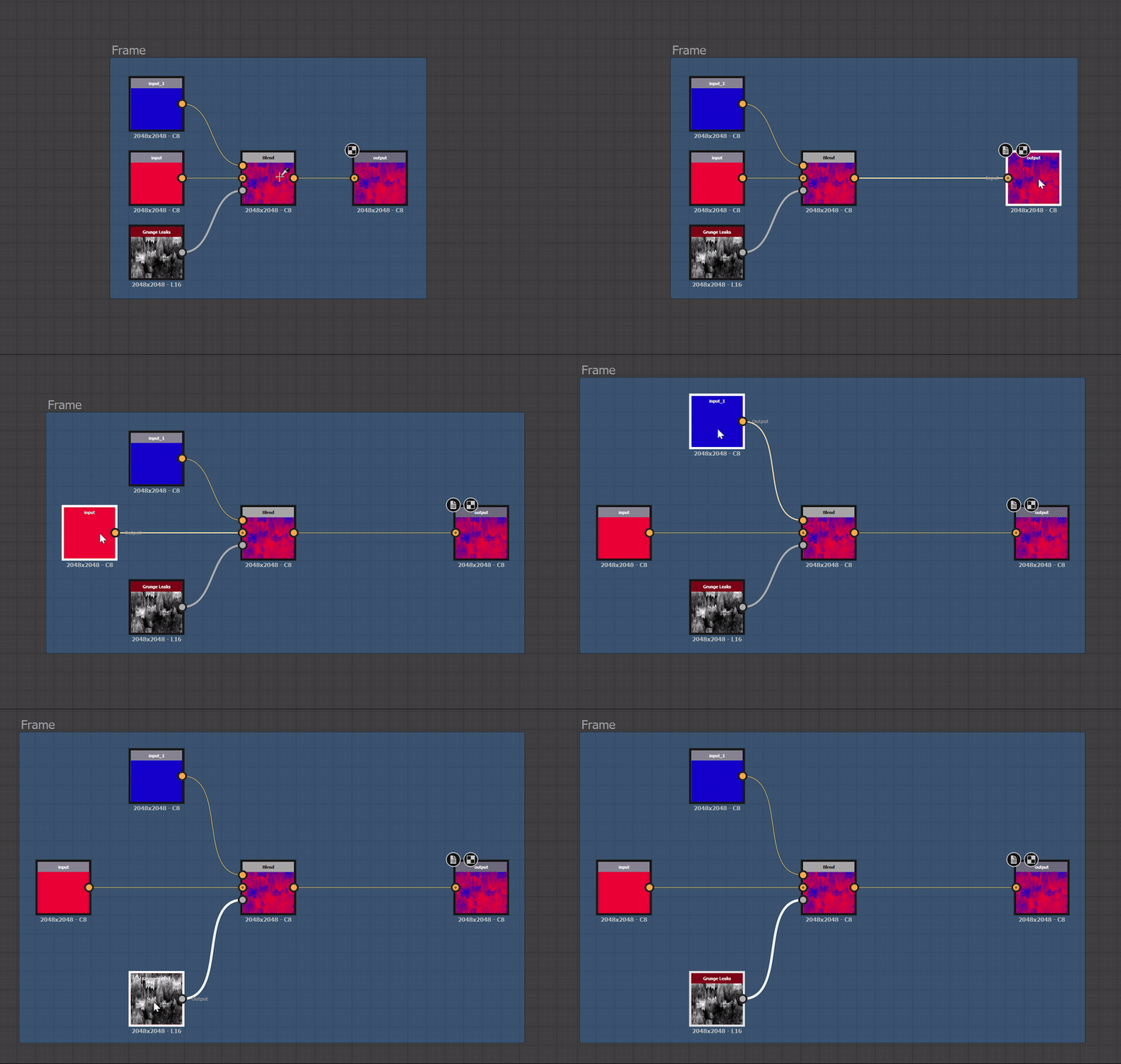
- Auto expand: as the graph grows, the frames' content may need to be rearranged. Nodes may shift to make room for additions or content may need to be spaced out more to promote readability. To facilitate these adjustments, it is now possible to automatically expand a frame when moving included objects: hold Shift at any point while moving an object to have the frame borders automatically adjust to keep that object within their bounds.
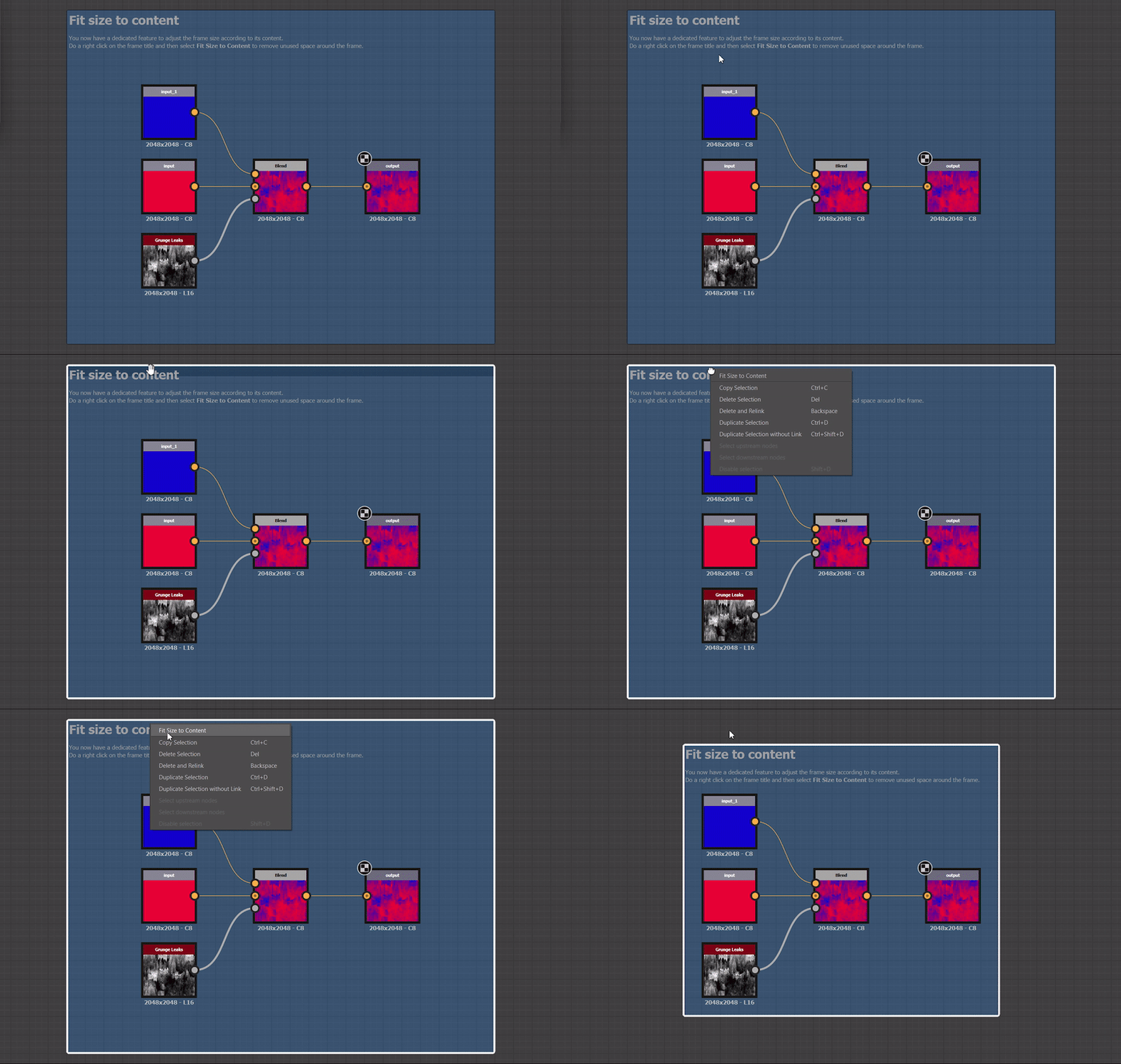
- Fit size to content: as you make adjustments in your graph, a frame may not be gracefully adjusted to its content anymore. This new command allows you to automatically adjust the position and size of the frame so it adjusts to the span of its content, with a padding of one medium grid cell. If the frame has a description, its is adjusted to make use of any empty space next to the description, if possible.
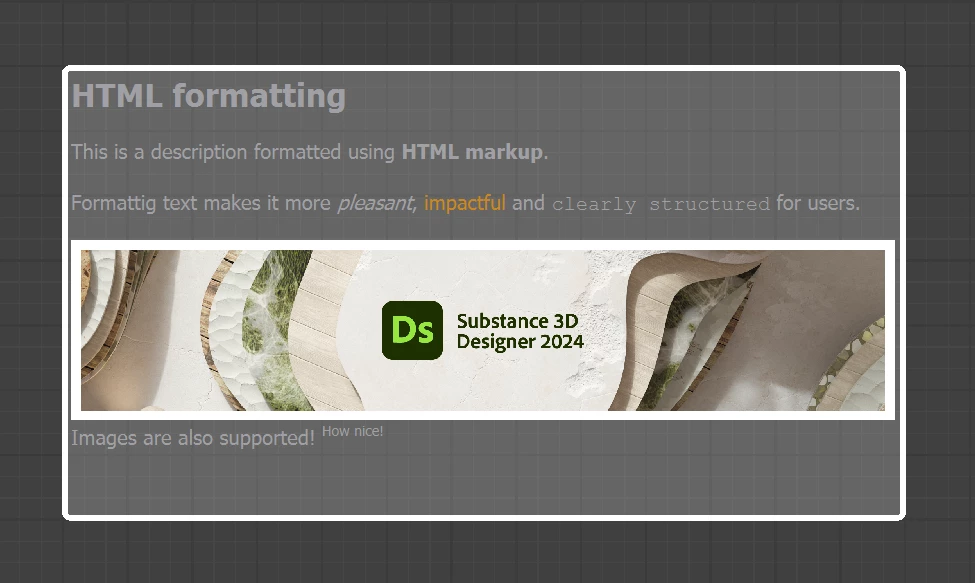
- Enhanced description: thanks to HTML code, you can now have formatted texts in frames description. This applies to Comments as well.
- ...and much more: a lot of things have been rethought, like belonging rules to be more tolerant, interaction zones to easily resize frames, snapping rules to not misaligned your nodes on the grid, and the visual aspect to bring a bit of freshness. Feel free to visit the frames' documentation to learn more.
Quality of life improvements
- Node menu improvements: in order to save time while searching for the node you need, we improved a bit the node menu. Search is now more forgiving and will give you a result even if there is no perfect match. Moreover, you can now use the up arrow to directly access to the last element in the list.
- Node placement: if you like to have a perfect layout for your graph, these two small changes will please you! When you copy/paste nodes from one graph to one other, pasted nodes are now aligned to the main grid. And when you add a node on a long link, this one will now be placed at the middle of the visible part of the link, in order to make it visible in every situation.
- 2D View options: if you are an intensive user of the 2D view, you will save time as options like 'Show checkerboard', 'Keep view size', 'Use physical size' and 'Display tiling' are now saved, so you don't have to set them again when you create a new 2D view or even when you restart Designer.
AxF Export
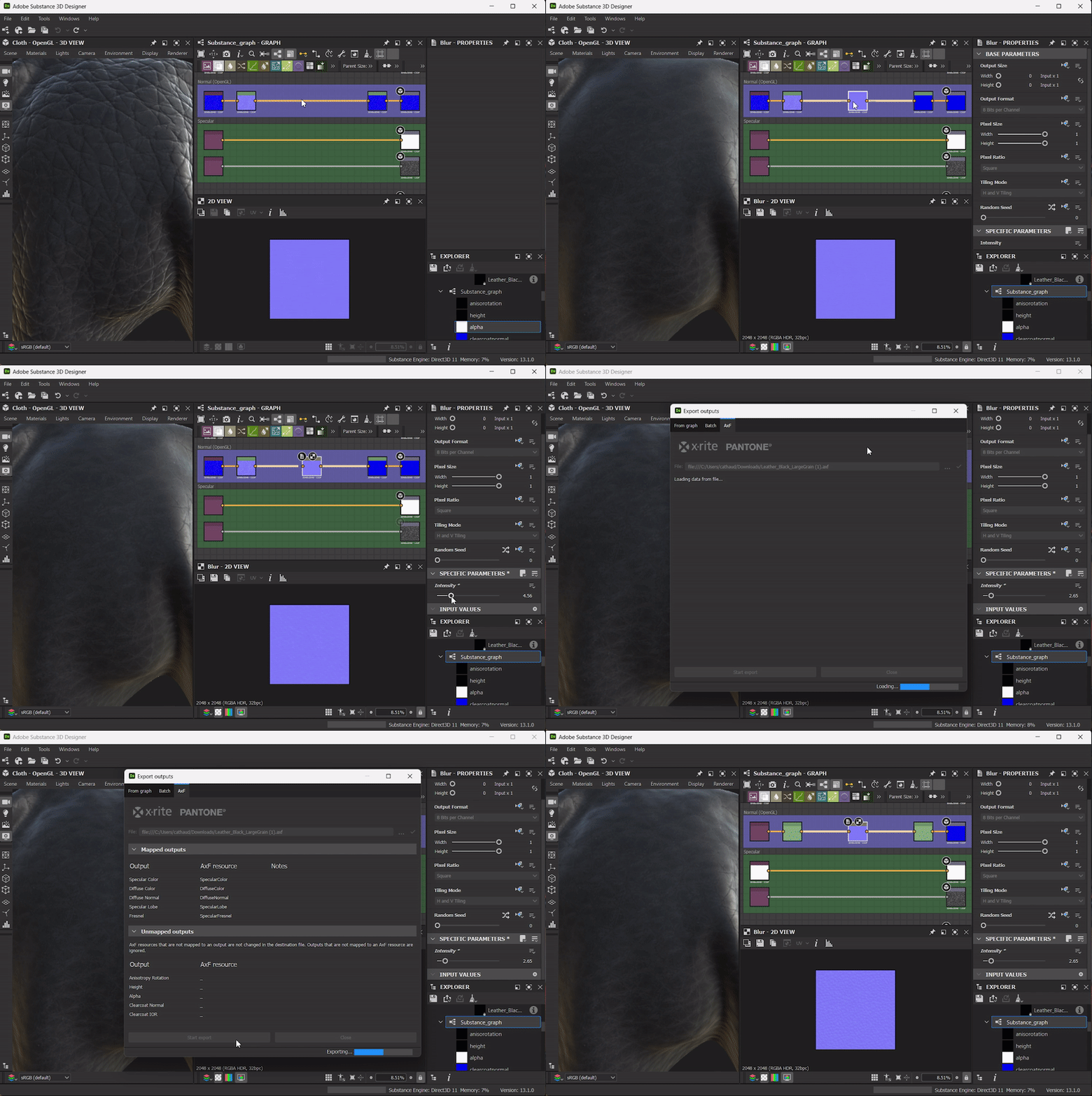
AxF is a format from X-Rite. It provides a way to capture, store, edit, and communicate complex material characteristics using numerical data throughout the digital design workflow. In previous versions of Designer, you were able to import AxF files and then improve the tiling or add procedural effects, but then, you were constrained to export changes as a new .sbsar file.
In this new release, we introduce the possibility to edit AxF materials in place, and then export your changes as a new layer in the imported AxF file.
API Improvements
Finally, this 13.1 version continues to improve the Python API by adding two more possibilities:
- "Visible if" properties: you can now set this property for graphs parameters, inputs and outputs.
-
Order of graphs Inputs / Outputs: use sdsbscompgraph::reorderGraphInput and sdsbscompgraph::reorderGraphOutput to organize parameters as you need.
Designer 13.1 is the last major version based on Qt5, next major versions will be upgraded to Qt6. It may have an impact on your custom plugins.
Release notes


 AdChoices