


After Effects 27.0 SDK Now Available
We're excited to share that the After Effects 27.0 SDK is now available!
Download and recompile your plugins to take advantage of the updated features.
UTF-8 opt-in for Effects
After Effects 27.0 adds an opt-in for effects to use UTF-8 for strings they emit and consume. Set PF_OutFlag2_STRINGS_ARE_UTF8 during PF_Cmd_GLOBAL_SETUP and keep the corresponding PiPL flags in sync with your source. Effects that do not opt in continue using locale-dependent multibyte strings, so you can adopt UTF-8 when you're ready.
This change applies to After Effects only. See the Localization guide for details.
- Prior to the release of 27.0, there was a bug in 26.x versions that would incorrectly attempt to display locale-dependent multibyte strings as UTF-8 strings. This could result in empty fields, mojibake, or missing characters. Version 27.0 restores the old behavior to correctly display these strings and allows developers the option to opt into the use of UTF-8 strings.
- The release of 27.0 also fixes a regression in After Effects 26.x that incorrectly interpreted some locale-dependent multibyte strings as UTF-8, causing affected text to display incorrectly. After Effects 27.0 restores locale-dependent interpretation for effects that do not opt in to UTF-8.
- In After Effects 26.x, this regression could cause effects to display garbled text (mojibake), missing characters, or blank parameter names, as shown below.
Before
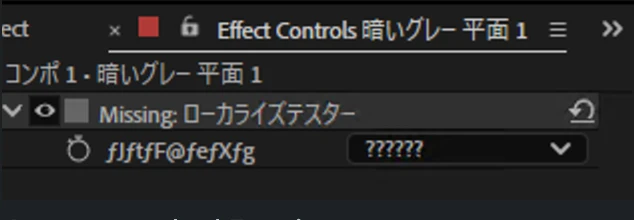
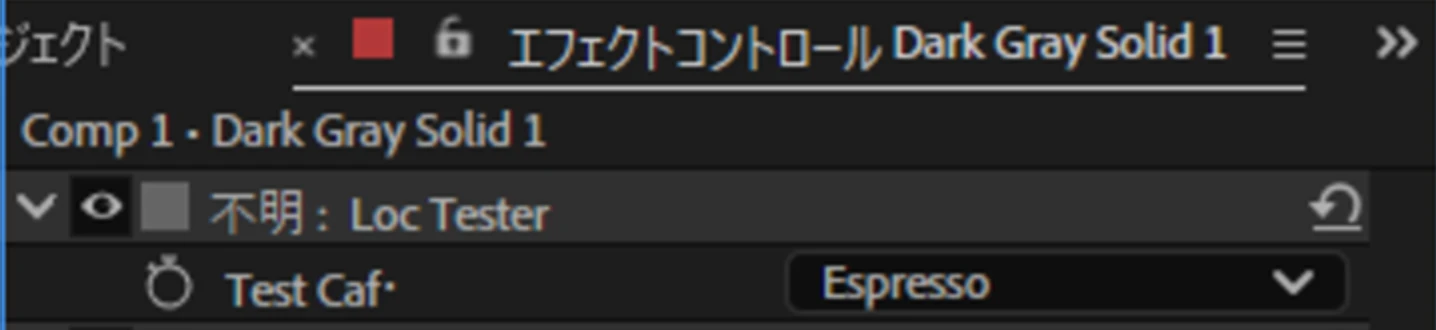
After
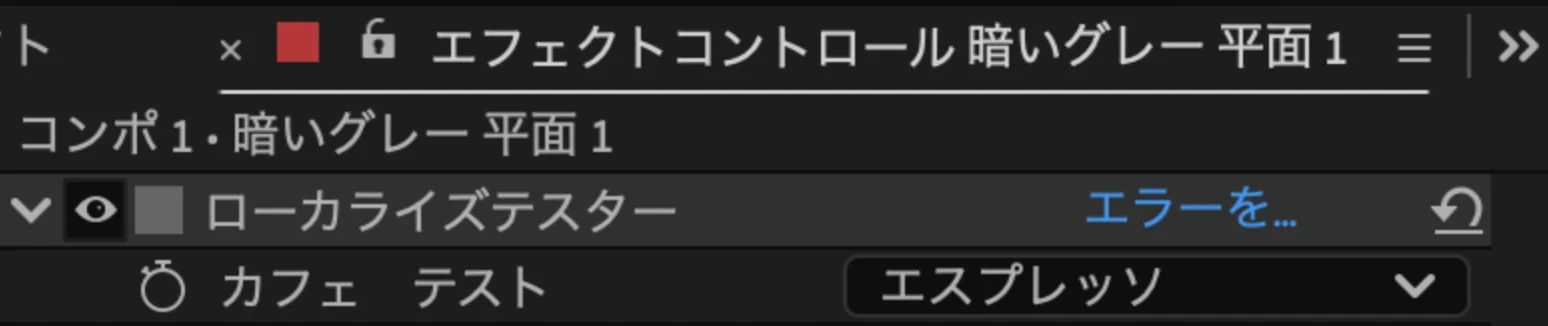
Existing effects do not need to opt in to UTF-8 to benefit from this fix since UTF-8 support is a separate, optional setting.
CUDA toolkit requirements for Windows GPU effects
If you build Windows GPU effects, update your CUDA toolkit to match the architecture you're targeting: use CUDA 12.8 for x64 and CUDA 13.4 for ARM64. The SDK selects the corresponding version through PF_CUDAVersion. This lets you build for both Windows architectures while keeping each target's CUDA dependency aligned with the SDK. See the GPU-Accelerated Effect Build Instructions for setup details.
For full details and guidance, see the What's New section on Docs for Adobe.
Thank you for continuing to build for creators with us.
All the best,
Jessica McMillan
AE Engineering
 AdChoices