




Adobe Bridge Beta is now available (14.1.0.236)
We are happy to announce the release of Adobe Bridge Beta (14.1.0.236)
We're thrilled to announce the latest Beta release of Adobe Bridge! In this release, you'll find exciting new features such as:
Select the preferred Photoshop version
- This feature allows the user to select the default Photoshop version, which would be launched for Photoshop-specific workflows (Place in, Tools menu) from Bridge.
- If a user has multiple versions of Photoshop installed, they can select a specific version from Preferences > Applications to execute Tools/Place-in operations.
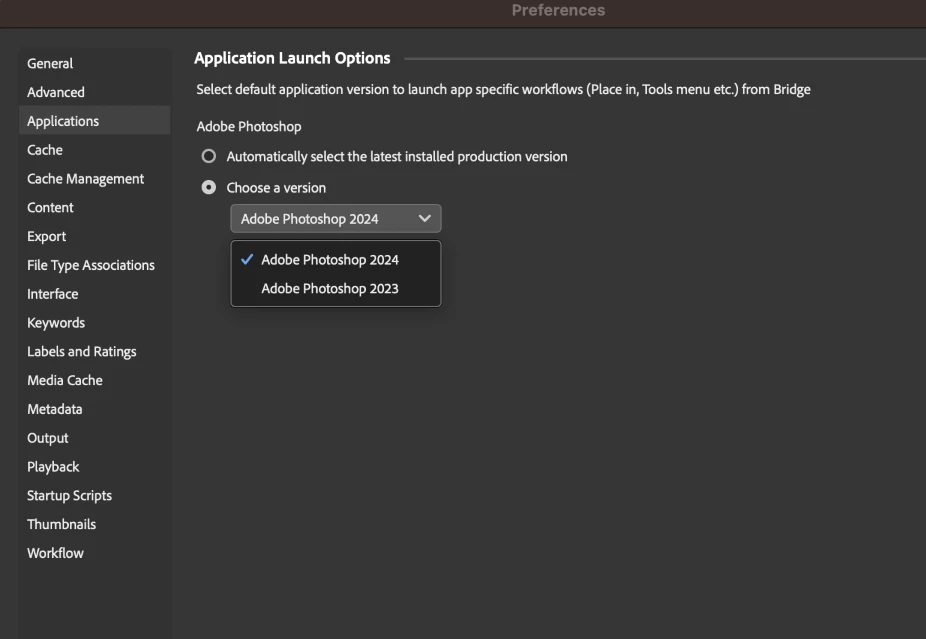
Note: These preference changes will not affect the Open and Open With operations. They will continue to be associated with the default file type associations (FTA).
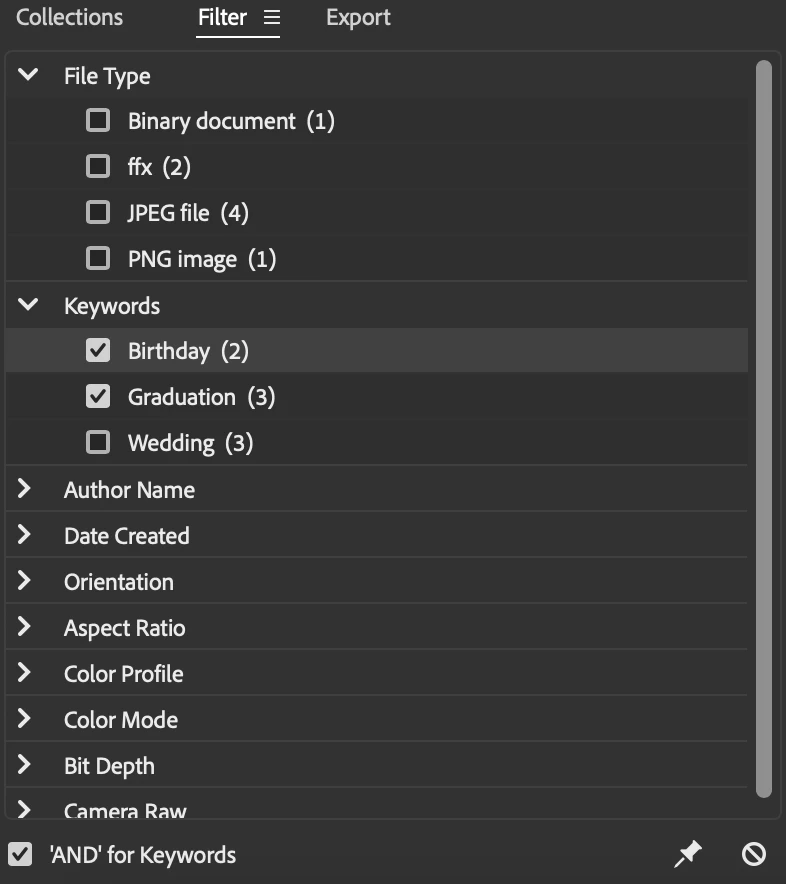
Use 'AND' for Keywords filter
- Users can now utilize the AND operation within the Keywords filter, revealing files containing all the selected keywords. To do so, the user needs to select the checkbox next to "And For Keywords" present at the bottom left of the keywords panel.
- Unchecking the checkbox allows the user to revert to the existing behaviour.
We request you to install the build and provide your valuable feedback. While using Bridge, you may ecounter a few UI issues. Please share your feedback by creating a thread prefixed with '14.1.0 Bridge Beta'. We look forward to your continued support.
Steps to install/update
Install: Go to the Creative Cloud desktop app and select Beta apps in the left sidebar of the Apps panel. Then select install for your beta app.
Update: Go to the Creative Cloud desktop app, click on Update in the left sidebar of the Apps panel, and Check for updates. Then click update for your beta app.
Note: As always, the update will be rolled out incrementally. If you do not see the update in the Creative Cloud Desktop app, please wait for a couple of days till we release the Beta update to all users.
Thanks,
Bridge Team
 AdChoices