




Adobe Bridge Beta is now available (15.0) Update 1
We are happy to announce the release of Adobe Bridge Beta (15.0.0.328)
What's new in this Beta release?
- Support for high-quality preview and export (to JPEG) for .HEIC and .HEIF image file format. For more details, please refer to this: https://helpx.adobe.com/bridge/kb/heif-hevc-codec.html
- Performance improvements in Keyword Panel workflows such as scrolling, furling/unfurling, keyword operations (rename, move, delete)
- File type association support added for .idml files
- Security and Stability fixes
Note: If your Windows machine doesn’t have the required HEIF/HEVC extension installed, you may observe the given message in the Preview panel, when opening .HEIC/.HEIF image files in Bridge.
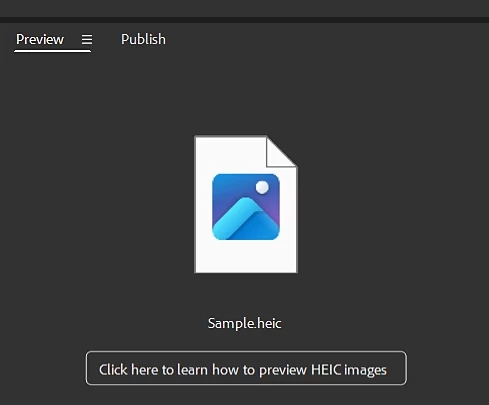
In such cases, to preview and export .HEIC/.HEIF image files, you need to download and install both the HEIF and HEVC extensions directly from the Microsoft store.
- Buy the HEVC Video Extensions
- Get the HEIF Image Extensions
- Restart Bridge and try purging the cache for your .HEIC/.HEIF file.
File format support:
- Canon HIF Files are not supported. Use raw files from Canon cameras for best results.
- Currently, Bridge only supports Export to JPEG for .HEIC/.HEIF images.
Steps to install/update
Install: Go to the Creative Cloud desktop app > Apps > select Beta apps. Then select install for your beta app.
Update: Go to the Creative Cloud desktop app > Apps > click on View updates, and check for updates. Then click update for your beta app.
Note: As always, the update will be rolled out incrementally. If you do not see the update in the Creative Cloud Desktop app, please wait for a couple of days till we release the Beta update to all users.
For more info on what a beta is and how you can participate, see Adobe Creative Cloud Beta FAQ
 AdChoices