



📸 Camera Raw & DNG Converter 17.3 are now available
We’re excited to announce the release of Adobe Camera Raw & DNG Converter 17.3, available now as part of the April 2025 MAX London update. This release includes new features designed to streamline your workflow and expand your creative control—plus support for the latest cameras and lenses, along with important bug fixes.
Here’s what’s new in Adobe Camera Raw 17.3:
|
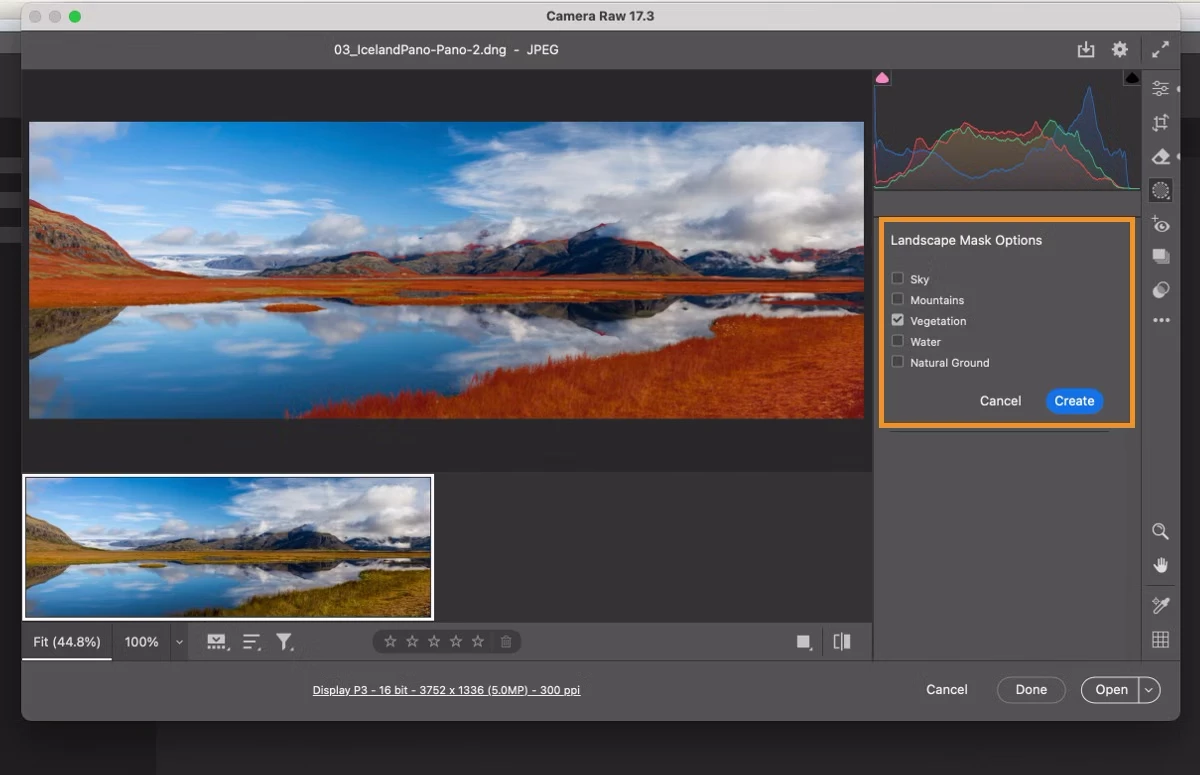
NEW! Landscape Masking: The AI-powered Landscape mask simplifies photo editing by automatically selecting and masking landscape elements in your photos. Read more about it here. |
 |
|
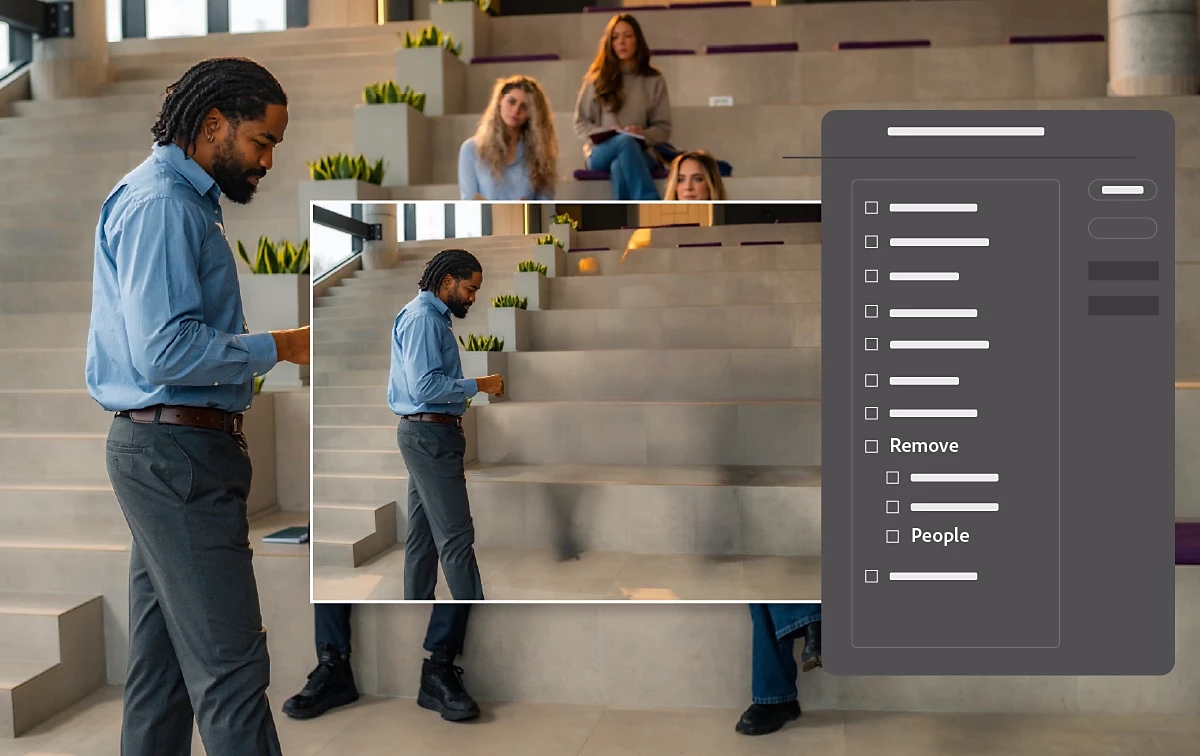
Batch-edit photos in the Remove tool You can easily edit multiple photos together in the Distraction Remove - People tool. All you need to do is select all the images you want to edit together and apply the changes in the People Removal tool. You can also use batch copy-paste workflow to pictures in the People Removal and Reflection Removal tools to edit the images faster and achieve consistency. Learn more about this update here. |
 |
|
Other Enhancements |
 |
To update Camera Raw to 17.3, click "Update" in the Creative Cloud desktop app next to Camera Raw. More detailed instructions for updating.
We’d love to hear from you!
Try out the new Adobe Camera Raw 17.3, and let us know your thoughts. Feel free to reach out if you have any questions or need more tips!

 AdChoices