











『アドビコミュニティフォーラム』に質問/トピックを投稿する方法
Announcements
新着順
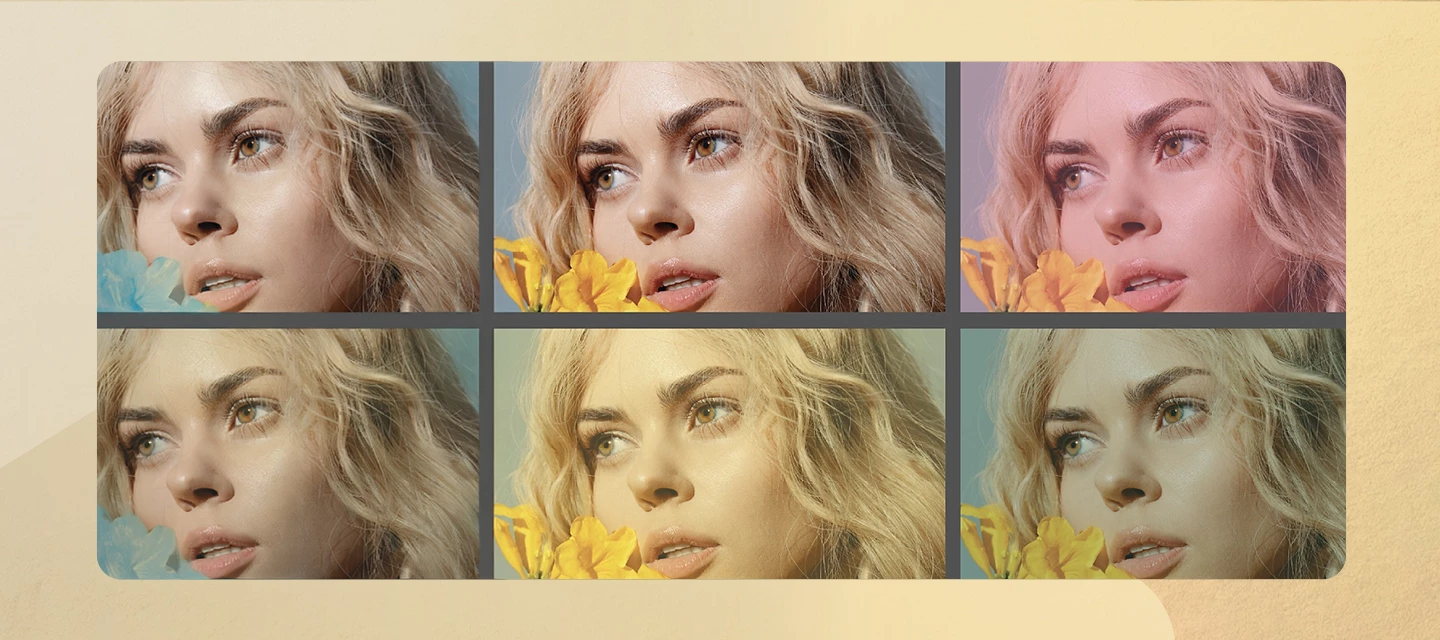
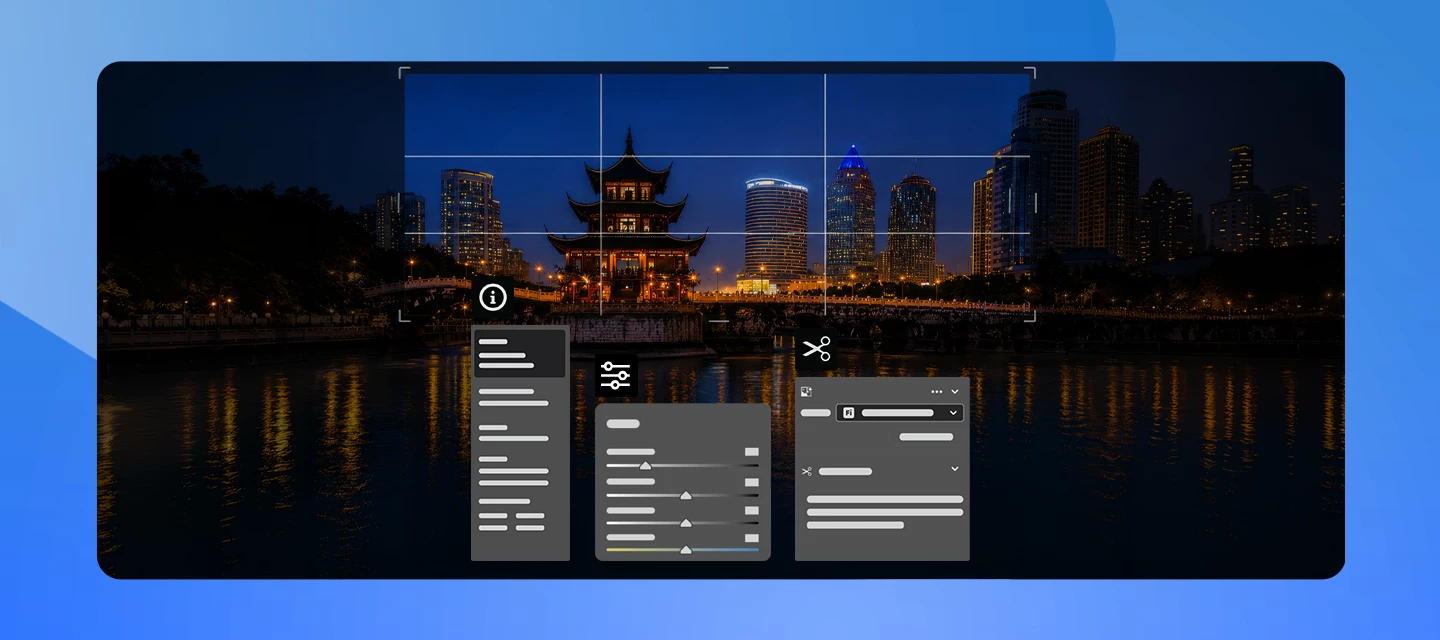
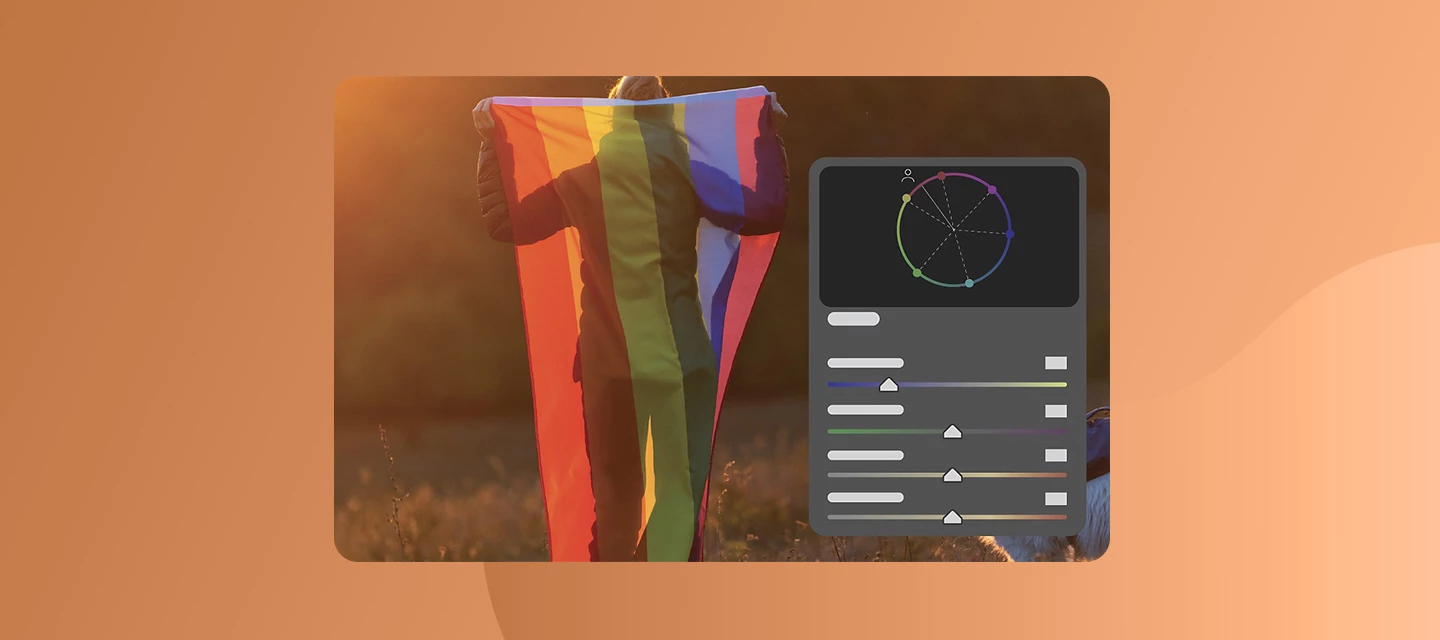
This release brings sharper precision, deeper color insight, and more control to every edit. What’s NewThe June update for Camera Raw v18.4 brings sharper precision, richer color insight, and more control in your editing workflow. You’ll notice significantly improved subject detection when masking, making it easier to isolate subjects, even in complex, busy backgrounds, for faster and cleaner edits.Color workflows get a meaningful upgrade with the introduction of Vectorscope, which lets you visualize hue and saturation distributions for more accurate color grading and consistent skin tones.Alongside this, the new Bidirectional Gradient mask opens up creative possibilities with two-sided gradients, helping you create smooth transitions and highly targeted adjustments.This release also expands support for the latest DJI and Canon camera models, as well as Canon and Sony lenses, ensuring you can seamlessly edit files from newer gear without compatibility concerns.Learn more about what’s n
Hey everyone! We’ve just rolled out new features, updates, and bug fixes for Adobe Camera Raw 18.3.1 and the latest DNG Converter. This release brings support for new cameras and lenses along with fixes inspired directly by your reports. Thanks for the feedback! What’s New The Adobe Camera Raw 18.3.1 release adds a mix of creative touches and handy improvements to everyday editing. Try out the improved White Balance, and explore Color grading in Masking. On top of that, this update includes support for new cameras and lenses, and a round of bug fixes to keep things running smoothly. Find out more about What’s New, Release notes, and a the list of newly supported cameras and lenses! Bug Fixes - Thanks to You The following issues were identified and upvoted by members of this community. Thank you for flagging them and helping us prioritize: Denoise leads to odd checkerboard patterns in HDR images (dng) Unable to openHasselblad’s FFF format How to UpdateTo update Camera Raw to 18.3.
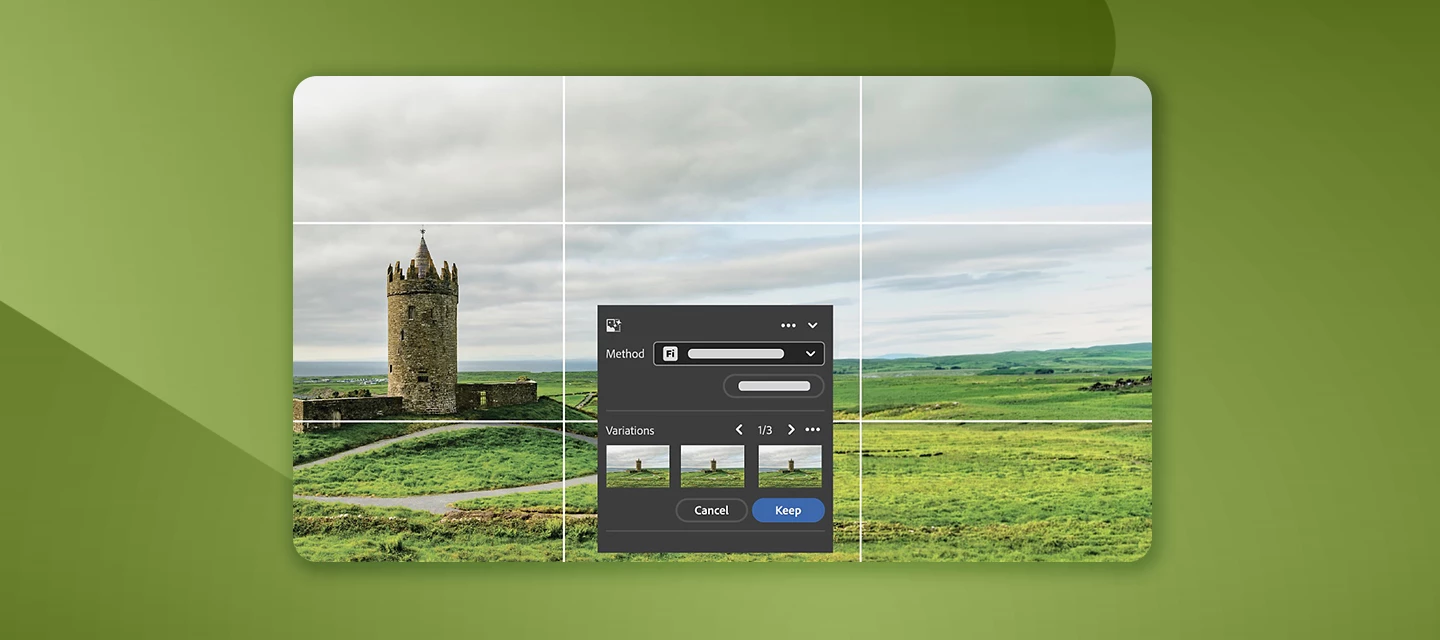
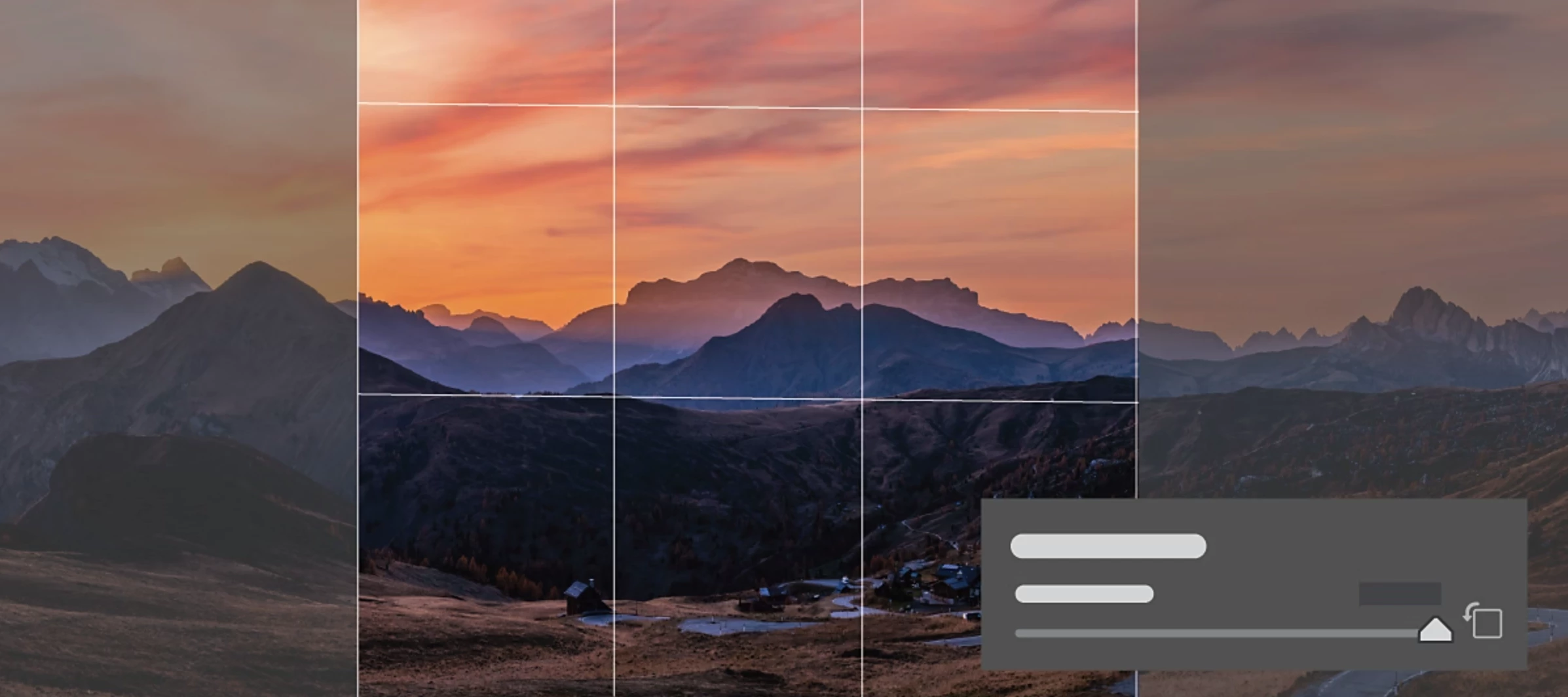
Hey everyone! We’ve just rolled out new features, updates, and bug fixes for Adobe Camera Raw 18.3 and the latest DNG Converter. This release brings improved generative results along with fixes inspired directly by your reports. Thanks for the feedback! What’s New The Adobe Camera Raw 18.3 release adds a mix of creative touches and handy improvements to everyday editing. Try out new film‑inspired presets for a classic look, easily desqueeze photos shot with anamorphic lenses, and make more precise edits using the new Depth Range Mask. There’s also a new Projection correction slider to help fix stretched faces near the edges of wide‑angle shots. On top of that, this update includes support for 3 new cameras, 25 new lenses, and a round of bug fixes to keep things running smoothly. Find out more about What’s New, Release notes, and a the list of newly supported cameras and lenses! Bug Fixes - Thanks to You The following issues were identified and upvoted by members of this community. Tha
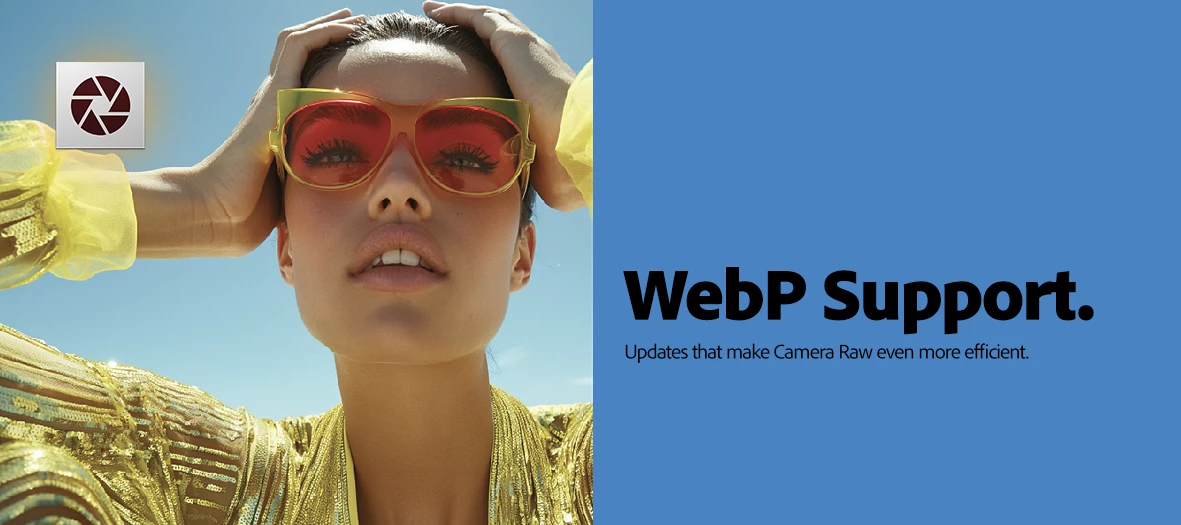
We’re excited to announce what’s new and fixed in February’s Adobe Camera Raw update. Here’s What’s New in Adobe Camera RaWRead WebP file format support Supported camera models Supported lens profileRead more about this release in our What’s New and Release notesReported by you in the communityThis release also includes several critical bug fixes reported in the community. P: Denoise AI and Pentax K3 MKIII DNG files - not working P: Enhance changes causes Enhance settings to be disabled when merging to Panorama/HDR P: Data Loss/Corruption in .HIF files when writing XMP metadata P: (Masking) Point Color UI is no longer drag-able To update Camera Raw to 18.2, click "Update" in the Creative Cloud desktop app next to Camera Raw. More detailed instructions for updatingWe’d love to hear from you!Try out the new features and let us know your thoughts. Feel free to reach out if you have any questions or need more tips! If this was helpful, please click the Upvote icon in the t
Adobe Camera Raw: Dust removal, Select Snow, and more from MAX! Welcome to all our Adobe Camera Raw users — Adobe MAX is here, and it's your time to shine! This is more than a conference — it’s a creative recharge for photographers who want to make the most of every pixel. Join MAX online for free and check out all the photography sessions with all the apps that use Adobe Camera Raw! Learn more about everything that's new in this release in our What's New! Try it in the latest update Download the latest version and dive into the new features offered in Adobe Camera Raw. Adobe Camera Raw 18 To update Adobe Camera Raw to 18.0 , click "Update" in the Creative Cloud desktop app next to Lightroom. More detailed instructions for updating. Here's what's new in Adobe Camera Raw 18.0 Dust Removal The Dust Removal feature, located within the Distortion Removal panel in Adobe Camera Raw, helps remove dust spots from&
This release contains support for (1) Camera Nikon ZR* ( * ) Preliminary support for Nikon ZR pixel shift (NEFX raw) (12) Lenses Canon RF Canon RF 85mm F1.4 L VCM Sigma 12mm F1.4 DC C025 Hasselblad X Hasselblad XCD 2,8-4/35-100E Sigma L Sigma 20-200mm F3.5-6.3 DG C025 Sigma 35mm F1.2 DG II A025 Sigma 135mm F1.4 DG A025 Sigma 200mm F2 DG OS S025 Sony E Sigma 12mm F1.4 DC C025 Sony FE Sigma 20-200mm F3.5-6.3 DG C025 Sigma 35mm F1.2 DG II A025 Sigma 135mm F1.4 DG A025 Sigma 200mm F2 DG OS S025
What's new in this update? The August 2025 release of Adobe Camera Raw supports the following feature enhancements, along with new cameras, lenses, and fixed bugs. Remove dust spots in a photo - Automatically detect and remove spots created by dust on your camera's sensor. Download DNG Converter 17.5 To update Camera Raw to 17.5, click "Update" in the Creative Cloud desktop app next to Camera Raw. More detailed instructions for updating
New cameras: OM Digital Solutions OM-5 Mark II Sony FX2 (ILME-FX2)* Sony FX3A (ILME-FX3A) Other Camera-related supportAdd a camera matching profile for the Flexible Color Picture Control on the following Nikon models. Nikon Z 5 2 Nikon Z f ( * ) Denotes preliminary support.
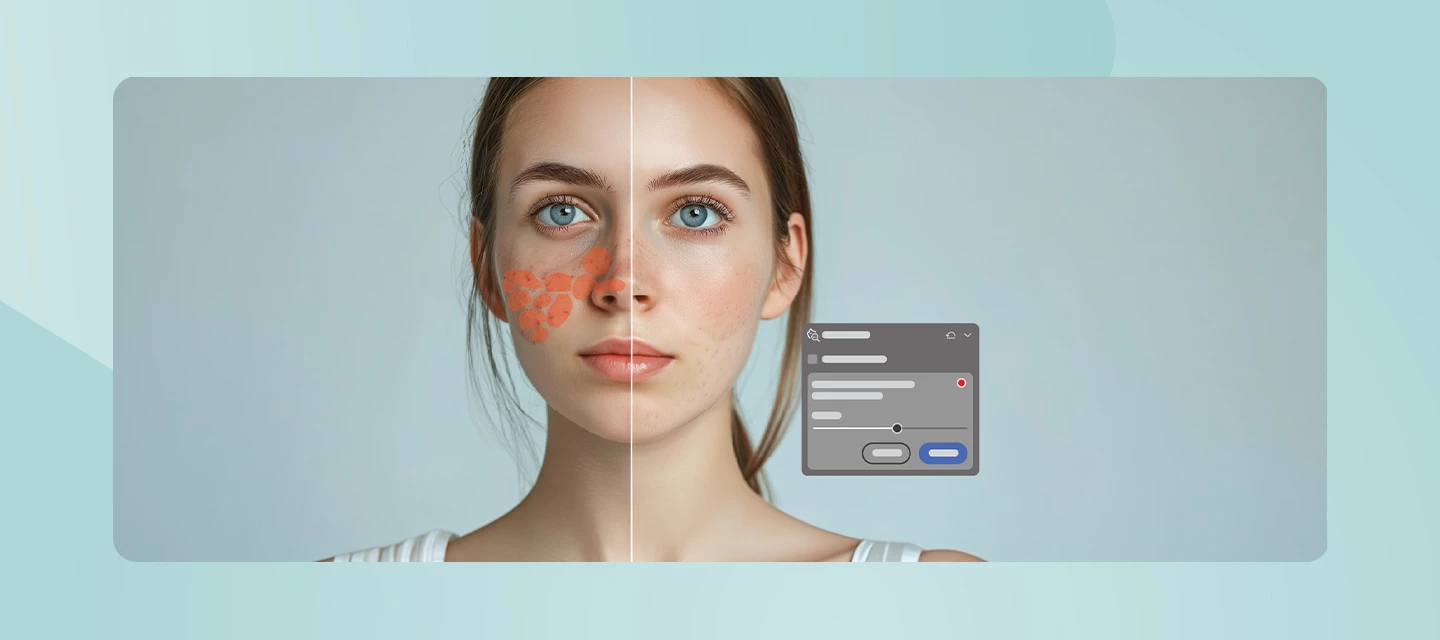
We’re excited to announce the release of Adobe Camera Raw & DNG Converter 17.4, available now as part of the June 2025 update. This release includes new features designed to speed up your workflow and expand your creative control—plus support for the latest cameras and lenses, along with important bug fixes. Here’s what’s new in Adobe Camera Raw 17.4: Non-Destructive Enhance: Apply Denoise, Raw Details, and Super Resolution non-destructively. Learn more here. Distracting People and Reflection Removal Automatically remove distracting people and reflections from photos. Color Variance (Early Access) New Variance slider in Point Color to accentuate or reduce color variations, which is optimized for portrait retouching. Learn more here. Other Enhancements Support for new camera models. Support for new Lenses. To update Camera Raw to 17.4, click "Update" in the Creative Cloud desktop app next to Camer
We're happy to announce the release of Adobe Camera Raw 17.3.1! This update includes bug fixes and added support for the Sony RX100VIIA. To update Lightroom to 17.3.1, click “Update” in the Creative Cloud desktop app next to Adobe Camera Raw. Find more information here.
We’re excited to announce the release of Adobe Camera Raw & DNG Converter 17.3, available now as part of the April 2025 MAX London update. This release includes new features designed to streamline your workflow and expand your creative control—plus support for the latest cameras and lenses, along with important bug fixes. Here’s what’s new in Adobe Camera Raw 17.3: NEW! Landscape Masking: The AI-powered Landscape mask simplifies photo editing by automatically selecting and masking landscape elements in your photos. Read more about it here. Batch-edit photos in the Remove tool You can easily edit multiple photos together in the Distraction Remove - People tool. All you need to do is select all the images you want to edit together and apply the changes in the People Removal tool. You can also use batch copy-paste workflow to pictures in the People Removal and Reflection Removal tools to edit the images faster and achieve consistency. Le
We're happy to announce the release of Adobe Camera Raw & DNG Converter 17.2 What's new in this update? The February 2025 release of Adobe Camera Raw supports the following feature enhancements, along with new cameras, lenses, and fixed bugs. Quickly remove reflections Other feature enhancements Download DNG Converter 17.2 To update Camera Raw to 17.2, click "Update" in the Creative Cloud desktop app next to Camera Raw. More detailed instructions for updating
We're happy to announce the release of Adobe Camera Raw & DNG Converter 17.1 What's new in this update? The December 2024 release of Adobe Camera Raw supports the following feature enhancements, along with new cameras, lenses, and fixed bugs. Quickly remove reflections Other feature enhancements Download DNG Converter 17.1 To update Camera Raw to 17.1, click "Update" in the Creative Cloud desktop app next to Camera Raw. More detailed instructions for updating
You can customize your community profile by clicking your profile avatar and Editing Your Community profile. Your profile picture and screen name will appear on the content you publish and in your private messages. You can update your profile picture. You can pick a new custom screen name or have the system auto-generate a new screen name for you. The information you enter in the signature section will appear in your posts. Using the toggles, you can choose to display your online status and to make recent activity on your profile public. Information under the section “Add more to your profile” can be edited and will be made public only when you enable the toggle “Show all information on Community Profile.” This is your public profile information from Adobe products and services such as Behance and Lightroom. Updating this information will propagate everywhere. Enter or edit your First Name and Last Name. Enter your Occupation. Ent
We're happy to announce the release of Adobe Camera Raw & DNG Converter 16.4. What's new in Camera Raw? Support for new cameras and lenses Find newly added cameras and lenses in the complete list of supported profiles. Fixed issues Others Download DNG Converter 16.4 To update Camera Raw to 16.4, click "Update" in the Creative Cloud desktop app next to Camera Raw. For more information, click here.
We're happy to announce the release of Adobe Camera Raw & DNG Converter 16.3. To update Camera Raw to 16.3, click “Update” in the Creative Cloud desktop app next to Camera Raw. Find more information here. What's new in Camera Raw? Generative Remove, powered by Adobe Firefly generative AI. Efficiently eliminate distractions from photos with Generative Remove (Early Access), powered by Adobe Firefly generative AI. Content Credentials (Early Access) Secure your exported content with Content Credentials (Early Access). Add blur effect with Lens Blur Lens Blur in Camera Raw is now fully released, allowing all users to enhance photos with blur and bokeh for a professional look. Support for new cameras and lenses Find newly added cameras and lenses in the complete list of supported profiles. Fixed issues Others The Spot Removal tool in Camera Raw has bee
We're happy to announce the release of Adobe Camera Raw & DNG Converter 16.2 What's new in this update? Support for new cameras and lenses. Bug fixes. For details, see Fixed issues. Download DNG Converter 16.2 To update Camera Raw to 16.2, click "Update" in the Creative Cloud desktop app next to Camera Raw. More detailed instructions for updating
We're happy to announce the release of Adobe Camera Raw & DNG Converter 16.1 What's new in this update? Support for new cameras and lenses. Bug fixes. For details, see Fixed issues. Download DNG Converter 16.1 To update Camera Raw to 16.1, click "Update" in the Creative Cloud desktop app next to Camera Raw. More detailed instructions for updating
We are pleased to announce Camera Raw 16.0 It's time again for the Adobe Max creativity conference and a new Lightroom release! Whether you are attending MAX in person, attending virtually, or just want to try new features in the apps, you will find this information useful. To update Camera Raw to 16.0, click “Update” in the Creative Cloud desktop app next to Lightroom. Find more information here. What's new in Camera Raw? Add blur using the Lens Blur tool Add an aesthetic blur effect to any part of a photo through AI-powered Lens Blur. Easily achieve the popular bokeh effect without requiring an expensive camera lens. Edit and export HDR photos in Camera Raw Edit and save HDR photos in new industry-standard formats like AVIF and JPEG XL, which offer higher quality at smaller file sizes. Make targetted color adjustments with Point Color Point Color allows flexible color selection and additional color input refin
Greetings all, Camera Raw 15.5 is now available via your Creative Cloud Desktop app. This release contains bug fixes as well as new camera and lens support. Please refresh your Creative Cloud Desktop app if you do not see the update. Thanks!
Camera Raw 15.4.1 is released with support for new cameras and lenses. Please see: https://helpx.adobe.com/camera-raw/kb/supported-lenses.html & https://helpx.adobe.com/camera-raw/kb/camera-raw-plug-supported-cameras.html for a list of items supported in the 15.4.1 update. If you do not see the update in your Creative Cloud Application, you can refresh it by hitting [Ctrl/Cmd]+[Alt/Opt]+[ R ].
We're happy to announce the release of Adobe Camera Raw & DNG Converter 15.4 What's new in this update? Fine-tune photos with Refine Saturation Retain color while making Tone Curve adjustments with the Refine Saturation slider. Easily add or remove Grain from a masked area of an image Easily adjust the amount of Grain in an image using the new Masking feature. Support for new cameras and lenses. Other feature enhancements. Bug fixes. For details, see Fixed issues. Download DNG Converter 15.4 To update Camera Raw to 15.4, click "Update" in the Creative Cloud desktop app next to Camera Raw. More detailed instructions for updating
We're happy to announce the release of Adobe Camera Raw & DNG Converter 15.3 What's new in this update? Quickly remove noise from your photos AI-powered Denoise to reduce noise in RAW photos while preserving crisp details. Take a closer look: Denoise Demystified | Adobe Blog Enhance photos using the new Masking enhancements Enhance your photos by making selective adjustments to people and objects using the Masking tool. Select People and Select-Object lets you edit parts of the skin and multiple objects in a photo using precise masking selections. Support for new cameras and lenses. Other feature enhancements: Access new Adaptive Presets in the Presets panel. Bug fixes. For details, see Fixed issues. Download DNG Converter 15.3 To update Camera Raw to 15.3, click "Update" in the Creative Cloud desktop app next to Camera Raw. More detailed instructions for updating
We're happy to announce the release of Adobe Camera Raw & DNG Converter 15.2 What's new in this update? The February 2023 release of Adobe Camera Raw (version 15.2) provides support for new bug fixes, cameras, and lenses. To know more, see: Fixed Issues Supported cameras Supported lenses Download DNG Converter 15.2 To update Camera Raw to 15.2, click "Update" in the Creative Cloud desktop app next to Camera Raw. More detailed instructions for updating
An update to Camera Raw is now available via the Creative Cloud Desktop App. Version: 15.1.1 contains new camera support and bug fixes Notably: https://community.adobe.com/t5/camera-raw-bugs/p-output-appearance-of-hdr-images-varies-on-different-gpu-settings/idi-p/13417871 If you do not see the update listed use the KBSC [Ctrl/Cmd]+[Alt/Opt]+[ R ] to refresh your CCD App.
Remix with Firefly Community Gallery
Thousands of free creations to fall in love with and remix in Firefly.
すでにアカウントをお持ちですか?ログイン
Enter your E-mail address. We'll send you an e-mail with instructions to reset your password.
申し訳ございません。このファイルは、ダウンロードしても安全かどうか、内容を確認中です。数分後にもう一度お試しください。
申し訳ございませんが、当社のウイルススキャナは、このファイルをダウンロードすることは安全ではないと検出しました。