




Camera Raw v18.5 Now Available: Smarter AI Retouching, Enhanced Vectorscope, Render to DNG, and More
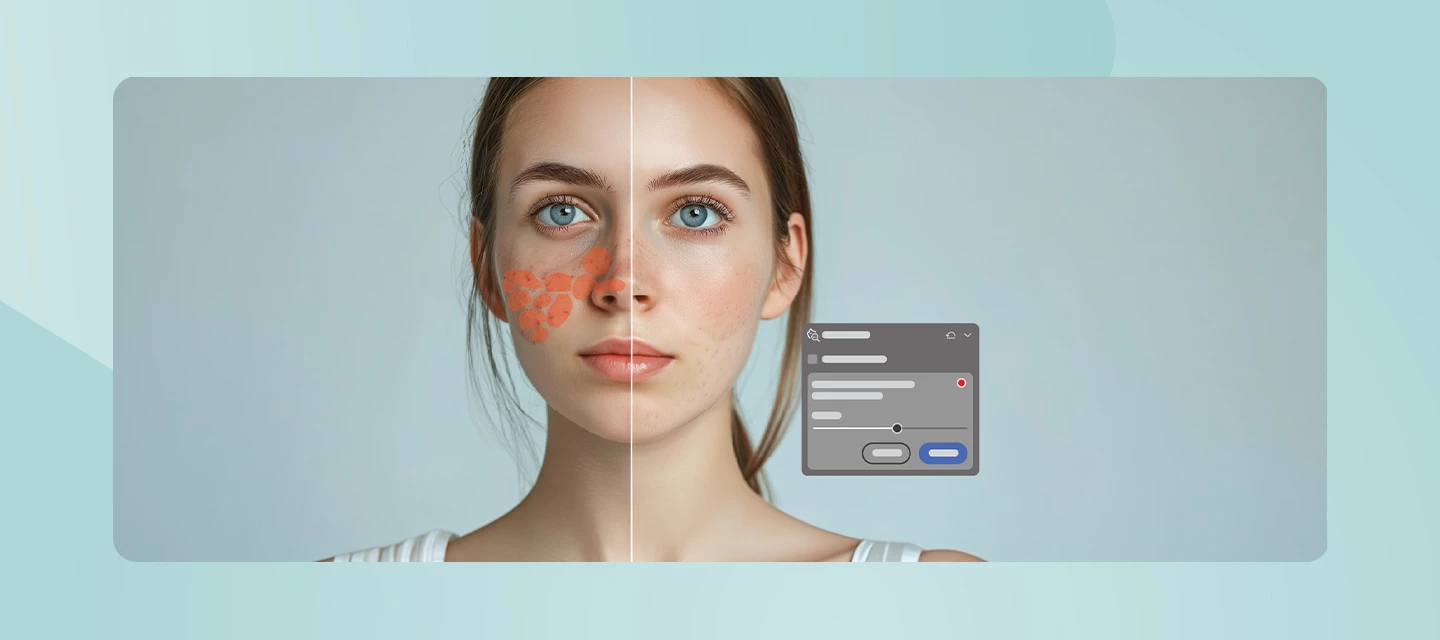
The August 2026 release of Camera Raw (v18.5) introduces powerful new retouching capabilities, expanded control over AI-powered features, and enhanced Vectorscope. Whether you're refining portraits, managing AI-assisted workflows, or performing precise color grading, this release gives you greater flexibility and control throughout your editing process.
What’s New
One of the headline additions in Camera Raw v18.5 is the new AI-powered Remove Blemishes from a Photo feature, which automatically detects and removes skin blemishes, moles, freckles, and other facial marks. You remain in control with adjustable Amount and Fade sliders, and can fine-tune individual corrections by removing or restoring specific spots as needed.
For users who prefer a more traditional editing experience, Camera Raw now lets you manage generative AI features directly from the Preferences dialog. Features such as Generative Remove, Generative Expand, and Distraction People Removal can be enabled or disabled based on your workflow preferences.
Color workflows also receive a boost. The Vectorscope now includes a Show Red at 3 o'clock option, aligning the display with the color scopes commonly used in video editing applications. In addition, the scope now displays precise Lab color values, providing exact numeric color readings for more accurate grading and evaluation.
Also new in this release is Render to DNG, allowing you to create a new DNG file with all current edits permanently applied. This creates a clean, non-raw starting point that's especially helpful for Generative Expand workflows, allowing you to expand beyond existing crop boundaries while retaining all previously applied edits.
Camera Raw v18.5 also adds support for newly released GoPro camera models and additional GoPro, Laowa, and SIGMA lenses.
Learn more about the latest updates here.
👉 Download the latest version of Camera Raw here.
Bug Fixes:
- Manual Transformations doesn't respect the enlarged canvas
- C2PA isn't working correctly in the Google Pixel 10
See the full list of bug fixes here.
How to Update
Update to Camera Raw v18.5 via the Adobe Creative Cloud desktop application, or download & install it manually from here. Once updated, you'll have immediate access to the new Blemishes tool, expanded AI controls, enhanced Vectorscope functionality, and the latest camera and lens support.
Join the Conversation
Have you tried the new AI-powered Blemishes feature yet? Are you using the new Vectorscope enhancements for color grading, or do you prefer editing with generative AI features turned off? We'd love to hear how Camera Raw v18.5 fits into your workflow and what improvements you're most excited about.
 AdChoices